
Bonnes pratiques du Web. De Memodev.
How to Create Your First Web Page Using HTML and CSS. Note: If you know anything at all about HTML and CSS, don’t bother reading this, it’s a guide for the uninitiated, technophobes, luddites, computer-illiterates, anyone who is more comfortable with a pen and paper than a keyboard and mouse.
If making a web page seems like brain surgery to you, then this is the article for you. What you need to know The only prior knowledge I will assume is that you’ve used a computer before, you’re familiar with using a keyboard and a word processor, and you’ve at least seen a website. Designers' List - Great resources and websites for designers. Mozilla Developer Network. Creating HTML Emails – How To And Design Inspiration. CSS Padding. 50 User Interface Design Tools A Web Designer Must Have. The success of web applications and websites depends in how well designed the User Interface is.
10 Rock Solid Website Layout Examples. Keeping It Simple Page layout is equal parts art and science.
Creating something that’s visually attractive and unique takes an artist’s eye. However, there are several very easy to follow guidelines that you can use to create solid layouts that work for any number of cases. These principles include choosing and sticking to an alignment, structuring your whitespace properly and highlighting important elements through size, positioning, etc. Designers often stress out far too much about the layout process. You Can Use CSS3 Right Now Design Informer. A Craft Of Consequences: Reader, Writer And Emotional Design Before the very first page of a book has been read, you've already analyzed it in countless ways without even noticing.

The paper stock, the thickness of the binding, the aroma, the color of the type and even the texture of the cover; the very character of the book is being dissected by the hand and eye at every moment. In this brief second there is a dialogue between the reader and the object. This conversation is subtle and complex, but for most people it is entirely subconscious. Simple CSS3 framework for creating GitHub style button links. Zoombox. The Anatomy of a Perfect Landing Page. Placement and Content 7.
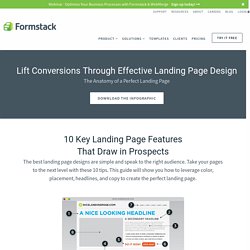
Keep It Above the Fold The space a visitor sees without having to scroll is where the most important parts of the webpage should be. Place the call-to-action button above the fold and in a location where the viewer's eye will scan to. Never have the button or form in a place where it has to be searched for. 8. Symboles,table de codes caractères: ASCII,ISO,HTML. Redirection 301 d'un site / domaine vers un autre (ancienne url vers nouvelle url) 10 Extremely Useful Background Generators for Designers. Using good background image in web design can really lift up a simple layout.
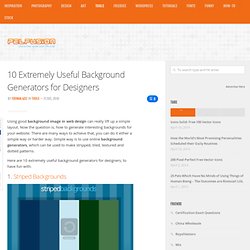
Now the question is, how to generate interesting backgrounds for your website. 21 Amazing CSS Techniques You Should Know. Cascading Style Sheets(CSS) is one of the building blocks of modern web design without which websites would have been ugly just like they were a decade ago.
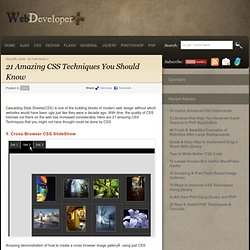
With time, the quality of CSS tutorials out there on the web has increased considerably. Here are 21 amazing CSS Techniques that you might not have thought could be done by CSS. 1. 10 Techniques for a Fantastic Footer. A strong footer can leave your visitors with a lasting positive impression.
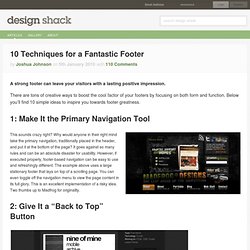
There are tons of creative ways to boost the cool factor of your footers by focusing on both form and function. Below you’ll find 10 simple ideas to inspire you towards footer greatness. 1: Make It the Primary Navigation Tool This sounds crazy right? Why would anyone in their right mind take the primary navigation, traditionally placed in the header, and put it at the bottom of the page? CSSDesk - Online CSS Sandbox. Free CSS templates - Download Free CSS Templates. Dynamic Dummy Image Generator - DummyImage.com.
ALL HTML - Discussions Encadrer du texte sans passer par <table>... <td> et <tr> etc... Grille tarifaire 2009, 2010, 2011 et 2012 pour les graphistes, infographistes et webdesigners freelance recherchant un ordre de prix pour un site web, flyer, brochure, catalogue, logo, carte de visite, affiche ou autre prestation graphique - MARIE /// JUL. Top 10 des bobards racontés aux infographistes naïfs - MARIE /// JULIEN.
Note: Je n'ai repris et traduit que les intitulés du "top 10" du site painter creativity, Les commentaires sous chaque élément de la liste sont de moi, il ne s'agit donc pas d'une traduction et l'analyse peut varier par rapport au site original. pour avoir une vision globale je vous conseille d'aller lire le billet original.

Je ne sais pas pourquoi, de nombreuses grosses ficelles (à ce stade on appelle ça des câbles de marine) fonctionnent très bien auprès des infographistes alors qu'elle ne fonctionneraient dans aucun autre corps de métier. On peut se dire que c'est parceque l'infographie est un métier à part, mais pourtant lorsqu'il s'agit du mode de fonctionnement ou de la facturation des prestations, je ne vois pas ce qui différencie un infographiste d'un architecte, plombier ou coiffeur. Nous allons voir le top 10 des bobards servis au graphistes, et essayer de comprendre en quoi est-ce des bobards.
Si vous en avez expérimenté d'autres, n'hésitez pas à en faire part en commentaires. HTML5 se dévoile - Alsacréations. Insurance Lead Generation and Marketing. Website performance tools. Website Speed and Performance Optimization. Cours XHTML->Ma première page : Zone HTML / XHTML (V5.0) I New Idea Homepage. Css.maxdesign.com.au - CSS resources and tutorials for web designers and web developers. CSS3 Generator. HTML XHTML Entities. Character Entity References in HTML 4 and XHTML 1.0 Here is a set of tables containing the 252 allowed entities in HTML 4 and XHTML 1.0, as described in section 24 of the official HTML 4 specifications, published by the W3C.
I have divided them into my own, hopefully logical, categories: Each table has five columns. The first column contains the entity reference, in the form &entity_name;, that is, an ampersand, the entity name, and then a semi colon. The second column displays how that entity appears in your browser. The fifth column contains a description of the character, and an occasional note. HTML XHTML -Conception & Réalisation de sites Web. PHP MySql -Conception & Réalisation de sites Web. Rédaction en cours. Merci de me signaler les fautes que vous y croiserez. Si certaines explications semblent trop rapides ou obscures, signalez-les moi également. Le PHP, qu'est-ce que c'est ? Le Site du Zéro, site communautaire de tutoriels gratuits pour d.
Évaluation d'un site Web. Centrer les éléments ou un site web en CSS - Alsacréations. Color Scheme Designer 3. ColoRotate: Colors come to life in 3D. 15 Free Online Tools for Web Designers on a Budget. Pingdom Tools.