
New Tool Tracks Culture Through the Centuries via Google Books. Can culture be decoded like a genome?
A team from Harvard University has teamed up with Google to crack the spines of 5,195,769 digitized books that span five centuries of the printed word with the hopes of giving the humanities a more quantitative research tool. The Google Books Ngram Viewer, launched online December 16 and described in a paper in Science, allows Web users to query their respective areas of interest based on n-grams (a method of modeling sequences in natural language).
What Is RDF and Why Should I Care? Hate PowerPoint? Here Are 5 Web-based Alternatives. Whether they're for clients, customers or colleagues, visual presentations are an unavoidable part of doing business.
For years, Microsoft PowerPoint has been the standard bearer of slide presentation applications, but several Web-based alternatives have emerged. For the most part, the alternatives offer similar functionality to PowerPoint, sometimes more, sometimes less. Automate Just About Anything on Your Windows PC, No Coding Required. OpenStack Open Source Cloud Computing Software. Google Wants to Kill JPEGs With New WebP Format.
Quantum computers move a step closer. DIY, Battery-Powered Coil-Gun Destroys All Toys. You're a kid, and therefore you like to shoot things.

But what if the catapult and the air-rifle just aren't cutting it anymore? Then you, like Jason (aka Larsplatoon) make your own coil-gun. The styling is straight out of a video-game, but inside the engineering is very real, and very lethal. A coil-gun uses a magnetic field to accelerate a bullet up to projectile speed. Jason's uses a bank of recycled rechargeable laptop batteries to provide the juice, and various bits of circuitry to step up the voltage, prevent overloading and charge the array of capacitors. To use, flip the switch, hit the charge button and wait 30 seconds for the capacitors to fill up. Baloney Detection Kit. The Red Ocean of Cloud Infrastructure Stacks. Update: am revising this still… Reposting now – but send me your comments via @CloudBzz on Twitter if you have them.
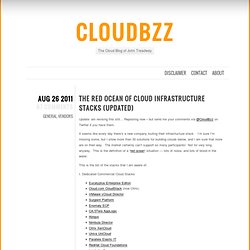
It seems like every day there’s a new company touting their infrastructure stack. I’m sure I’m missing some, but I show more than 30 solutions for building clouds below, and I am sure that more are on their way. The market certainly can’t support so many participants! Not for very long anyway. This is the definition of a “red ocean” situation — lots of noise, and lots of blood in the water. Cloud Computing a Catalyst for Virtualization « Data Center Knowledge.
Ellen Rubin is the founder and Vice President of Products for CloudSwitch, which allows enterprises to run applications in the cloud without re-architecting the application or changing existing management tools.
ELLEN RUBIN CloudSwitch At first glance, cloud computing can appear to be “virtualization taken to its logical conclusion.” After all, if the main benefit of virtualization is to consolidate data center resources and increase the speed of provisioning, then cloud is the ultimate pay-off: don’t own the resources at all and cut provisioning down to a few minutes with instant self-service gratification. But upon further thought, cloud seems to be giving virtualization a return to the spotlight. A recent Gartner study noted that cloud computing is the number two priority for CIOs – trumped only by virtualization. Perl 6. Python Programming Language – Official Website.
Contact Manager, Web Based CRM, Address Book for Small Business: Delicious. Google Calendar: How to make your Google Calendar your PC's. Hard to Find 800 Numbers. Ten free tools to manage your personal brand online. IP Location Tool - Locate a Network Address on a Google Map. Getting Things Done. The best thing in printing since Gutenberg. WIDGETBOX. Find a friend to exchange languages !
Doc Scrubber™ Share Only What You Want Microsoft Word (.DOC) files can contain more than just text you see while editing them.
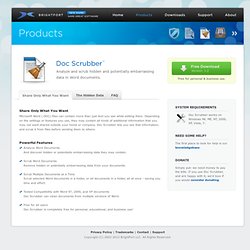
Depending on the settings or features you use, they may contain all kinds of additional information that you may not want shared outside your home or company. Doc Scrubber lets you see that information, and scrub it from files before sending them to others. Powerful Features Analyze Word Documents And discover hidden or potentially embarrassing data they may contain. Scrub Word Documents Remove hidden or potentially embarrassing data from your documents. The Hidden Data Word Documents can contain all sorts of extra data, commonly referred to as "metadata". This data can include: Hidden Revision Logs A Unique, Identifying GUID Comments, Keywords, Subjects, and other properties Recent Hyperlinks Last Saved Date Last Edited By Information Last Printed Date Revision Count Total Editing Time and more...
FAQ What versions of Microsoft Word is Doc Scrubber compatible with? Line Monitoring - dslreports.com. Free Help Setting up Your Router or Firewall. To Test If Your Port Is Open Download our PFPortCheck ProgramInstall PFPortCheckRun PFPortCheck.
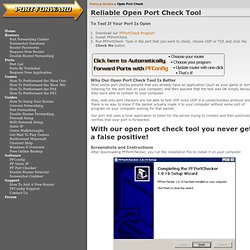
Type in the port that you want to check, choose UDP or TCP, and click the Check Me button Why Our Open Port Check Tool Is Better Most online port checks assume that you already have an application (such as your game or torrent) listening for the port test on your computer, and then assume that the test was OK simply because they were able to connect to your computer. ProjectPier.org. EgoSurf - ego surfing without the guilt.