
Online eBook Creator. FatURL. Symbols.net. Photo Editing Made Simple - Free Online Photo Editor. 26 Teacher Tools To Create Online Assessments. Mention - a possible replacement for Google Alerts. There's much concern running around at the moment relating to the inability of Google Alerts to 'do their thing' properly, and people are worrying that they might be on the kill list.
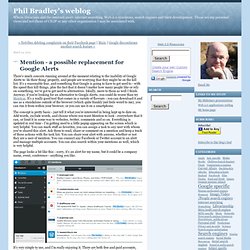
It's a reasonable fear, and something that Google is going to have to get used to - with the speed they kill things, plus the fact that it doesn't matter how many people like or rely on something, we've got to get used to alternatives. Ideally, move to them as well I think. Anyway, if you're looking for an alternative to Google Alerts, you could do worse than try Mention.
It's a really good tool that comes in a variety of flavours - you can download it and use as a standalone outside of the browser (which quite frankly just feels weird to me), you can run it from within your browser, or you can use it on a smartphone. The concept is pretty basic - just tell it what you're interested in being kept up to date on.
ComicBook! ComicBook!

Photo effects and captioning app is your FULL featured comic book creation tool! Turn yourself and your friends into comic heroes or villains. TodaysMeet. Tbx - Technology - Free Software. 10 Fun Tools To Easily Make Your Own Infographics. People love to learn by examining visual representations of data. That’s been proven time and time again by the popularity of both infographics and Pinterest. So what if you could make your own infographics ? What would you make it of? It’s actually easier than you think… even if you have zero design skills whatsoever. Below are my two favorite infographic-making web 2.0 tools that I highly recommend. Click the name of each tool to learn more! Visual.ly One of the more popular ways to discover infographics, Visual.ly actually just launched a design overhaul of their website.
Dipity Want to get a beautifully simply visualization of data over time? Easel.ly. Cross browser testing and IE Windows 7 compatibility - Browser Sandbox. The Spoon.net Browser Sandbox makes cross-browser testing and backwards compatibility easy.
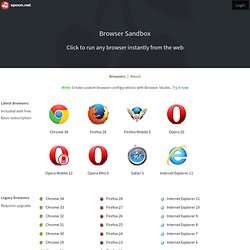
Just click Run for any browser to launch it instantly. Browsers run within an isolated virtual environment, eliminating the need for installs and allowing legacy browsers such as Internet Explorer 6 to run on Windows 7 and 8. Virtualized browsers behave exactly like installed browsers. And because they run locally, you can test web applications hosted on your own development machine or on internal servers. Simply launch the browser from Spoon.net or the Spoon Console and enter your test URL in the navigation bar. Spoon.net supports standard browser components like Java applets and ActiveX controls as well as popular browser plugins like Firebug, IE Developer Toolbar, and CSS and JavaScript debugging consoles.
Using the Browser Sandbox at Work? Buffer - Be Awesome on Social Media. Sign, edit, and fax documents online. HTML-Kit 292 Profile. About HTML-Kit 292 HTML-Kit is a free text editor with a lot of features.
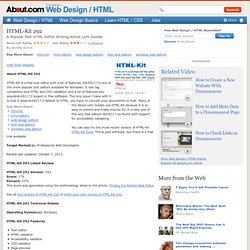
It’s one of the more popular text editors available for Windows. Start 2012 by Taking 2 Minutes to Clean Your Apps Permissions. 21 Useful Cloud Computing Resources for Librarians. 21 Useful Cloud Computing Resources for Librarians Email Google+ Twitter Facebook October 25th, 2011 by Ellyssa Kroski Cloud applications, platforms, and services are being embraced by libraries and librarians around the world. Facebook Comments « iLibrarian Home About iLibrarian. Pack for Windows: Our List of the Best Windows Downloads. Snap.vu - free qr code generator, short url and tracking service for smart mobile/cell phone marketing campaigns.
InFocus.cc. Free Learning » Blog Archive » Lets CC – Creative Commons Search Engine. Comment spam prevention for your blog - Akismet. Mirek's Free Windows Software.
Mobile. Visual & sound. Free HTML Editor. Download any website from the server using the Open From Web option 21 Days.
Promoting Your Resources Using Timeline Software « Information Twist. I’ve been experimenting with historical timeline software recently to see if we could promote our library service resources online to our users (mostly books and online subscriptions around a particular topic area) in a different way.
Historical timeline software allows the user to build a dated list of related events that can be browsed by other users. Normally our resources would be promoted by refering to them and linking back to them from our website and via our Twitter and Facebook accounts. Our aim was to include the timeline as a small project focused on the Queen’s Jubilee and her links to Surrey – giving us a narrow topic area to deal with. I had a look at a number of pieces of software before we decided upon which one to use. Below is a list of ideal requirements I wanted from the software. Requirements Before deciding on which one to use I tried out the following – Memolane; Rememble; Preceden; Timelines.com; TimeRime; Tiki-Toki; XTimeLine; Dipity; Timeglider.
Like this: GrammarCheck.net – Free Online Grammar Checker. Language Tools. Stich.It - Turning the Web into Stiches!