
42 Fresh Photo Manipulation Examples from Tumblr Part 2 « Photoshop Photo Manipulations & Tutorials. 23 Excellent Photo Manipulation Examples « Photoshop Photo Manipulations & Tutorials. Mysterious wood, hollow, horror landscape, ghost dog, mystic scene, photo manipulations, dark photoshop effect, Photo landscape retouching, fantastic and treasure tree, dramatic sky, image adjustments.
Used pictures.

Sources: www.cgtextures.com (all backgrounds and textures), www.sxc.hu (dog) Birds brushes from here Open landscape image in Photoshop document. I used 1500 px, width size and resolution 144 px. Unlock background layer. Correct image adjustments (colors, brightness, contrast and others). Image > Adjustments > Photo Filter >Choose dark blue color and Density 70%. How to Create an Amazing Apocalyptic Photo Manipulation in Photoshop. How to Create an Amazing Apocalyptic Photo Manipulation in PhotoshopReviewed by Jarka Hrnčárková on Sep 18Rating: Preview of Final Results Apocalyptic Photo Manipulation Photoshop Tutorial Resource To complete the tutorial you can use my own resources which are exactly the same as in the preview manipulation but in lower resolution, or find similar stock over the internet.

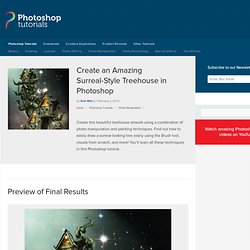
The link for the low resolution images is here. Step 1 – Preparing the Background. Create an Amazing Surreal-Style Treehouse in Photoshop. Create an Amazing Surreal-Style Treehouse in PhotoshopReviewed by Dek Wid on Feb 2Rating: Preview of Final Results Download the PSD Surreal Treehouse.zip | 23.59 MB Download from Website.
20 Matte Painting Tutorials. Matte paintings are used to create virtual sets and digital back lots. They can be used to create entire sets, or to extend portions of an existing set. Traditional matte painting is done optically by painting on top of a piece of glass to be composites with the original footage. This trick is nearly as old as film itself. Create an Incredible Story Coming Alive Fantasy Photomanipulation. A great technique for creating motion, mood and action in an artwork is to give the sense of a story coming to life.

Although used frequently in film and books, this technique also can be applied to digital art, by using an object such as a book, painting, photograph or drawing as the focal point, and then having the composition seem to spring to life from it. How to Make a Car Advertisement Poster Design. Creating effective advertisements is one of the biggest jobs for a graphic designer.

The advertising industry is one of the largest employers of graphic designers, but creating advertisements requires a mastery of many different skills. From photomanipulation, digital painting, 3D, and vector graphics, graphic designers need to have strong skillsets in order to be able to work on a given project. In this graphic design tutorial, we’ll cover the essential advertising workflow. By following along with this Photoshop ad tutorial, you’ll see how to take just a simple stock image and build a pixel perfect artwork around it, while also communicating valuable information about the brand to viewers.
If you liked this Photoshop poster tutorial, check out our other graphic design tutorials: Create a Lost Fantasy Micro World with Powerful Photo Manipulation Techniques in Photoshop. Today we will take a break from the ordinary stuff and go into a fantasy world.
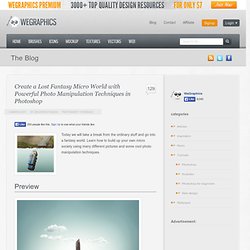
Learn how to build up your own micro society using many different pictures and some cool photo manipulation techniques. Preview Detail Step 1 Let’s start by creating a new document of dimensions around 1500x1300px. Grab Ellipse Tool (U) and draw an ellipse in the center of the design (make sure it’s set to Shape Layers). Don’t Leave Me – Photoshop Tutorial. Don’t Leave Me – Photoshop Tutorial 4.8 (96.67%) 6 votes Welcome to another PSD Box tutorial.
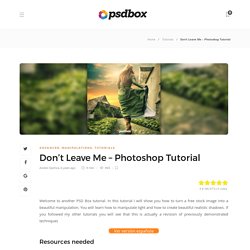
In this tutorial I will show you how to turn a free stock image into a beautiful manipulation. You will learn how to manipulate light and how to create beautiful realistic shadows. If you followed my other tutorials you will see that this is actually a revision of previously demonstrated techniques Resources needed You need a premium PLUS membership in order to see the downloads links The model is by Faestock from deviantART but the set that contains this particular stock was removed so I uploaded myself here so that you can follow the tutorial. Final result preview Video Walkthrough. Don’t Leave Me – Photoshop Tutorial. Facing a New Day – Photoshop Manipulation. Facing a New Day – Photoshop Manipulation 4.4 (87.5%) 8 votes Here is the tutorial I announced on the newsletter about a month ago.
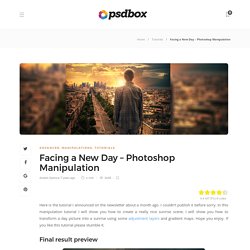
I couldn’t publish it before sorry. Design a spectral photo-manipulation. Today I gonna show you how to realize from scratch a ghostly scene in few steps.

We will use a couple of stock photos and modify them so they will look harmoniously combined. In particular we will deal with the burn tool, layer masks and some Photoshop filters often overlooked. Preview: Human Disintegration Effect in Photoshop. Create an Elephant Sundae Using Photo Manipulation Techniques. Photoshop is great at seamlessly combing photos to create an entirely new scene.
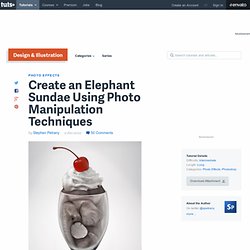
In this tutorial we will create an elephant sundae using several stock photos. Let's get started! Resources This tutorial uses the following images but you are welcome to find alternatives for the ice cream and wine glass images. Step 1 Open the wine glass image. Step 2 Transform > Warp this layer to drop the base of the glass more. Step 3 As an additional step, I've used the Liquify Tool on the base of the bulb of the glass.
Ilustración y diseño Colombia y Latinoamerica: retoque fotográfico. Ricardo Salamanca, digital artist. Breathtaking photo editing works of Chilean photographer and graphic artist Ricardo Salamanca. I coudn’t find so much about him, but certainly he is not only a good photographer but also a genius of photo editing. Many of his works have been used for famous advertising campaigns, including Sony Playstation. Sponsored Ads.