
105 People Photo Manipulation Works You Will Really Marvel. Oh, I am really marveling those photo manipulation works with people and countless amazing, colorful effects!
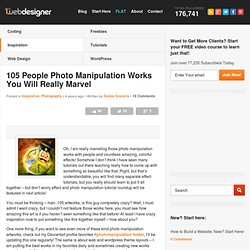
Somehow I don’t think I have seen many tutorials out there teaching really how to come up with something so beautiful like that. Right, but that’s understandable, you will find many separate effect tutorials, but you really should learn to put it all together – but don’t worry effect and photo manipulation tutorial roundup will be featured in next article! You must be thinking – man..105 artworks, is this guy completely crazy? Well, I must admit I went crazy, but I couldn’t not feature those works here, you must see how amazing this art is if you haven’t seen something like that before! At least I have crazy inspiration now to put something like this together myself – how about you? One more thing, if you want to see even more of these kind photo manipulation artworks, check out my Deviantart profile favorites #photomanipulation folder, I’ll be updating this one regularly! 26 Beautiful Handpicked Color Palettes.
26 Beautiful Free Retro Fonts. 50 Time Saving Photoshop Actions for Enhancing Photos. 1001 Free Fonts - Download Free Fonts for Windows and Macintosh - StumbleUpon. How To Give Your Photos a Dark Processed Lomo Effect - StumbleUpon. This post was originally published in 2010 The tips and techniques explained may be outdated.

Follow this step by step post processing guide to give your photos a dark lomo style effect with high contrast, blue tones and vignette burns. The effect is based on the popular lomographic technique and is similar to the processing effect used in many fashion shots and advertisement designs. Overall this effect does a great job of adding impact to a plain photography with cool colour casts and unusual saturation. View full size photo effect Begin by opening your photograph of choice into Adobe Photoshop. Go to Image > Adjustments > Levels and tweak the tones of the image.
At the bottom of the Layers palette, click the Adjustment Layer icon and select Curves. Change the drop down menu to Green and tweak the graph for the green channel to further alter the tones of the image. Finally alter the Blue channel, creating an inverted ‘S’ shape to enhance the blues to give a cool colour cast. Create a Detailed Vintage TV from Scratch in Photoshop. In today’s tutorial, I will show you how to create a detailed vintage TV from scratch using Photoshop’s vector editing capabilities.
The detailed step by step guide will help you to understand the process of its creation. Preview First, take a look at the image we’ll be creating. A new way of choosing what to read next. 30 Poster Design Tutorials for Photoshop. Photoshop allows designers to create amazing posters that can be used for a variety or purposes like movie promos, product promos, event promos, as well as just for fun and practice.
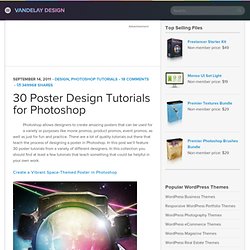
There are a lot of quality tutorials out there that teach the process of designing a poster in Photoshop. In this post we’ll feature 30 poster tutorials from a variety of different designers. Check out my cool home design on Autodesk Homestyler! © 2013 Autodesk, Inc.
All rights reserved. Use of the service is subject to the Homestyler Terms of Use. Trademarks Autodesk is a registered trademarks or trademarks of Autodesk, Inc., and/or its subsidiaries and/or affiliates. All other brand names, product names or trademarks belong to their respective holders. Third-Party Software Credits and Attributions Apache Ant, Apache HTTP Server Project, Apache Struts, Apache Tomcat, Enunciate and Jets3t are licensed under the Apache License, Version 2.0 (the "License"); you may not use this file except in compliance with the License. Unless required by applicable law or agreed to in writing, software distributed under the License is distributed on an "AS IS" BASIS, WITHOUT WARRANTIES OR CONDITIONS OF ANY KIND, either express or implied. Light Stalking & 10 Must-Have Photoshop Plugins That Are Free - StumbleUpon.
If you’re looking for new and creative ways to edit or enhance your images, plugins can make your Photoshop workflow go so much smoother.
Whether you want to add some noise or create some stunning color effects, we’ve got a fantastic list for you – and all completely free! 1. virtualPhotographer by optikVerve Labs. Photorealistic Pictures Drawn with a BIC Pen - Design.inc Blog. Photorealistic Pictures Drawn with a BIC Pen At first glance these pictures might appear to be photographs with a moody blue filter applied.
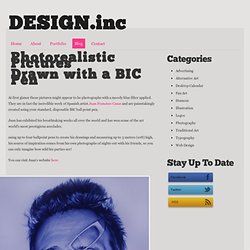
They are in fact the incredible work of Spanish artist Juan Francisco Casas and are painstakingly created using your standard, disposable BIC ball point pen. Juan has exhibited his breathtaking works all over the world and has won some of the art world's most prestigious accolades. using up to four ballpoint pens to create his drawings and measuring up to 3 meters (10ft) high, his source of inspiration comes from his own photographs of nights out with his friends, so you can only imagine how wild his parties are! Collection of 30 Best Adobe Photoshop Brushes. Something that always comes handy we all need to use Brushes while creating some new designs.
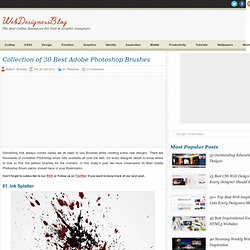
There are thousands of incredible Photoshop brush sets available all over the web. So every designer needs to know where to look to find the perfect brushes for the moment. In this today’s post we have showcased 30 Best Adobe Photoshop Brush packs should have in your Bookmarks. Don’t forget to subscribe to our RSS or Follow us on Twitter if you want to keep track of our next post. 01. 02. 03. 04. 05. 06. 07. 08. 09. 10. 11. Tutorials. The Photoshop Etiquette Manifesto for Web Designers.