
Wiki. Voice-sipsorcery-dialplans - Tips and Tricks for free or inexpensive calling with Google Voice over VoIP. Users of Google Voice are patiently waiting for Google to restore full SIP integration.
Until that happens, users are able to sign up for free accounts at a few web sites, glue them together with some scripts, and enjoy free unlimited SIP calling with Google Voice today. SIPSorcery.com is a site that specializes in managing and routing SIP-based Voice Over IP (VOIP) phone calls. New user accounts are created with minimal functionality, but their usefulness can be enhanced through the use of scripts written in Ruby. Know Your Network: The Complete Guide. HOW-TO install and use plugins in XBMC - XBMC4Xbox Wiki. FreeNAS Setup Part 2 - Disk, User, and CIFS setup. Quick and Easy FreeNAS Tutorial We’ve received a lot of interest from our FreeNAS install tutorials.
In ‘Part I’ we covered how to install and make the most basic configuration of FreeNAS. We left off with the system now accessible from its built-in web console. In this installation of our FreeNAS Server tutorial, we’ll go through how to setup a secure shared storage by going through the following steps: · Disk setup · User access, and. How To Turn Your Netbook Into a Chromebook with Chromium OS. [GUIDE] Install CM7.1 + Clockworkmod to EMMC - ALL NOOKS! (Updated:10/11/11) [GUIDE] Install CM7 or CM10 + Recovery to EMMC - ALL NOOK COLORS!
![[GUIDE] Install CM7.1 + Clockworkmod to EMMC - ALL NOOKS! (Updated:10/11/11)](http://cdn.pearltrees.com/s/pic/th/install-recovery-developers-19637733)
(Updated:11/19/12) ***Nook Colors manufactured after May 2011 shipped with a different partition scheme, see post 2 for information about it, or just go ahead with the guide since it doesn't affect much! You can identify these nooks as they have a blue dot sticker on the box*** A gentle reminder, this thread should only be for discussion related to the guide itself. Any CM7/10 related issues should be discussed in the appropriate threads either in General or the Development forum. On with the good stuff: How to Turn Your Computer Into the Ultimate Remote Access Media Server. Golf clap for this article.
"clap, clap. " Nicely done. Key points to be emphasized: a) Running a server on many "home" ISP connections may be against the Terms of Service in your ISP contract. Minor use probably won't be noticed. b) Using plain FTP (port 21) is crazy even with a password, unless you are publishing all the content for the world to have. C) VNC (any form) is not encrypted. D) If you are using HTTP, you probably plan to allow the world access to your files. E) Only ssh/sftp (port 22) out of all the choices in the article above, should be used externally.
Why - Convert a PC into a network-attached storage device - CNET.com Digital Home - CNET.com. [ROM][CM7] [v1.3] Size-agnostic SD Card image and CM7 installer for SD Cards. The Pros and Cons of Running Honeycomb on Nook Color. Since Android is open source, it finds its way onto many types of devices.
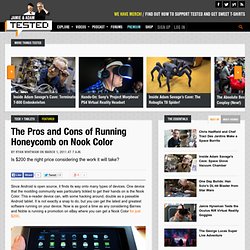
One device that the modding community was particularly tickled to get their hands on is the Nook Color. This e-reader device can, with some hacking around, double as a passable Android tablet. It is not exactly a snap to do, but you can get the latest and greatest software running on your device. Now is as good a time as any considering Barnes and Noble is running a promotion on eBay where you can get a Nook Color for just $200. What you need to install Honeycomb The first thing you'll need is a Nook Color, which you hopefully just procured for a downright reasonable $200. Alternatively, you can choose to use the newer internal memory install process. To get the Google services and Market, you need to go through an extra step. The Pros. NookDevs. How To Root Your Nook Color.
Here's how to root your Barnes & Noble tablet for full control and new features.
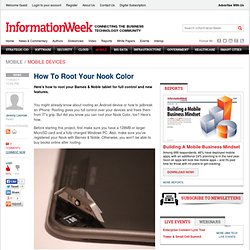
You might already know about rooting an Android device or how to jailbreak an iPhone. Rooting gives you full control over your devices and frees them from IT's grip. But did you know you can root your Nook Color, too? Here's how. The iPhone Inspired DIY Kitchen Touch Screen Project. The Scope For years my wife has been on at me to put a computer into the kitchen where she can manage her recipes, shopping lists, to do lists and access the internet for looking up various things.
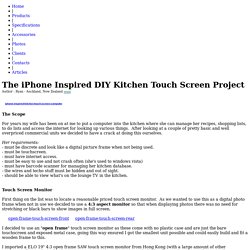
After looking at a couple of pretty basic and well overpriced commercial units we decided to have a crack at doing this ourselves. Her requirements: - must be discrete and look like a digital picture frame when not being used.- must be touchscreen.- must have internet access.- must be easy to use and not crash often (she's used to windows vista) - must have barcode scanner for managing her kitchen database.- the wires and techo stuff must be hidden and out of sight.- should be able to view what's on the lounge TV in the kitchen.
Touch Screen Monitor First thing on the list was to locate a reasonable priced touch screen monitor. The connections are very simple, 1 x 12vDC power feed, 1 x USB for driving the touch screen and a VGA and DVI sockets for connecting to a video feed. Ask Ubuntu - Stack Exchange. ListOfOpenSourcePrograms. List Of Open-source Programs (LOOP) for Microsoft Windows Operating Systems What is the LOOP list?
This is a list of the best open-source applications that run on Windows. Feel free to edit this list and add any programs that meet the criteria below. The purpose of this list is to demonstrate the quality of open-source applications and advocate the open source software development model. To learn more, read the FAQ - Frequently Asked Questions. Instructions: Tell all your non-Linux friends and family about the LOOP list.
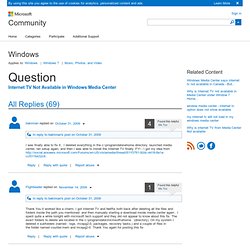
Planet Ubuntu. Internet TV Not Available in Windows Media Center. The following worked for me in Canada: open Control Panel, select Clock, Language and Region.
PowerUp Rewards - Card Activity. 40 Google Plus Tips for Newbies. Ok, so at this point, we are all newbies at Google Plus, right?
Android Forums, News, and Help. Lifehacker, tips and downloads for getting things done. Nook-2-Android & More. Top 10 Awesome Android Features that the iPhone Doesn't Have. The first spot on this list should be the notification bar! Notifications really set Android and iOS apart. 1. True App Integration: agree! 2. Flash: it might work on smartphones, but for some reason (Tegra 2?) 3. 4. 5. 6. 7. 8. 9.