
Patient, kind, loving, rarely resentful, passionate, ponderous, forgiving, altruistic
50 Brilliant CSS3/JavaScript Coding Techniques - Smashing Magazine. Advertisement CSS3 is coming.

Although the browser support of CSS 3 is still very limited, many designers across the globe experiment with new powerful features of the language, using graceful degradation for users with older browsers and using the new possibilites of CSS3 for users with modern browsers. That’s a reasonable solution — after all it doesn’t make sense to avoid learning CSS3 (that will be heavily used in the future) only because these features are not supported yet. The point of this article is to give you a glimpse of what will be possible soon and what you will be using soon and provide you with an opportunity to learn about new CSS3 techniques and features.
In this post we present 50 useful and powerful CSS3/jQuery-techniques that can strongly improve user experience, improve designer’s workflow and replace dirty old workarounds that we used in Internet Explorer 6 & Co. Visual Effects and Layout Techniques With CSS3 Navigation Menus With CSS 3 Learning New CSS3 Selectors. jQuery: The Write Less, Do More, JavaScript Library. jQuery Mobile: Demos and Documentation. Qualified Selectors in jQuery. Google Plus Circle Animation With Jquery and CSS3 in Your Website — Tech Blog. If you are a Google plus user, I am sure you will fall in love with Google plus circle animation.

Google plus given an awesome user experience, specially circle’s animations. When I saw the rotation animation first time in Google plus, I was so excited to create my own rotation animation like Google plus. I have been working in these days to develop circle rotation animation effect with Jquery and CSS3. I have tried circle rotation animation effect with Jquery and CSS3. Just few lines of code applying CSS styles using jQuery methods like .addClass() and .animation().
Click here to watch live demo T1 Click here to watch live demo T2 Circle CSS3 circle diameter 50px. Mozilla Hacks – the Web developer blog. Responsive design. The best way to learn creative and technical skills. Documentation. Spritely is a simple plugin with only two key methods, sprite() and pan() both of which simply animate the background-image css property of an element.
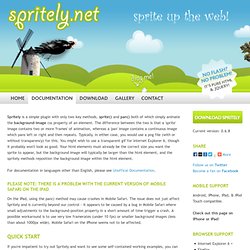
The difference between the two is that a 'sprite' image contains two or more 'frames' of animation, whereas a 'pan' image contains a continuous image which pans left or right and then repeats. Typically, in either case, you would use a png file (with or without transparency) for this. You might wish to use a transparent gif for Internet Explorer 6, though it probably won't look as good. Your html elements must already be the correct size you want the sprite to appear, but the background image will typically be larger than the html element, and the spritely methods reposition the background image within the html element.
For documentation in languages other than English, please see Unoffical Documentation. Please note: there is a problem with the current version of Mobile Safari on the iPad Quick start What's new in version 0.6? For example, 50 Premium PHP Script. The best way to learn creative and technical skills. The first official Nettuts+ quiz was a massive success with an impressive number of developers participating and evaluating their knowledge.
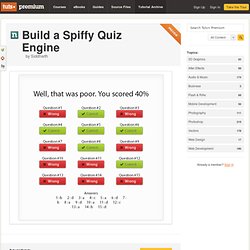
There were a non-trivial number of comments asking how the mini quiz engine was built. And lo and behold! That’s what we’re gonna learn today. A Word from the Author Quizzes are a great way to engage the community — just take a look at our recent quiz. I believe a demo is worth a thousand words. Today, we are going to look at how to implement this with, you guessed it right, our favorite JavaScript library, jQuery.
Canvas Pinball. Periodic Table of the Elements - Josh Duck. Noupe - The Curious Side of the Web.