
Html. How I Create Websites: A Look Inside the Creative Process. Last week, a friend of mine who recently started freelancing asked me to elaborate on my personal web design process.

I've been doing client work for years and now have essentially a standard routine when working on a new project. It goes something like this: 1. Understand the Project The first step is to know what you're making inside and out. Nearly every project requires doing some research prior to beginning the design process. 2. After I have a thorough understanding of the project, the target market and what the client wants, I start to brainstorm features and elements that will be used. Homepage Login BoxTop 5 News (blog posts)Top 5 Discussions (from Newsboard)Newsboard (latest posts)Profile Page User Info [name, bio, DOB, gender, joined date, #posts]Profile picCommenting/WallFriendsEvery Page Header + Footer + NavLeft Nav with icon linksTop leaderboard adEtc.. This kind of list doesn't have to be that in-depth, it's used just to help you formulate ideas for the next step. 3. 4. 6.
Web Startup Tools. After our successful soft launch two weeks ago we survived the first test with real users so far.

All systems behaved very well. I realized we are using quite a few external tools to keep CloudSafe up and running and I wanted to take an opportunity to briefly present you a few of these tools. Maybe they can be handy for your own web projects as well. Text Editing & Translation WebtranslateIt ( ) In our view, a cost-effective solution for creating and editing all texts which are required in our web application and have to be translated into several languages.
Tolingo ( ) Even if we did not always agree with the quality of their translations they were very quick with translating some of the descriptive texts. Webtesting Selenium ( ) With Selenium, you can build very good automated test cases and then use it on every new software release. Online Metrics Google Analytics ( ) The classic choice. Woopra ( ) My favored tool: Realtime Analytics with a great visual user interface! Pingdom ( ) [Re]Encoded dot Com » Blog Archive » 56 Free Resources for Web Designers. Web Design Dashboard. An Introduction to Using Patterns in Web Design. The biggest challenge for web designers is the unthinkably huge number of possible ways to solve any given problem.
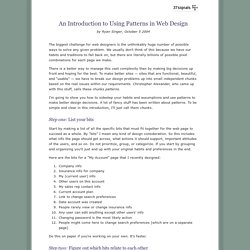
We usually don't think of this because we have our habits and traditions to fall back on, but there are literally billions of possible pixel combinations for each page we make. There is a better way to manage this vast complexity than by making big decisions up front and hoping for the best. To make better sites — sites that are functional, beautiful, and "usable" — we have to break our design problems up into small independent chunks based on the real issues within our requirements. Christopher Alexander, who came up with this stuff, calls these chunks patterns. I'm going to show you how to sidestep your habits and assumptions and use patterns to make better design decisions. Step one: List your bits Start by making a list of all the specific bits that must fit together for the web page to succeed as a whole. Do this on paper if you're working on your own. 3.
Related books.