
Etherpad Lite. Bloomin' Apps. This page gathers all of the Bloomin' Apps projects in one place.Each image has clickable hotspots and includes suggestions for iPad, Android, Google and online tools and applications to support each of the levels of Bloom's Revised Taxonomy.I have created a page to allow you to share your favorite online tool, iOS, or Android app with others.
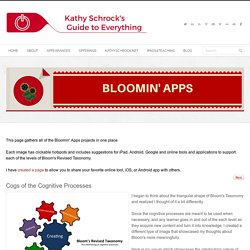
Cogs of the Cognitive Processes I began to think about the triangular shape of Bloom's Taxonomy and realized I thought of it a bit differently.Since the cognitive processes are meant to be used when necessary, and any learner goes in and out of the each level as they acquire new content and turn it into knowledge, I created a different type of image that showcased my thoughts about Bloom's more meaningfully.Here is my visual which showcases the interlocking nature of the cognitive processes or, simply, the "Cogs of the Cognitive Processes". IPAD APPS TO SUPPORT BLOOM'S REVISED TAXONOMYassembled by Kathy Schrock Bloom's and SAMR: My thoughts. Resources for Project-Based Learning. Free materials and downloads for building rigorous projects for all grade levels.
In this section, you will find materials and resources for teaching about project-based learning, whether you are conducting a two-hour session or class or can spend a day or two on the topic. We believe you will find much here from which you can build a set of experiences tailored to class participants for the purpose of exploring PBL: More Edutopia.org Resources on Project-Based Learning: Top Edutopia.org Case Study Videos on Project-Based Learning: Lower ElementaryUpper ElementaryMiddle SchoolHigh School Back to Top Additional Resources Elsewhere on the Web: The sample schedule provides ideas for one- and two-day sessions.
This PowerPoint presentation introduces PBL, based on research and case studies, and discusses why the method should be used, what it is, and how to begin, touching on the process of questioning, planning, scheduling, monitoring, assessing, and evaluating. Apps in Education. iPad As.... iPads have exploded throughout schools and classrooms.
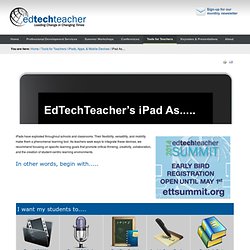
Their flexibility, versatility, and mobility make them a phenomenal learning tool. As teachers seek ways to integrate these devices, we recommend focusing on specific learning goals that promote critical-thinking, creativity, collaboration, and the creation of student-centric learning environments. In other words, begin with..... Kathy Schrock's Guide to Everything - Bloomin' Apps. Project-Based Learning Workshop Activities. Now that you've established the basics of PBL, you're ready for part two.
On this page, you will find a wide range of activities that will get workshop participants thinking and talking about PBL. 1. Prepare Participants for Critical Viewing of Case Study Videos Before watching a set of videos that demonstrate PBL at work, ask participants, "What questions do you have about good PBL projects that might be answered by looking carefully at a video of students working on a project? " Suggest that participants view the videos shown with particular questions in mind. 2. Choose a video from the following list to share with class participants, based on their grade level interest.
After a brief small-group discussion and reflection, engage the larger group of participants in conversation about what they saw. "What steps did the students take to work on their project? "" Ask participants, "What do the experts have to say about the effectiveness of PBL activities? " 4. In the What Is PBL About? 7. NETS for Students 2007 profiles. Project Based Learning. Introducing an irresistible project at the beginning of a unit of study can give students a clear and meaningful reason for learning.
Plus, they end up with a product or result that could possibility make a difference in the world! In project based learning students are driven to learn content and skills for an authentic purpose. PBL involves students in explaining their answers to real-life questions, problems, or challenges. It starts with a driving question that leads to inquiry and investigation. Students work to create a product or presentation as their response to the driving question. Technology can be helpful throughout a project, whether students use iPads, Chromebooks, Android tablets, laptops, or desktops. The Flipped Classroom.