
List of Videos for Android Application Development. Nie będzie wsparcia dla Flasha w Androidzie Jelly Bean. Czyżby spełniało się to, co przewidział Jobs i naprawdę zbliża się koniec Flasha?

Firma Adobe poinformowała o braku Flash Playera dla nowo zaprezentowanego Androida. Aplikacja umożliwiająca odtwarzanie animacji na stronach internetowych rzeczywiście zdaje się chylić ku upadkowi. Dalsze informacje od Adobe głoszą, że wersja dla poprzednich systemów ma zostać wycofana z Google Play w połowie sierpnia br. Deweloperzy będą mogli korzystać z wersji archiwalnych aplikacji.
Jaka jest przyczyna takiej decyzji Adobe? Dla urządzeń korzystających z Flash Playera przewidziane są tylko i wyłącznie aktualizacje bezpieczeństwa. W zamian za Flash Playera Adobe namawia do korzystania z AIR. Customizing Your Android Without Rooting - MyColorscreen Blog. Samsung Galaxy S3: TouchWiz Overview. Our Top 100 Android Apps.
In February, we here at Android.AppStorm put together our best tips, tricks, features, and shortcuts. This month, we’ve gathered our favorite apps – the ones we use all the time, and that we’d recommend to our friends. AndroidUIiA_meap_ch01. 10 Tips For Android UI Design. This is a guest post by Guenther Beyer, an Android UI and Design expert who recently launched AndroidIcons.com to help developers improve the look and feel of their apps.
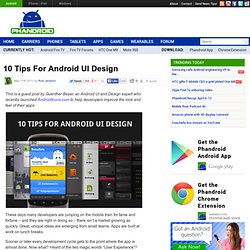
These days many developers are jumping on the mobile train for fame and fortune – and they are right in doing so – there isn’t a market growing as quickly. Great, unique ideas are emerging from small teams. Apps are built at work on lunch breaks. Sooner or later every development cycle gets to the point where the app is almost done. 40+ Beautiful Android Application Interfaces and Icons. The strict review guidelines followed in the Apple iOS App Store, in spite of all the flak it gets for being too strict or whimsical at times, ensures a certain quality for applications that get on the market.
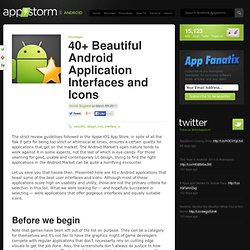
The Android Market’s open nature tends to work against it in some aspects, not the last of which is eye-candy. For those yearning for good, usable and contemporary UI design, trying to find the right applications in the Android Market can be quite a horrifying encounter. Let us save you that hassle then. Presented here are 40+ Android applications that boast some of the best user interfaces and icons. Although most of these applications score high on usability and utility, those are not the primary criteria for selection in this list. Najlepsze aplikacje geolokalizacyjne na Androida « Life's Good Blog. Google Android tutorial part 1 - Conway's Game of Life. Identifier:Category:Date and time:Created by: Toggle Advanced Options Day One - Why build Conway's Game of Life for Google Android?
Day Two - Starting to build the applicationDay Three - First runDay Four - Wiring the initial UI together This tutorial has a second part: Android tutorial part 2 - Conway's Game of Life. Android Community - Tracking the Android Platform. Get Started Developing for Android with Eclipse. Why You Should Get Excited About Emotional Branding Globalization, low-cost technologies and saturated markets are making products and services interchangeable and barely distinguishable.

As a result, today’s brands must go beyond face value and tap into consumers’ deepest subconscious emotions to win the marketplace. In recent decades, the economic base has shifted from production to consumption, from needs to wants, from objective to subjective. We’re moving away from the functional and technical characteristics of the industrial era, into a time when consumers are making buying decisions based on how they feel about a company and its offer.
Read more... Getting The Best Out Of Eclipse For Android Development - Smashing Coding. Advertisement Getting into Android development can be quite a challenge, particularly if you’re new to Java or Eclipse or both.

Whatever your past experience, you might feel tempted to start working away without checking that you’re making the best use of the IDE. In this article, we’ll go over a few tips, tools and resources that can maximize Eclipse’s usefulness and hopefully save you a few headaches. You might of course already be familiar with some (or all) of them and even be aware of others that we haven’t covered. If so, please do feel free to mention them. 10 amazing Android development tips. 150 Best Android Apps Of Year 2011 [Editor's Pick] 2011 has been an important year for Android.
![150 Best Android Apps Of Year 2011 [Editor's Pick]](http://cdn.pearltrees.com/s/pic/th/best-android-apps-year-editor-21023015)
With devices like Samsung Galaxy S II, Motorola XOOM and Kindle Fire turning heads in the market, atop the release of what is arguably the best iteration of the mobile OS (Ice Cream Sandwich) yet, it was only a matter of time before the head honchos of mobile app development began hopping onto the Android bandwagon. Not only has the year seen many big names debut on the Android Market, but many novice developers make big names for themselves, and to top it all off, the Market is now home to over 400,000 apps. Web Design, Web Development and Graphic Design Resources.
Professional_Android_Application_Development. Little Green Robot - The Android Magazine Blog. Mobile Developer Magazine. Ever since its inception, Android has taken the world by a storm. A bundle of the OS kernel, middleware, applications and frameworks, Android offers developers a chance to create awesome apps. Quite obviously, every developer will want to get his/her hands on Android. Therefore, in this article, I shall try to explain the basic concepts related to Android development from scratch. Unlike other articles found on the internet, this one assumes no prior knowledge of Android development. However, you will need to know JAVA and basic programming in order to comprehend the terms.
Android architecture is fairly simple. Boot loader handles booting from ROM and enables flashing of new ROM images. Rooting enables access to super use mode. Android Debug Bridge (ADB) provides command line access to the OS from your PC. It is a command line interface that lets you perform actions such as flash the ROM, partition your SD card, wipe off the data and cache, etc.