
How to Create a Realistic IES Lighting Effect in Photoshop. In this tutorial, I'll show you how to create a realistic IES (photometric) lighting effect.
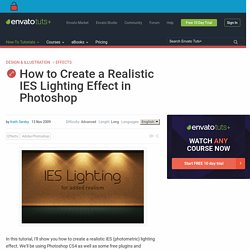
We'll be using Photoshop CS4 as well as some free plugins and software. Let's get started! In order to complete this tutorial you'll need the following software: Photoshop CS4Karbaras's IES Generator 3 (Download)Richard Rosenman's Grid Generator 1.7 Plug-inCybia AlphaWorks Plug-in (Download)1589835-nice.IES Profile (Download) Prior to beginning the tutorial, make sure you have installed the Grid Generator and the AlphaWorks Photoshop plug-ins, and that you've downloaded Karbaras's IES Generator (a standalone app) and the 1589835-nice.IES profile. This PSD will serve as a place to create certain textures used in the final layout.
Make a new document in Photoshop that is 1024px wide by 1024px high at 72dpi. Set the foreground color to #34240f by clicking the topmost color swatch in the Tools palette and entering this number at the bottom of the Color Picker dialog box. Go to Filter > Render > Fibers. Distort Linear Gradients in Envelope Distorts in Illustrator. I came across this trick randomly and decided to post about to get your opinion.

It seems like a pretty cool little trick, but honestly, I haven’t found a great use for it. It is fun to play around with and great for experimenting, but can you see yourself using this trick for anything in particular? Envelope Distortion First, it might be helpful to give you a little background on Envelope Distortions.
An envelope distortion is a vector shape that contains other artwork. Make With Top Object In this method, the top most vector shape acts as the envelope for the artwork below.To apply this distort, select your top most vector shape, the artwork you want to distort, and go Object > Envelope Distort > Make with Top Object (Command Option C). Make With Mesh In this method, Illustrator creates the shape for you with editable mesh point to control how the distortion affects the artwork.To apply this distort, select your artwork and go Object > Envelope Distort > Make with Mesh (Command Option M).
25 Helpful Tutorials for Lighting Effects in Photoshop. Photoshop allows designers with unlimited possibilities when it comes to creative effects, including lighting effects.
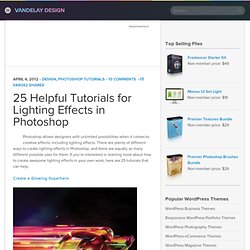
There are plenty of different ways to create lighting effects in Photoshop, and there are equally as many different possible uses for them. If you’re interested in learning more about how to create awesome lighting effects in your own work, here are 25 tutorials that can help. Looking for hosting? WPEngine offers secure managed WordPress hosting. You’ll get expert WordPress support, automatic backups, and caching for fast page loads. Photoshop CS4: A Picture Worth a Thousand Words. I love Photoshop techniques that offer all kinds of possibilities for experimentation—and the following tutorial is a perfect example of one of those techniques.
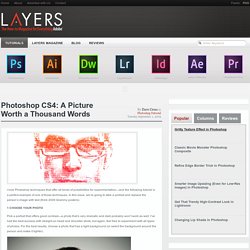
In this issue, we’re going to take a portrait and replace the person’s image with text (think 2009 Grammy posters). Pick a portrait that offers good contrast—a photo that’s very dramatic and dark probably won’t work as well. I’ve had the best success with straight-on head and shoulder shots, but again, feel free to experiment with all types of photos. For the best results, choose a photo that has a light background (or select the background around the person and make it lighter). Create a new document (File>New) in a size that’s smaller than your photo: the specifics don’t really matter. Switch back to the photograph. Then, press Command-J (PC: Ctrl-J) to copy the selected pixels onto a new layer. Go back to the Select menu and choose Color Range again. Click the Create a New Layer icon at the bottom of the Layers panel. Tutorial Magazine / photoshop / effects. 80 All-You-Need Photoshop Brushes.