
Learn C++ Learning Resources for Coding. Learn and Program BASIC Language on your iPhone, iPod Touch or iPad!
Online classes for Python, Ruby, C, SQL Great Python classes MIT Open Courseware start with 6.00 6.001 and 6.006 A wonderful initiative to encourage children to learn how to code Newsgroup for Coding for Kids with useful articles, info and links Mentoring young children and teenagers who love to code and program Teach yourself coding step by step Teach yourself Python Teach yourself coding resources and homework for our world PHP/MySQL are the most relevant Kodu a visual programming language made accessible for children Scratch is a programming language that makes it easy to create interactive art, stories, simulations, and games - lots of resources Educational Software which teaches programming in a 3D environment Apps for Good is a course where young people learn to create imaginative mobile apps that change their world.
EToys - Visual programming system (like scratch and alice) Coder for Raspberry Pi. A simple way to make web stuff on Raspberry Pi.
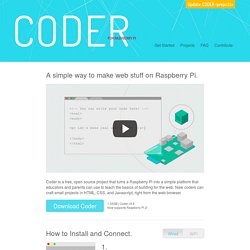
Coder is a free, open source project that turns a Raspberry Pi into a simple platform that educators and parents can use to teach the basics of building for the web. New coders can craft small projects in HTML, CSS, and Javascript, right from the web browser. Download Coder 1.33GB | Coder v0.9Now supports Raspberry Pi 2! How to Install and Connect. Download, unzip, and run the Coder Installer. Mac users, just run the provided installer.PC users, check out our Windows-specific Instructions for more installation details. Insert your new Coder SD card into your Pi, make sure your Pi and your computer are plugged into the network, and power it up. The Pi will be your new web server. On your computer, visit in Chrome to connect to your new Coder and start playing. [Note: You will see a warning about Coder's certificate.
Download and run the Coder Installer with any 4GB SD Card. Getting to Know Coder. Click on any app to open it up. 5V 1A Power Supply. Cbm Hand BASIC - Hawwash-Soft. Type HELP to get started!
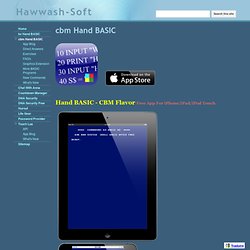
It is strongly recommended to read FAQ's page. Get More From This App: App Features + Compatible with Commodore 64 BASIC V2 + It is not emulated, it runs with your device full speed + The ability to LOAD/SAVE files (case sensitive file names) + File I/O Support (Read/Write data files) + Text Editor for your programs + Provided with helpful Direct Mode Commands (nonstandard, see support webpage) + In App Help (type HELP) + Portrait/Landscape Views + Supplied with Sample code (type FILES to see list). Now available through In-App Purchase: + Graphics Extension: Empowers you to create complex graphics from simple graphic objects ++ Draw simple graphic objects: lines, rectangles, circles, text, ... ++ Make animations **NEW** ++ Use Graphics Macro Language (GML) to draw objects ++ Define your colors with alpha channel (32bit color with transparency) ++ Select your drawn text font face and size ++ Interact with user taps **NEW** To open Graphics Extension Purchase Screen: Please Note: