
Web 2.0 Webdesign-Tutorials. Über den neuen “Web 2.0 – Look” moderner Web-Auftritte wird immer noch viel und gern geschrieben und diskutiert.
Badges, Verlauffarben, Schaltflächen und sind genauso wie Schatten und Spiegeleffekte in aller Munde. Wenn es aber um ein konkretes Design einzelner Web 2.0-Elemente geht, kann es nicht schaden, eine Auswahl entsprechender Tutorials in Reichweite zu haben – zum Nachschlagen und zur Inspiration. Hier ist die ultimative Zusammenstellung. Siehe auch im Dr.
Web Shop: Vitaly Friedmans: Praxisbuch Web 2.0 Verschiedene Links und deren Abbildungen, die es nicht mehr gibt, wurden inzwischen entfernt (05.01.2008). The Ultimate Collection Of Free Vector Packs. Advertisement Designers love freebies that make life easier and help them create higher-quality work.
Free vectors are useful, free vector packs even more so. Fortunately, there are plenty of talented graphic designers who are willing to give away their work (or samples of it) to benefit the rest of us. In this post, we feature 60 of the best and most useful free vector packs. 40 Best Photoshop Tutorials for Creating Buttons and Badges. Creating Buttons and Badges in Adobe Photoshop is easy.
There are different kinds of tutorials related in making buttons and badges on the web that can help enhance your photoshop skills. We collected some of the best sources so you can bookmark them in a single place. This post will teach you how to create your own buttons and badges for your website and more. Throughout these tutorials, you will use your Marquee Tool, Shape Tool and Gradient Tool most of the time. 10 Websites To Make You A Photoshop Ninja.
Photoshop is hard.
There are all kinds of commands, actions, effects, and tools that you’ve got to figure out, and the learning curve is one of the steepest you’ll ever encounter. (But it’s still better than the alternatives!) Fortunately, the web is chock-full of amazing resources that you can use to catapult yourself past the dreaded newbie/intermediate phases. With deliberate practice, you’ll be a Photoshop ninja in no time and your confidence will shoot through the roof. 50 Free Photoshop Brush Sets for Modern Design Trends - Six Revisions. By Jacob Gube Janet Jackson and Luther Vandross were right when they sang, “the best things in life are free”.
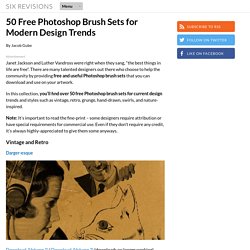
There are many talented designers out there who choose to help the community by providing free and useful Photoshop brush sets that you can download and use on your artwork. In this collection, you’ll find over 50 free Photoshop brush sets for current design trends and styles such as vintage, retro, grunge, hand-drawn, swirls, and nature-inspired. Note: It’s important to read the fine-print – some designers require attribution or have special requirements for commercial use.
Even if they don’t require any credit, it’s always highly-appreciated to give them some anyways. Vintage and Retro Darger-esque Download (Volume 1) | Download (Volume 2) (downloads no longer working). Girls in Trouble & Rebel Teens Download Transportation Part 1 Download Vintage Stamps Download Old Photo Frame Brushes. Abduzeedo - design inspiration & tutorials. 28 Powerful Photoshop Lighting Effects. There is something about beautiful lights that can mesmerize an audience.
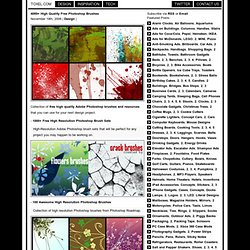
Take a fireworks show for example. It’s been around for thousands of years, yet still has the power to put looks of amazement on faces of all ages. That’s why lighting effects make such powerful design elements. They are a great way to grab the attention of your audience and leave a lasting impression. 4089+ High Quality Free Photoshop Brushes. 4089+ High Quality Free Photoshop Brushes November 19th, 2008 | Design |
50 Must-Have Photoshop Brushes. By Daved Brosche.
35 Tutorials for Creating Website Layouts in Photoshop. Photoshop is an excellent tool for creating attract websites.
Fortunately, if you’re looking to brush up your skills or learn some new tricks for creating layouts and designs in Photoshop, there are plenty of tutorials specifically for this purpose. The 35 tutorials featured here will each take you through the process of creating an example website design in Photoshop. The are all different types of websites and styles of design represented, so you should certainly be able to find some useful tutorials from this group. Looking for hosting? WPEngine offers secure managed WordPress hosting. The Twenty Most Earth-Shattering Tutorials on NETTUTS! - NETTUTS. Effects, Tutorials, Web.
Web 2.0 is a term coined by O’Reilly describing the new trends in design and development appearing across a flood of innovative websites.
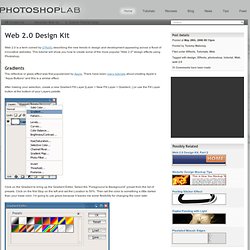
This tutorial will show you how to create some of the more popular “Web 2.0″ design effects using Photoshop. Gradients The reflective or glass effect was first popularized by Apple. There have been many tutorials about creating Apple’s “Aqua Buttons” and this is a similar effect. After making your selection, create a new Gradient Fill Layer [Layer > New Fill Layer > Gradient...] or use the Fill Layer button at the bottom of your Layers palette.
Click on the Gradient to bring up the Gradient Editor. Create another Stop to the left of the gradient and set the Location to 49%. Press OK and you now have your gradient. To add some color, create a new Solid Color Fill Layer [Layer > New Fill Layer > Solid Color...] or, again, use the button at the bottom of the Layers palette and select a color for the gradient.