
Fonts. Webdesign 1. Webdesign 2. Webdesign 3. CSS3 Minimalistic Navigation Menu. Martin Angelov As you have probably heard by now, CSS3 animations are a powerful tool, which enables you to create animations which run without the need of applying additional scripting to the page.
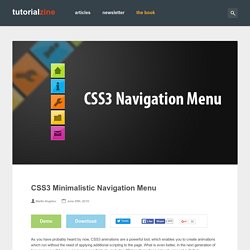
What is even better, in the next generation of browsers we will have even more powerful tools, including 3D transformations (already present in Safari). But what difference does it make for us today? At the moment only three browsers give you the ability to animate CSS properties – Chrome, Safari and Opera, which together take up only a small part of the browser market. Firefox is expected to soon join the club, and with the impending release of IE9, it suddenly makes sense to start leveraging this technique. So today we are making something practical – a simple CSS3 animated navigation menu, which degrades gracefully in older browsers and is future-proofed to work with the next generation of browsers. The XHTML The menu is organized as an unordered list. Demo.html. Even More Awesome Buttons. 25 CSS Snippets for Some of the Most Common and Frustrating Tasks.
In this post we have 25 CSS snippets and hacks that will solve many of the most frequently used and, at times, frustrating CSS development tasks.
Why reinvent the wheel when there are already plenty of time-saving pre-written CSS code snippets? As well as some classic and timeless CSS hacks you will also find many CSS3 snippets, like box-shadow, border-radius,linear-gradient and many more. Adding shadow to text – text-shadow Helps make your text stand out from the rest. Source. Sign in to Twitter. CSS Box Shadow. Learn CSS Positioning in Ten Steps: position static relative absolute float. 1. position:static The default positioning for all elements is position:static, which means the element is not positioned and occurs where it normally would in the document.
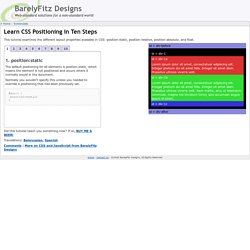
Normally you wouldn't specify this unless you needed to override a positioning that had been previously set. 2. position:relative If you specify position:relative, then you can use top or bottom, and left or right to move the element relative to where it would normally occur in the document. Mastering CSS Coding: Getting Started - Smashing Magazine. Advertisement CSS has become the standard for building websites in today’s industry.
Whether you are a hardcore developer or designer, you should be familiar with it. A cross-browser callout box using CSS border triangles. For ie6 too! - Peter Coles' Personal Blog. This post describes how to use CSS border triangles (or slants) to successfully add a notch to a callout box—with no images and minimal markup—in a cross-browser way that even works in internet explorer 6 (ie6).

If you’re already familiar with this general technique jump to the code. This is how the end result looks The basics: In CSS you can control the border on each side of an html box element (top, right, bottom, and left) separately. Textarea animated glow like on twitter using css3. Hey all, Lot’s of you may have seen on twitter the new “glow effect” they have added recently.

It adds a very nice touch and looks really cool on their website I think. It also adds an extra level of user accessibility as you know when you have selected much quicker.This tutorial is very easy to implement and can look great on your website. It can also be easily added to your current website design. CSS3 Button Tutorials and Techniques Revisited. Once upon a time when a web design required a nice, functional and scalable button it would have had to have been firstly designed in Photoshop, implemented with the sliding doors technique, and you may have had to spice things up with a little Javascript.

With CSS3 everything is changing – everything is easier and certainly better. As well as button tutorials and techniques we have also showcased some CSS3 tools and generators, you will find these at the bottom of the post. Throughout this Christmas week we are taking a look at the most popular and most resourceful articles that we have published in the past year. I promise that by next week normal service will resume with even higher quality articles, with even more resourceful posts and, of course, some highly inspirational posts.
Customizing web forms with CSS3 and WebKit. Last week, we shared a few things we’d learned about UI in mobile WebKit browsers.

In that post we touched briefly on the idea of using CSS3 to make form inputs that look and feel the same in all WebKit browsers across platforms. Today I’d like to share some specific examples of how we did that. Getting started Customizing form elements in WebKit browsers all starts with applying the -webkit-appearance property to all inputs: This removes all of the browser’s default styling from the inputs. Base styles. Basic Web Page Background Techniques with CSS.
The good old background property is one of the core elements we can play around with in our web designs.
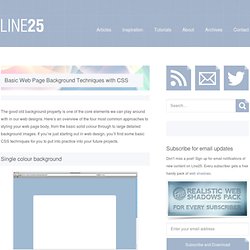
Here’s an overview of the four most common approaches to styling your web page body, from the basic solid colour through to large detailed background images. If you’re just starting out in web design, you’ll find some basic CSS techniques for you to put into practice into your future projects. You can’t get much simpler than a single colour background for your website. Browsers will default to white, but you can specify your own background colour for your page body. Repeating patterns and textures come in all kinds of styles, from a simple and subtle noise texture, right through to complex and ornate patterns. Backgrounds in CSS can be repeated on just the X or Y axis. CSS 2.1 and CSS 3 Help Cheat Sheets (PDF) - Smashing Magazine.
Advertisement Today we are glad to release two useful cheat sheets that will help you quickly look up the right CSS 2.1-property or an obscure CSS 3 property.

The style sheets contain most important properties, explanations and keywords for each property. 50 Extremely Useful And Powerful CSS Tools - Smashing Magazine. Advertisement We love useful stuff. For months, we have been bookmarking interesting, useful and creative CSS tools and related resources. We have been contacting developers, encouraging them to improve their tools and release their handy little apps to the public. Last year we prepared and published some of them in a series of smashing posts about CSS1.
Now again is the time to give these tools the attention they deserve. Below, we present 50 extremely useful CSS tools, generators, templates and resources. We strongly encourage you to develop these tools further, build on the ideas presented here, release new tools for the public and let us know about them. Please take a look at the following related posts: Beautiful CSS3 Search Form. Lately I've been playing around with CSS3 and discovered some new CSS tricks. Did you know you can make a round circle with border-radius and create inner shadow effect with box-shadow inset? Check out this beautiful search form demo that I've created with CSS gradient, border-radius, and box-shadow.
It displays perfect in CSS3 browsers and degrades gracefully in non-CSS3 browsers. View Demo Search Form Round Circle Trick You can create a round circle by specifying a very large value with the border-radius property. Inner Shadow Effect. 15 Must Read Articles for CSS Beginners. Acessibilidade. 18 Incredible CSS3 Effects You Have Never Seen Before. CSS3 is hot these days and will soon be available in most modern browser. Just recently, I started to become aware to the present of CSS3 around the web. I can see some of the websites such as twitter and designer portfolios websites are using it. Also, I have started to implement it to my own project as well and I really love it! However, it will take a while to ditch CSS2 though. I did some search around the web and there are heaps of CSS3 examples that are really make my eyes wide opened!
Just make sure you view the following example with the latest version of Safari. 11 classic CSS Techniques Made Simple with CSS3 | Demo We've all had to achieve some effect that required an extra handful of divs or PNGs. I guess this is the one that impress me a lot! 20 CSS3 Tutorials and Techiques for Creating Buttons. In May last year we published an article entitled 22 CSS Button Styling Tutorials and Techniques, it proved to be pretty popular, and the most amazing thing about that post is that none of the tutorials even touch on the subject of CSS3..
What a difference a year makes! Of course CSS3 never rolled out last year, it has been around for a long time without ever entering mainstream web design. That was until last year when support arrived from the web browsers Safari, followed by Firefox and then Chrome. CSS Tutorial. Entrar | Registrar | FAQ.
33 Must Read CSS3 Tips, Tricks, Tutorial Sites and Articles. Since previous article about CSS text effects got really big attention I decided to research and find more interesting articles and websites just focused on CSS3, teaching you how to use it, showing pros and cons and much more. To be honest it’s hard for me to keep up with technologies myself, but we really cannot not to use those new great selectors to make our designs even more beautiful, user-friendly and lightweighted.
However since HTML5 is sort of tied with CSS3, I will soon continue with HTML5 article as well, so don’t miss it and keep coming back! Enjoy! 1.