
Anyone Use Their Android Phone (Or Other Phone) With Whs? - We Got Served Forums. Hello, first time poster here!
I wanted to share my experience with Android and WHS. I just got the HTC EVO 4G, and have been putting it through the wringer. I found an app on the Android marketplace called MeCanto, which is a cloud-based storage service for streaming music. The service is currently free, and has no limit on the number of songs, or storage space provided. To sum it up, you install a client (on a Windows based PC), after creating an account on their website. They don't specifically list WHS as a supported operating system, but I thought I'd try it out. Within a few minutes, my entire list of artists and songs were available online, and the client started uploading the files to MeCanto's server. So far, I've had a great experience with this service.
Installing Adito SSL VPN. Details Category: VPN Published: Monday, 09 March 2009 03:44 Written by Tony Hits: 62027 Have you ever wanted to setup a Simple Free SSL VPN Gateway?
I setup Adito on an Ubuntu 8.03 JeOS LAMP appliance. Adito vpn « Wonder How To. Hosting a website. NOTICE: making anything visible outside your network can open security issues, so you are doing this at your own risk.
Some apps are more secure than others, but there is nothing ultimately secure. Best is to use the VPN to login back home. To access the HDA itself from outside the network using VPN, check out the OpenVPN ALS application, available to install through the HDA. It enables you to access the HDA, and all applications and folders, using just your free username.yourhda.com webaddress. Adito. OpenVPN Application Layer Software (ALS), formerly know as Adito, is a web-based SSL VPN server written in Java.
It has a browser-based AJAX UI which allows easy access to intranet services. Once installed and configured correctly, you will be able to access all your server files and the HDA (to include applications) using the FREE dynamic DNS provided by Amahi. NOTE: This SSL-Explorer Administrators Guide may come in handy for those interested in more documentation. Although this not specifically updated for OpenVPN ALS, it is fairly accurate. Vista Networking Issue. Wireless Windows 7 Laptop not connecting to Windows Home Server 2003. Home Server Hacks: Running Windows Home Server Connector on Windows 7. Beginning tomorrow, January 9th, you will be able to download Windows 7 from the Windows 7 page on Microsoft.com.
It will be an ISO image that will have to burn to a DVD using something like Roxio or Nero. Let's say you decide to take the plunge. After all sitting on the sidelines is for wimps and you’re no wimp. The first thing you thinking is: “Will it work with WHS”? Fortunately the answer is Yes. Installing the Client. Free Music Streamer. 4 Easy Ways To Stream Your Music Online. A while back, Damien published a great article on How To Install And Setup Jinzora Media Server In Ubuntu.
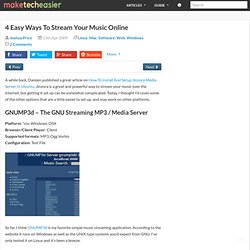
Jinzora is a great and powerful way to stream your music over the internet, but getting it set up can be somewhat complicated. Today, I thought I’d cover some of the other options that are a little easier to set up, and may work on other platforms. GNUMP3d – The GNU Streaming MP3 / Media Server Platform: *nix, Windows, OSX Browser/Client Player: Client Supported formats: MP3, Ogg Vorbis Configuration: Text File So far, I think GNUMP3d is my favorite simple music streaming application.
To install GNUMP3d, you just download and extract the tarball from the GNUMP3d website, and run Configuration is done through a plain text file, instructions are provided on the website. Stream music from WHS to your cell phone!: MediaSmart Home. Turbo Charge Your New XBMC Installation. Build a Silent, Standalone XBMC Media Center On the Cheap.
A HTPC Media Center for free! - MEDIAPORTAL. Turn Your XBMC Media Center into a Video Game Console. Feature Gallery for the Amahi Home Server. Themes, VoIP/PBX, Amahi 5.5 ready! And the winners are ... Wow!
We are blown away with the innovative ways in which the community responded to the theme and app contest! We got 9 new themes, which we are releasing live today (screenshots below) and we even have a top notch VoIP/PBX app, FusionPBX and a hot full-disk backup solution, Redo Backup, in progress! Today we bring you this: The winners, the features, and … a new Amahi release! Amahi 5.5! Amahi 5.5 brings a guest dashboard for non-logged in users, a few fixes and some better networking and app support, along with Wake-on-LAN/WOL. And the Winners are … Without further ado, look at the new features the new themes brought on: vertical tabs, mobile support, highlights in rows, nicely shaped tabs, … even an Easter egg in the theme! The entries for the theme and app contest came from Florida, Indiana, Germany, Georgia, the Netherlands, Canada and Texas!
Coming up! What’s coming up? Enjoy the screenshots below, and congratulations to the winners and runner-ups! Touch Theme submitted by Ben Wyatt. How-To for editing a Wiki - We Got Served Wiki. Fedora 12 Enable root login in GUI. Self-install-existing. Hosting a Wiki on WHS. MediaSmartServer.net — The Windows Home Server Enthusiast Community. Remote Access: What ports do I need to forward from my broadband router/firewall to my home server for remote access? Nothing found for 2009 04 06 Windows-home-server-disk-management. Root login on Fedora 12. Vista won't install on my ASUS A8N SLI Deluxe.
Installing Whs With An A8N-Sli Premium Mobo = No Luck! Help - We Got Served Forums. I had some old hardware hanging around want to make an WHS box. hardware: Asus A8n-sli premium (nforce4 chip set) 3 gigs of ram (1 gig set and a 2 gig set both Corsair) 7900 gt vid card ( witch will be removed when/if I get WHS install) 500G SATA hard drive (connected to the nforce4 SATA ports) When I first tried to install WHS it would format the drive (witch took 2 1/2 hours) and then give an error (0X80042405) when it tried to install the OS.
After doing some research i found out it was a driver issue. This is what I found out, WHS is built off of 2003 witch is built off of xp... so use drivers in that order. I tried using the drivers off the asus site for 2003 32bit, made a disk, then burned it to CD (long story) and tried to install the driver for the nforce4 chip set and got this error, 0x8007064c, which is a not compatible error. What is the correct driver to use for the nforce4 sli chip set? Anyone have any suggestions? Cliffs: 1. old gaming rig 2. build WHS with said hardware 3. How-To: Install WordPress on Windows Home Server. A while back, we showed you how to Install PHP on IIS on your Windows Home Server.
Thanks to feedback from the community, it has been cleaned up, cleared up, and refined – the section on how to install MySQL has been expanded to include details and brief descriptions. What we didn’t show you in that tutorial was how to install pre-made php software packages. There are many free packages that you can use, and that are very feature rich and useful for any number of different purposes. Active Directory On Windows Home Server - We Got Served Wiki. Windows Home Server Addins. Profile and Folder Redirection In Windows Server 2003. I’ve always considered dealing with end users to be about as much fun as a trip to the dentist or a tax audit.
Fortunately, there are some things that you can do to help keep the users happy (a happy user is a quiet user). The techniques that I am going to be showing you in this article center around the use of roaming profiles and folder redirection. Right now you might be wondering how something like roaming profiles can make your life easier. Well, there are several situations in which roaming profiles and folder redirections pay off big time.
µTorrent add-in. Hi, WebGuide: Windows Home Server. Recorded TV Manager Add-in for Windows Home Server. Embedded Automation - Home Automation (mHome Products) - mControl.