Rhinoslider: The most flexible jQuery slider/slideshow. Home - Tooltip your images - iPicture jQuery Plugin. Sequence.js - The jQuery Slider Plugin with Infinite Style. Presentation. 3D/Nice Transition/CSS3. A Pixedelic free jQuery slideshow. Hi there.

First of all excuse me for my bad english, second excuse me if you will find some bugs in Diapo slideshow. Diapo slideshow is an open source project. You can suggest changes or improvements if you want. You can download it and use for free, you can also include it in your projects and sell it as part of a bigger work (in this case please consider a donation). Diapo slideshow is tested on new browsers, but I tried to make it compatible with the old versions of Internet Explorer too (8 and 7).
How To Build a Sliding Feature Slideshow with jQuery. Javascript slideshows are one of the best ways to display lots of information in a relatively small space while adding cool functionality to a web page.

Let’s build our own slideshow with sliding panels navigatable by button links. You could use the slideshow to showcase featured content on your homepage, or as a simple image gallery. Either way it’s quick and easy to create with the help of a couple of handy jQuery plugins. Last year I created a slideshow of my dream motorcycle, a Harley Davidson Sportster. This time let’s base the slideshow on my dream car, a Lamborghini Gallardo (or Murcielago – I’m not fussy!).
View the jQuery slideshow demo The slideshow we’ll be building is created from some simple HTML and CSS, then the cool sliding functionality is powered by the jQuery Javascript library. We want to keep basic accessibility in mind when building the slideshow, so the user will still be able to navigate and view all the slides even when Javascript is turned off. jQuery content slider carousel image slideshow. Awkward Showcase – A jQuery Plugin. Slider Kit, sliding contents with jQuery. As many jQuery plugins, Slider Kit is a subtle combination of HTML, CSS and jQuery.
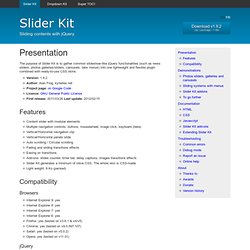
The jQuery itself won't do any design or CSS. So you'll need to work on a CSS skin to get the design you want. But first, let's see some HTML. Créez des boîtes et des légendes coulissantes avec jQuery. Toutes ces animations de boîtes coulissantes fonctionnent selon le même principe : des balises div ( .boxgrid dans le CSS ) qui se comportent comme des fenêtres dans lesquelles se positionnent deux autres éléments.
Cela ne vous semble pas très clair ? Créer un plugin de slideshow pour jQuery. Je vous propose de commencer par la fin en faisant un détour par la démo, ici : (petite précision : vous le trouverez « peu » réactif aux clics, c'est normal, les photos ne sont pas hébergées sur mon serveur ce qui rend tout ça un peu plus lourd).

On va faire simple, très simple. Tout d'abord, posons quelques règles de travail : je veux écrire le moins de HTML possible ; je veux que le nombre de slides soit dynamique ; je veux pouvoir positionner les liens où je le veux, aussi bien dans le slideshow qu'à l'extérieur ; je veux pouvoir personnaliser ces liens ; je veux que ça tourne tout seul, que l'utilisateur n'ait pas à cliquer. Bon, on va s'arrêter là parce que ça ne fait déjà pas mal pour démarrer.
Évidemment, on va faire en sorte qu'il soit suffisamment évolutif pour pouvoir revenir dessus. On veut écrire le moins de HTML possible, OK, alors pour moi le plus simple, c'est ça : 10 Premium jQuery Slider Plugins. jQuery sliders enhance the user interface for websites, by providing a convenient way to display important information, images or video while reducing the amount of space required to display the content.

This results in cleaner looking websites, as well as a more usable website. Awhile back, we posted a roundup of 30 jQuery Slider Plugins, and it was a big success. So, this time, we collected up 10 premium jQuery slider plugin files that you can download from various sites. Please note that these are paid plugins, but they are definitely worth the investment in your site. None of the links are affiliate links, so we’re definitely not pushing you to buy a premium slider over using a free one, but we thought it would be helpful to have the choice. If you need more free jQuery plugins, check out these posts: li jQuery Slider liJQuery Image Slider is carefully crafted slider/image rotator, full of features, easy to install and customize. Custom Animation Banner with jQuery. jShowOff: a jQuery Content Rotator Plugin by Erik Kallevig.
jShowOff is a jQuery plugin for creating a rotating content module.
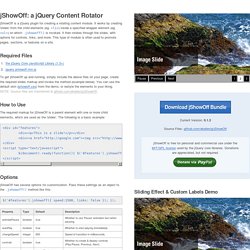
It works by creating 'slides' from the child elements (eg. <li>) inside a specified wrapper element (eg. <ul>) on which .jshowoff() is invoked. It then rotates through the slides, with options for controls, links, and more. This type of module is often used to promote pages, sections, or features on a site. Required Files To get jShowOff up and running, simply include the above files on your page, create the required slides markup and invoke the method (example below). How to Use The required markup for jShowOff is a parent element with one or more child elements, which are used as the 'slides'. <div id="features"><div><p>This is a slide!
Options jShowOff has several options for customization. Additionally, the value of the title attribute on the 'slide' elements will be inserted as the text for the corresponding 'slide link' in lieu of the default numeric value. Support Download. Skitter - Slideshow for anytime! Li JQuery Slider/Image Rotator. We are not providing support and there will not be updates to the slider.