

How to Find Anything Online: Become an Internet Research Expert Einstein once said, “The secret to creativity is knowing how to hide your sources.” The same could be said of intelligence. What they don’t tell you is that the “smart” people of the world are, in most cases, just better at researching and learning things than everyone else. But researching is a learned skill, not something you’re born with. And while some people might be predisposed to learn things more easily than others, it’s generally not enough to make a measurable difference. By learning how to research, you can quickly and fairly easily become knowledgeable about just about anything. It’s all there, online, for free. Start with Wikipedia Whenever you try to learn something new on the Internet, start with Wikipedia. The main reason to start with Wikipedia is that it gives a good overview of most topics. Sure, any given page is bound to have some inaccuracies (as is the case on most user-generated websites), but most of the content is generally reliable. Move on to Google Go Multimedia
Graphic Organizers Maker Graphic Organizer Library - Over 1,150 Printables - Organizers For Everything! View All Organizers Ultimate Graphic Organizer Maker - 20 Instant Organizers - Teachers Love It! View Makers Graphic Organizers Maker The teacher tools below will allow you to make graphic organizers by filling out a simple form. Concept Web Generator - Try to reinforce the who, what, when, where and how of a concept.
Interactive teaching Clock digital,analogue,telling time & angles This interactive clock features movable hands and operates in three main modes to teach different concepts: telling time, understanding angles, and learning fractions. The clock’s colors and overall style can also be customized. Note that the available controls change depending on the selected mode. Common Controls The controls located above the mode selector are always visible. At the top, a digital clock can be switched between formats: click the 12 button for a standard 12-hour display with AM/PM, or the 24 button for a 24-hour format. You can sync the clock to your computer’s current time by toggling the real time button. When not in “real time” mode, small handles appear on the clock hands, which can be clicked and dragged to set the time manually. Time Mode Controls First, select time mode to access a set of controls for time-based problems. For example, to solve a problem like “What time will it be in 1 hour and 25 minutes?” Angles Mode Clocks are a useful tool for teaching angles.
Creator Processing ... Personal $ Svg $20 ✓ Up to $75 merchandises for personal use. Merchandise $ License to use artwork in merchandises (T-Shirt, Mug, poster, etc). Single Use $ License for single-purpose non-merchandising use. Unlimited $ Unlimited personal or commercial use. Custom $TBD Custom license, with terms subject to prior arrangement. Please contact licensing@tagxedo.com for more information By accepting this license, you agree to the Tagxedo's Terms of Service, and you agree that you have acquired the right to use the source image to create the Tagxedo artwork, and that you indemnify and hold harmless Tagxedo and its employees and officers from any harm are liability that may incur. Please contact licensing@tagxedo.com if you have any question. Printable Graphic Organizers for Teachers, Grades K-12 Highlights Halloween Happy Halloween! Students love this fall holiday; take advantage of it! You'll find everything from costume patterns and printable Halloween masks to counting activities and vocabulary lessons. 2016 Presidential Elections Election season is here! Help your students understand the process of our national elections (held on Tuesday, November 8), from the President down to local representatives, with our election activities. October Calendar of Events October is full of events that you can incorporate into your standard curriculum!
Random Team Generator — Split a list into random groups Enter each item on a new line, choose the amount of groups unders settings, and click the button to generate your randomized list. Don't like the first team? Just click again until you do. Fairly pick teams without bias. No need to draw names out of a hat. Mix up your to-do list by generating random groups out of them. Want something similar? If you only need to make pairs instead of larger teams, try the Random Pair Generator.
50 Kick-Ass Websites You Need to Know About - StumbleUpon It's time to update the entries in your browser's links toolbar. But with recent estimates putting the size of the internet at well more than 100 million distinct websites, it's getting harder and harder to get a handle on all the great stuff that's out there. That's why we've compiled this list. And unlike some lists you may have seen, which try to name the very "best" websites, but end up just telling you a lot of stuff you already know, we've chosen instead to highlight 50 of our favorite sites that fly under most people's radar. Think of it as the Maximum PC blog roll (remember those?). You might have heard of some of these sites, but we'll bet you haven't heard of all them. Demoscene.tv See What Can Be Done with 4 Kilobytes If you’re any kind of nerd at all, you probably know about the demoscene, where talented programmers create complex videos rendered in real-time, stored in incredibly small files. lite.Facebook.com Clutter-Free Social Networking You can admit it. Soyouwanna.com
People remember 10%, 20%...Oh Really? Publication Note This article was originally published on the Work-Learning Research website (www.work-learning.com) in 2002. It may have had some minor changes since then. It was moved to this blog in 2006. Updated Research Even after more than a decade, this blog post still provides valuable information explaining the issues -- and the ramifications for learning. Introduction People do NOT remember 10% of what they read, 20% of what they see, 30% of what they hear, etc. My Search For Knowledge My investigation of this issue began when I came across the following graph: The Graph is a Fraud! After reading the cited article several times and not seeing the graph---nor the numbers on the graph---I got suspicious and got in touch with the first author of the cited study, Dr. "I don't recognize this graph at all. Bogus Information is Widespread I often begin my workshops on instructional design and e-learning and my conference presentations with this graph as a warning and wake up call. Chi, M.
ClassroomScreen Khan Academy From kindergarten to calculus, Khan Academy is here to help. Sharpen your skills with over 100,000 interactive exercises. Over 100,000 interactive exercises. You may have heard about our videos, but did you know that Khan Academy has fun interactive math exercises that cover skills ranging from counting to calculus, grade by grade? Created and peer-reviewed by a team of math educators, our exercises include full coverage of US Common Core and beyond, ranging from early math through calculus. Review student progress in real time. You will be empowered with instant, in-depth feedback and reports so you’ll know exactly where each student and your class as a whole stand at any time throughout the year. Stay up to date with your child’s progress. You’ll get quick email updates so you can see your children’s progress as they learn, both when they’ve mastered new skills and when they might be struggling.
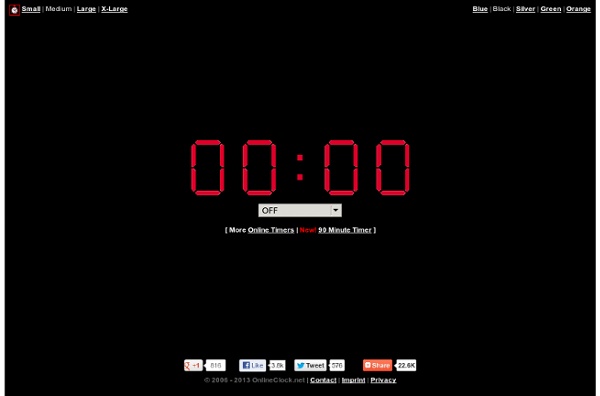
I use this online timer when I am giving my students a limited amount of time to complete a task. I've found that students work much more efficiently if they know they are on a schedule. This timer is simple to use and can be minimized at the bottom of my smartboard screen so students can still see their assignment. by kalebclyatt Apr 23