
Plugins Autodesk 3dsMax directory. CG Persia » Animation. Posted in 3D , Animation , CG , Download , Full Version , Mac , Mirrors , Modeling , Rendering , Software , Torrent , Update , Windows on Aug 18th, 2012 Read more... Read Full Post » 3d max plugins. Ivy generator This is a plugin “grows” ivy on 3d objects.

Just place the seed next to the model, click “grow ivy” and let it do the job. If you need it not to grow around some 3d models in your scene, just freeze them. The interface is very simple and intuitive, so you won’t have any trouble finding your way around it. Check out the official page for more details. RayFire Tool gives you the ability to fragment, destroy, demolish, wreck, break down, wreak havoc, blow up, burst, detonate, explode, shoot and do other similar things you have always dreamed of to do in Max.
Vray scatter VRayScatter let VRay to generate huge amount of objects in array. Autograss A plugin that enables you to create photorealistic grass instantly. RealFlow This is most probably the best tool for creating dynamic fluids and soft bodies. SolidRocks This plugin optimizes the vray settings for “faster rendering times and higher quality”. Madcar Ozone 4.0 GroundWiz FumeFX Thinking Particles Roof designer. V-Ray® for Autodesk® 3ds Max® Product Overview V-Ray for 3ds Max is the core development of Chaos Group, which allows users to quickly and easily create realistic images while giving them full control over the 3D production process.

V-Ray 3.0 for 3ds Max is the most complete lighting, shading and rendering toolkit on the market, making speed and simplicity accessible to all artists. The latest version delivers powerful feature set, technical advances and support for open source technologies. Fluids & Dynamics Simulation Tool. Phoenix FD for 3ds Max. Product Overview Phoenix FD is a powerful tool for fluid simulations.
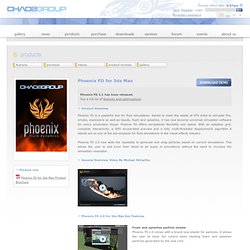
Aimed to meet the needs of VFX artist to simulate fire, smoke, explosions as well as liquids, foam and splashes, it has now become universal simulation software for every production house. Phoenix FD offers exceptional flexibility and speed. With an adaptive grid, complete interactivity, a GPU accelerated preview and a fully multi-threaded displacement algorithm it stands out as one of the top solutions for fluid simulations in the visual effects industry. Phoenix FD 2.0 now adds the capability to generate and drag particles based on current simulations. General Overview Video By Michael McCarthy Phoenix FD 2.0 for 3ds Max Key Features Foam and splashes particle shader Phoenix FD 2.0 comes with a brand new shader for particles.
Simulation of foam and splashes With the new and improved simulation core, Phoenix FD is capable of generating particles where foam or splashes would usually appear in a simulation. Particle export. 3dpowerstore - Preise. Preisliste: Bestellung einfach telefonisch unter 0211 30205630, per Fax an 0211 30205616 oder per E-Mail an sales@3dpowerstore.de .
You can order by Phone +49 211 30205630 or via E-Mail at sales@3dpowerstore.de . Weitere Produkte auf Anfrage. Gerne erstellen wir Ihnen auch ein ganz persönliches Angebot. Rufen Sie einfach an oder schreiben Sie uns eine Mail. Irrtümer und Änderungen vorbehalten. Unsere Sonderangebote finden Sie HIER. Preise für Studenten finden Sie HIER. Preise für Schulen, Hochschulen und Universitäten finden Sie HIER. 2D-Software (Composing, Schnitt- und Bildbearbeitungssoftware) Hardware (Eingabegeräte und Monitore) alle Weiteren Produkte: 3dpowerstore - Software und Hardware vom 3d Profi. Beste Pipeline - Autodesk 3ds Max - vfxboard. 3DS Max Tutorials. Thinking of producing a cool 3D model or animation?
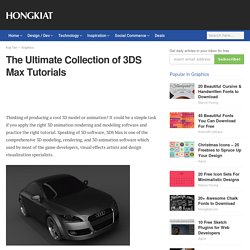
It could be a simple task if you apply the right 3D animation rendering and modeling software and practice the right tutorial. Speaking of 3D software, 3DS Max is one of the comprehensive 3D modeling, rendering, and 3D animation software which used by most of the game developers, visual effects artists and design visualization specialists. There are countless ways that 3DS Max can be used and fortunately there is plenty of useful 3DS Max tutorials out there to enable artists and designers to more quickly ramp up for production. If you’re searching high and low to master 3DS Max, here’s what we’ve collected for you. This week we gonna show you 90 useful 3DS Max tutorials for beginners, intermediate and advanced users. While you’re at it, you might want to read 100+ Maya 3D Tutorials For Beginners, Intermediate and Advanced Users. For Beginners Flag Animation With ClothA simple tutorial to guide how to animate a flag.
3ds Max Tutorials, Video, Makings. Oman3D 3D Studio Max Tutorials. 3dmaxforum.net.