
Career. Profile. LinkedIn Tips. 10 Reasons Why You Should Upgrade Your LinkedIn Account. Do you have a free LinkedIn account?
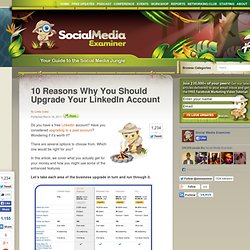
Have you considered upgrading to a paid account? Wondering if it’s worth it? There are several options to choose from. Which one would be right for you? In this article, we cover what you actually get for your money and how you might use some of the enhanced features. Let’s take each area of the business upgrade in turn and run through it. Here's what you get for your money, but what does it all mean and how are you going to make use of it? #1: InMails per Month An InMail is simply an email that can be sent to anyone on LinkedIn, whether they’re in your network or not. They’re more successful because they’re less of a cold, spammy email, the person to whom you’re sending it instantly knows that you’re part of the LinkedIn community and the receiver can also simply click on your name and check you out very quickly. I’ve used InMails very successfully and my secret to you is keep the content light and be yourself.
Get It Write » Making the most of LinkedIn. How to Add Video To Your LinkedIn Profile. 7 Questions To Ponder When Using LinkedIn. Tutorial: How-to Add/Embed Video On A LinkedIn Profile Page. The Online Video Marketing Guide.

Seven Ways To Share Your Content To The LinkedIn Newsfeed - Krishna De: Social Media Marketing, Online PR, Online Visibility, Digital Marketing, Dublin, Ireland, Europe. Seven Ways To Share Your Content To The LinkedIn Newsfeed Posted by: Krishna De | Posted on: December 1st, 2010 | 105 Comments | Posted in: Digital Marketing, LinkedIn, Marketing online, Social networking If you find this article helpful why not subscribe to my RSS feed or get updates by email?

You are also invited to leave a comment. Thanks so much for visiting! Have you added a Facebook Like button or a Re-Tweet Button to your website or blog? But what about LinkedIn – especially if you are a B2B marketer or are looking to connect with the 85 million business community on LinkedIn? 1. 2. 3. 4. Juggle All Your Social Networks. By now, a lot of us are on a pretty huge number of different social networks.

You might tweet while you Facebook, or Yammer while you Tumble, but we’re all spread out across networks, with different people and different types of interactions happening on each. Managing all of these networks often presents two options: either set them all up to post to each other and get the same content and updates on every network, or spend an inordinate amount of time typing made-up words into your address bar. If you’ve got the right tools in hand, though, your task becomes a little easier. There are a few great applications out there that will help you manage all (or at least some) of your social networks all in one place, making interacting and connecting much simpler and more efficient. TweetDeck Brizzly Brizzly is just like TweetDeck, but works on the Web. Seesmic Seesmic is the most complete of all the solutions for managing your social networks, no matter how many you’ve got. Yoono Pond. LinkedIn Marketing Tips - B2B Social Media Marketing.
From Facebook to Twitter to You Tube, there’s no limit to the number of social networking sites that can be leveraged to interact with customers and prospects, and build positive brand awareness. LinkedIn, however, stands apart from the crowd. The roots of popular sites like YouTube and Facebook are founded on the entertainment side of things. But since its creation, LinkedIn has been geared toward the professional business crowd. How I Was Wrong About LinkedIn (with 2 Mini Case Studies) I've always considered LinkedIn more of a place to prospect for a job than anything else.

And since I haven’t been in the market for one in a while, I've paid it little mind. Plus, if I'm being honest: I've always thought LinkedIn was kind of … well, boring. If Facebook was a rave at a cool downtown hot spot, LinkedIn was a stuffy reception with piped-in music at one of those cookie-cutter function facilities conveniently located at the end of an exit ramp. Does that sound harsh?
Perhaps. But now I've realized that I couldn't have been more wrong. Discussion: Innovative Marketing, PR, Sales, Word-of-Mouth & Buzz Innovators. Houston Search Engine Marketing and Optimization Services » Blog Archive » 5 Steps To Creating A Rockstar LinkedIn Profile. Photo credit: danksyLinkedIn Guide: If you have not figured it out by now, LinkedIn is a phenomenal tool.

The possibilities really are endless, and if I can become successful from using it, then anyone can. But somehow, people just don’t understand why it’s useful, and how to use it to achieve their professional goals. Smart Ways to Use LinkedIn. How to Break LinkedIn Connections. The Clip Report: An eBook on the Future of Media In the early 1990s when I began my career in PR there were clip reports.

These were physical books that contained press clips. It seems downright archaic now but that’s how I learned about the press - by cutting, pasting up and photocopying clippings. My fascination with the media never abated. Today my role is to form insights into how the entire overlapped media landscape - the pros, social channels, and corporate content - is rapidly evolving and to help Edelman clients turn these learnings into actionable strategies.
Today I am re-launching my Tumblr site with a new name, a new focus and a new format. It all kicks off today with a 15-page installment of The Clip Report.