
MailCherry. Email Design Guide. The complete email design guide You may know how to create a modern and accessible web site already.
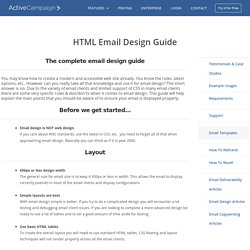
You know the rules, latest options, etc.. However can you really take all that knowledge and use it for email design? The short answer is no. Due to the variety of email clients and limited support of CSS in many email clients there are some very specific rules & dos/don'ts when it comes to email design. Before we get started... Email design is NOT web design If you care about W3C standards, use the latest in CSS, etc.. you need to forget all of that when approaching email design. Layout 650px or less design width The general rule for email size is to keep it 650px or less in width. Do not use external stylesheets They will not work in a lot of the email clients and you should be including all of your CSS using inline CSS within your HTML. Images & Video Backgrounds Miscellaneous. Build free HTML email templates.
Is there a standard size(width) for email newsletter design or something like a christmas e-card? - Graphic Design Stack Exchange. Although I asked the question, it's been a while, since then I've improved my knowledge on the topic: After my research I would say the best way to design newsletters is to use Responsive Design instead of relying on one single standard width size...

It's better to make your design responsive because nowadays people read their email on a wide range of devices(SmartPhones, Pads, Desktop PC etc) more info about Responsive Design for newsletters in this article: The width is what you need to worry about, as for the height, need not to worry, the user can scroll his way through your content, since the apparition of Facebook, Twitter and SmartPhones, the user is much more used to scroll(vertical scroll that is, NOT horizontal) his way to see the content, but of course, keep in mind that he might not do that, so place the important stuff as high as posibile in your design. How to use and edit Email Newsletter Templates. How to Format an E-Newsletter on Outlook. Microsoft Outlook 2010 can create e-newsletters that keep your correspondents up-to-date with changes in your company.

E-newsletters reduce the need for paper copies and expensive postal costs. To save time spent on formatting a newsletter from scratch, Outlook provides newsletter templates designed for email messages. Modify a template to suit your newsletter's content by activating the text formatting and layout options. Add visual interest by inserting graphics, such as digital images or logos for a custom look. Step 1 Open the Outlook mail program. Step 3 Click the "Templates" link near the header, and the "Templates" Web page opens. Step 4 Type "Newsletter" in the "Search" text box. Step 5 Click the arrow beside the "All Products" menu in the "Search" text box. Step 6 Select the radio button for "Outlook. " Step 7 Click "Search. " Step 8 Click the link on the preferred template sample, then the template page opens.
Step 9 Click the "Download" button. Step 10 Edit the template for a custom look.