
Mammoth - The Quick Tour. Flashbackr. Kippt. Discover on Keeeb. Gimme Bar. (Edu)Clipping, Pinning, Linking and Sharing Educational Resources. EduClipper: I got my early access today to Adam Bellow’s newest venture, eduClipper. I have been hounding him to let me have a peek for a while now. I hound because I care, I hope he realizes, because like the 3000+ teachers who’ve already signed up for the waiting list for eduClipper, I’m eager to see what the educator and eduTecher is doing next. Long before “curation” became an edu buzzword, Bellow has been pulling together lists of Web tools for educators on his eduTecher site – a rich resource with links, ratings, comments, and ideas about how these tools could be used in the classroom.
An award-winning, former high school teacher and district tech trainer, Bellow has made a career out of thinking and speaking and teaching smartly about sharing Web resources among teachers. That makes it ever-the-more interesting, I think, that Bellow has built a tool that puts this resource-gathering and sharing capability into the hands of teachers themselves. Learnist is Like Pinterest for Learning. Sweet! You Can Now Embed Learnist Boards Into Your Blog. We’re big fans of Learnist , the ‘Pinterest for Education’ and have an exclusive update you should know about. Learnist has just upgraded their site to now allow for the ability to embed your learning boards into your website or blog. It’s been fun to follow the early stages of Learnist and see how the folks at Grockit (they made Learnist) have taken the idea of pinning educational content and turned into a social experience. 10 Ways To Use Learnist In The Classroom.
We’re big fans of the newest educational social network on the block, Learnist.
It’s a highly intuitive social network just for learners. Learn, Learner, Learni.st? What Is It?
A Corkboard For Your Thoughts. Learni.st is a new educational service provided by the good people over at Grockit. Not content with cornering the market on test preparation, Grockit is also looking to shape how people teach and communicate the full range of interesting stuff in the world. A little bit like Scoop.it, which I took a look at the other week, Learni.st is an application that helps you to create your own page containing information that you think is worthwhile. In their terminology, the author creates a “Board”, or permalinked webpage, on which they share “Learnings”, posts which contain the knowledge they want to share. Learni.st’s most interesting and promoted features are centered around making this content easy to share and collect. Getting Started. How Educators Are Using Learnist.
Digital Tools.
Pinterest / Home. 25 Of The Best Pinterest Boards In Education. Blogs and Twitter aren’t the only social tools out there that can help you keep up with the latest and greatest developments in educational technology.
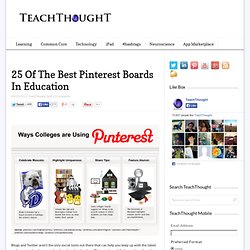
Pinterest is rapidly becoming a favorite tool of educators all over the nation, and many have amassed some pretty great collections of edtech-related pins that teachers and students alike can use to explore new ways to learn, share, teach, and grow. While it would be nearly impossible to highlight every edtech pinboard out there, we’ve shared some of the boards we think stand out among the crowd here. The 25 Best Pinterest Boards in Educational Technology. Thanks to OnlineUniversities for this list of the Best Pinterest Boards in Educational Technology.
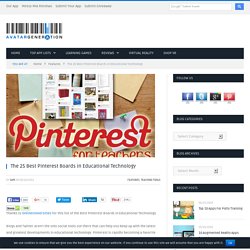
Blogs and Twitter aren’t the only social tools out there that can help you keep up with the latest and greatest developments in educational technology. Internet Catalogue. Pinterest Tips for Teachers. Pinterest is a fantastic online pinboard that lets you organise and share things that you find on the web.
It’s possible to ‘pin’ lots of different types of content to your boards to help you find it all again later, as well as share it with friends and colleagues. Lots of teachers are using Pinterest, so I thought that it might be useful to share some tips and suggest some top users to follow. First, here’s a great video tutorial that gives more information about how to use Pinterest. It isn’t aimed at educators but it explains the different features of the site and how to use them. Our Teaching Ideas site has had a popular Pinterest account for a few months and has a number of different boards that share lots of content… Classroom Management ideas, Resources linked to books, Maths Resources, Cool Pictures and more. The Teaching Ideas Pinterest account also has lots of great followers who are involved in education.
Pearltrees. Moodboard Creator by Olioboard. Zootool.
Ten Ideas for Using Instagram in the Classroom. I didn't understand the pull of Instagram the first time I heard about it.
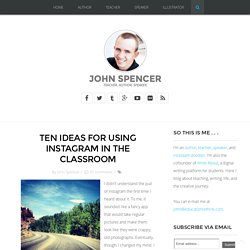
To me, it sounded like a fancy app that would take regular pictures and make them look like they were crappy, old photographs. Eventually, though, I changed my mind. I saw the artistic side of the app and eventually began to see the social interaction. Instagram became another layer of sharing our world and telling our stories. Findings: Find, Organize, and Share Your Clips. Clipboard.