
Learn. Blogs.princeton.edu/hrc/docs/prezi_tech_spotlight_session.pdf. Showing, Not Telling: Prezi & Omeka. [This is a guest post by Caro Pinto, the John Hay Whitney Family Papers Processing Archivist at Yale University Library.

Follow her on Twitter at @caropinto. --@jbj]An Archivist Walks into a Classroom… Many archivists spend their professional lives working in basements preparing diaries, letters, and photographs for use by students and faculty. Indeed, arrangement and description of such materials represents the bulk of my work as an archivist, but I also spend time in classrooms teaching students how to discover and evaluate all kinds of information.
Archivists do not usually find themselves in the classroom, but I am lucky enough to be an archivist who works directly with students and faculty. And why not? Since finishing graduate school with a degree in library science and and a powerful aversion to PowerPoint, I’ve hunted for an alternative demonstration tool and found it with Prezi. Teaching students about primary sources is a hallmark of history instruction. Return to Top. The ultimate guide to Prezi. Update: the Prezi itself, below, was updated in May 2013 with some more tips, examples, FAQs, and also to cover the new Prezi interface.
I’ve been meaning to do this for ages, so here we go: a complete guide to the presentation software Prezi, from what it is and why to use it right up to advanced techniques for making your presentation absolutely killer. Works best on full-screen, as ever. I created this for a workshop next week in the library, so I was going to launch it then – but Prezi themselves have started promoting it via their Facebook presence and on their Explore page. (You should really check out the Explore page, some of the Prezis on there are amazing!) So seeing as it’s gone global already, I’ve brought things forward. I created a hand-out for the workshop, which features screen-grabs of the nuts-and-bolts instructions on how to use Prezi, plus this basic overview for those completely new to it: The basics Objects can be text boxes, images, youtube videos or graphics. Tamingthebeast.wikispaces.com/file/view/prezi+tutorial.pdf.
Prezi For Dummies Cheat Sheet. Cheat Sheet Use Prezi to add drama and sophistication to all your presentations.
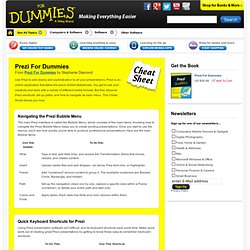
Prezi is an online application that takes the place of tired slideshows. You get to use your creativity and work with a variety of different media formats. But first, discover Prezi shortcuts, set up paths, and how to navigate its main menu. This Cheat Sheet shows you how. Navigating the Prezi Bubble Menu The main Prezi interface is called the Bubble Menu, which consists of five main items. Quick Keyboard Shortcuts for Prezi Using Prezi presentation software isn't difficult, and its keyboard shortcuts save some time. Handy Shortcuts in Prezi's Show Mode Prezi has two different modes of operation: Edit Mode, in which you create your presentation, and Show Mode, in which you present your creations.
Media Formats to Use with Prezi With Prezi, you have the opportunity to include a variety of media that to make your presentations really stand out from the usual boring slide shows. Prezi - Web 2.0 Tools - New Possibilities for Teaching and Learning - Confluence. The Beginnings Peter Arvai Founder, CEO Peter Halacsy Founder, Head of Product Adam Somlai-Fischer Founder, Head of Design CTO, Co-Founder Peter Halacsy is currently the assistant professor at the new media department of Budapest University of Technology.
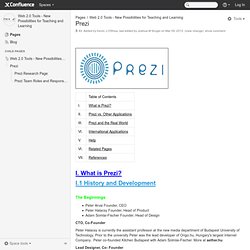
Prior to the university Peter was the lead developer of Origo.hu, Hungary's largest Internet Company. Peter co-founded Kitchen Budapest with Adam Solmlai-Fischer. Lead Designer, Co- Founder Adam Somlai-Fischer is an architect and creative designer with interests in new technologies. Founded in 2008 Peter and Adam launched this beta application as part of Zui Labs, LTD. Current CEO Peter Arvai arrives to Zui Labs (October 2008) after having helped several start-ups launch on an international scale. (Headquarters is in Hungary and is a privately held business with eight employees.) Why Was it Developed? What is Prezi? - The official intro video. Prezi - The Zooming Presentation Editor.