9款免费日记本软件. Desktop Blogging Software, The Ultimate List. If you are unfamiliar with the term Desktop blogging software, think of it as a tool to blog with application instead of logging into your Blogger or WordPress.
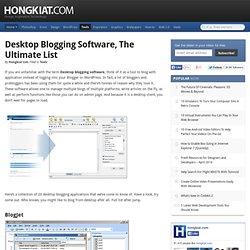
In fact, a lot of bloggers and probloggers has been using them for quite a while and there’s tonnes of reason why they love it. These software allows one to manage multiple blogs of multiple platforms, write articles on the fly, as well as perform functions like those you can do on admin page. And because it is a desktop client, you don’t wait for pages to load. Q10. Key features Full-screen.
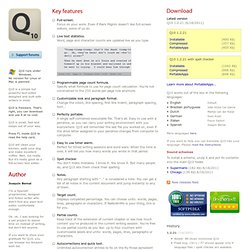
Focus on your work. Even if Mark Pilgrim doesn't like full-screen editors, some of us do. Live text statistics. Word, page and character counts are updated live as you type. Programmable page count formula. Specify what formula to use for page count calculation. Customizable look and paragraph format. Change the colors, line spacing, first line indent, paragraph spacing, font... Perfectly portable. A single self-contained executable file. Easy to use timer alarm. Perfect for timed writing sessions and word wars. Spell checker. You don't make mistakes. Notes. Any paragraph starting with ".. " is considered a note. Target count. Displays completed percentage. Partial counts. Keep track of the extension of current chapter or see how much content you've produced in the current writing session.
Autocorrections and quick text. Unlimited autocorrection entries to fix on the fly those persistent typing errors. Standard and clean text format. Encoding and line endings agnostic. Online Presentation Tools. Empressr - The Best Online Rich Media Presentation Application. Manage Documents Online : Zoho Docs. Word Processor - Spreadsheet - Database - Download (alternative to Word,Excel,Access) 22个Web在线编辑器. 本文搜集了 22 个 Web 在线编辑器,它们基本代表了当前 Web 编辑器的现状。
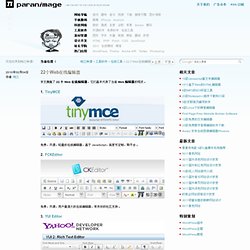
1. TinyMCE 免费,开源,轻量的在线编辑器,基于 JavaScript,高度可定制,跨平台。 2. FCKEditor 免费,开源,用户量庞大的在线编辑器,有良好的社区支持。 3. 属于 Yahoo! 4. 简单,易用,轻量,外观漂亮的在线编辑器。 5. 开源,支持 Ajax 保存,跨平台,易于集成,由 OSCOM 推出。 6. 非常容易部署,输出 XHTML 代码,功能丰富。 7. 这是一个商业产品,并不免费,但功能非常丰富,基于 ASP,JavaScript 和 DHTML。 8. 故名思意,这个编辑器会生成符合标准的纯净 XHTML 代码。 9. 基于 jQuery 和 PHP 后台,非常小巧(~18K),但功能丰富。
Cloud Office. Support.