
TN_101_Customising_FTDI_VID_PID_In_Linux(FT_000081) Mapping FTDI to files with udev. In the course of making a to-be-revealed robot, I’ve encountered problems with various FTDI cables (and their attached peripherals) being automatically mounted in different locations, depending on the order in which they were inserted and initialized.

For obvious reasons, this poses an issue – the IMU cable won’t work well with motor commands, and the actuator controller doesn’t give any IMU data. After some thinking, I decided to solve the problem via udev mounting (somewhat hackish). In Linux, udev controls the mounting of various hardware peripherals to mountpoints in the file system. This tutorial is written for Ubuntu 10.10, but could easily be translated to any distribution of Linux (and probably Mac OS X, as well).Step 1: Plug in your FTDI device (this will be an FTDI breakout of some sort, or perhaps an Arduino Duemilanove or older) Step 2: Find its current mountpoint: Ubuntu mounts FTDI devices to /dev/ttyUSB*, where * is a number.
Virtual COM Port Drivers. This software is provided by Future Technology Devices International Limited ``as is'' and any express or implied warranties, including, but not limited to, the implied warranties of merchantability and fitness for a particular purpose are disclaimed.
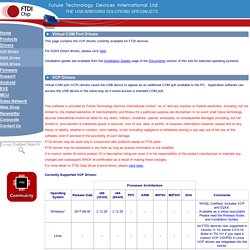
In no event shall future technology devices international limited be liable for any direct, indirect, incidental, special, exemplary, or consequential damages (including, but not limited to, procurement of substitute goods or services; loss of use, data, or profits; or business interruption) however caused and on any theory of liability, whether in contract, strict liability, or tort (including negligence or otherwise) arising in any way out of the use of this software, even if advised of the possibility of such damage. FTDI drivers may be used only in conjunction with products based on FTDI parts.