
HOWTO Ubuntu Networking. B.A-BA de la commande « screen » Mozilla Firefox. Gtmess - Console MSN client for Linux and other Unix systems. [shell] “reverse i-search” – gagner encore plus de temps qu’avec l’autocomplétion. Pour les habitués du shell sous Linux, la touche [TAB] et l’auto-complétion sont probablement très connus.
![[shell] “reverse i-search” – gagner encore plus de temps qu’avec l’autocomplétion](http://cdn.pearltrees.com/s/pic/th/reverse-search-autocompletion-11131269)
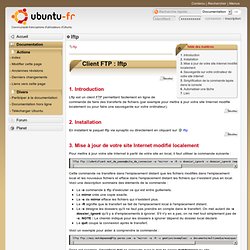
Lftp. Introduction Lftp est un client FTP permettant facilement en ligne de commande de faire des transferts de fichiers (par exemple pour mettre à jour votre site Internet modifié localement ou pour faire une sauvegarde sur votre ordinateur).
Installation. Site informatique à propos de Linux et les logiciels libres. Netcat – a couple of useful examples. Netcat: the TCP/IP swiss army. Adam Palmer, Linux, PHP Programmer, MySQL Developer, Website Security Consultant. I wrote this article some time ago, but thought I’d publish it here for reference.
This text is dual licenced under the GFDL and GPL There are two known versions of netcat. 25 Best SSH Commands / Tricks. OpenSSH is a FREE version of the SSH connectivity tools that technical users of the Internet rely on.
Users of telnet, rlogin, and ftp may not realize that their password is transmitted across the Internet unencrypted, but it is. OpenSSH encrypts all traffic (including passwords) to effectively eliminate eavesdropping, connection hijacking, and other attacks. The encryption that OpenSSH provides has been strong enough to earn the trust of Trend Micro and other providers of cloud computing.Additionally, OpenSSH provides secure tunneling capabilities and several authentication methods, and supports all SSH protocol versions. SSH is an awesome powerful tool, there are unlimited possibility when it comes to SSH, heres the top Voted SSH commands 1) Copy ssh keys to user@host to enable password-less ssh logins. Community for sharing dotfiles like .bashrc, .vimrc, and .bash_profile. Freeshells - Jan Prunk. W elcome to the MTV Europe shell project !
Providing FREE and sponsored shell accounts since 2005. Important and useful Linux and Unix commands : Arul John. Free Shell Accounts - the biggest list on the net :-) - Rankings - All Sites. The Linux Cookbook: Tips and Techniques for Everyday Use - Editing Images. When you take an image file -- such as one containing a digitized photograph or a picture drawn with a graphics program -- and you make changes to it, you are editing an image.
This chapter contains recipes for editing and modifying images, including how to convert between image file formats. It also gives an overview of other image applications you might find useful, including the featuresome GIMP image editor. Transforming Images: Transforming images from the command line. Converting Images: Converting image formats. Gimp: The famous GIMP image processor. Lf211, Graphics: Faites de la magie en ligne de commande avec des images. Faites de la magie en ligne de commande avec des images Résumé: Dans cet article nous nous intéressons à quelques formules que les sorciers d'ImageMagick peuvent utiliser, associées à une collection d'outils graphiques comme ingrédients de base et à la ligne de commande comme baguette magique.
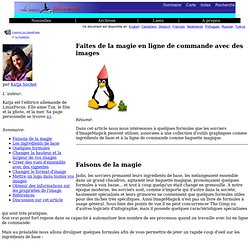
Faisons de la magie Jadis, les sorciers prenaient leurs ingrédients de base, les mélangeaient ensemble dans un grand chaudron, agitaient leur baguette magique, prononçaient quelques formules à voix basse... et tout à coup quelqu'un était changé en grenouille. Rename multiple files. Graphical vi-vim Cheat Sheet and Tutorial. Learning vi or vim is not easy.
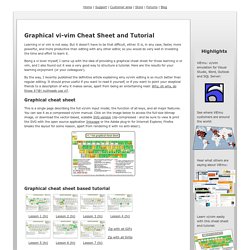
But it doesn't have to be that difficult, either. It is, in any case, faster, more powerful, and more productive than editing with any other editor, so you would do very well in investing the time and effort to learn it. Guilde - Contributions : bash. Par E.
Rouat pour Guilde Introduction Le shell est un programme qui vous permet de lancer des applications, d'interroger votre babasse, de dialoguer avec votre système en quelque sorte. C'est la base de n'importe quel système UNIX. Des shells, il en existe plusieurs: ksh (Korn Shell) bsh (Bourne Shell), csh (C Shell)... chacun avec ses avantages, ses inconvénients, ses particularités. Chapitre 6. Faire du déport d'affichage. Chapitre 42. Faire du déport d'affichage 1. Qu'est-ce que le déport d'affichage ?
Le déport d'affichage ou export display consiste à se logguer à distance en mode graphique, comme on le fait avec un client et un serveur SSH en mode texte. On peut alors exécuter des applications graphiques sur le serveur distant : la fenêtre graphique de l'application et son contenu seront envoyés par le réseau vers la machine cliente ; les données du clavier et de la souris de la machine cliente sont envoyées vers le serveur. Figure 42.1. 2. 2.1. Il y a plusieurs possibilités de connexion, sachant que seule la première est entièrement chiffrée. La liste des commandes about: La liste des commandes about: Dans la barre d'adresse, il existe des adresses spéciales permettant d'avoir de nombreuses informations cachées sur Firefox, ce sont les about:.
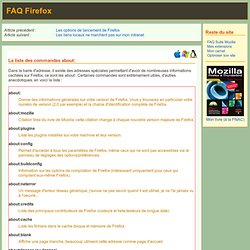
Certaines commandes sont extrèmement utiles, d'autres anecdotiques, en voici la liste : about: Shell (page 4) / Blog - ~tigrou/pwet.fr. More Linux Commands - A practical reference. 58 Cool Hacks - LXF Wiki. From LXF Wiki (Originally written for Linux Format issue 58, October 2004) Increase your guru points and apply these cunning hacks to boost performance, secure your system and increase productivity - or fun!
One of the great things about Linux is that there's usually more than one way to do something. Chances are, the way you are doing a particular task right now isn't necessarily the best way either. This collection of hacks is the result of a lot of effort: some are functional, some are fun, but they are all cool! DISCLAIMER: Obviously, anything you do to your computer is your responsibility, and while we have made every effort to test these hacks, your mileage may vary.
Earth Info » An easy way to use GNU Screen over SSH. GNU Screen is a free terminal multiplexer developed by the GNU Project since at least 1995. It allows a user to access multiple separate terminal sessions inside a single terminal window or remote terminal session. It is useful for dealing with multiple programs from the command line, and for separating programs from the shell that started the program. – wikipedia I’ve tried the GNU Screen utility a number of times but never really got it working very well.
What I really wanted was to start using it, develop my understanding and start using new features later. Most importantly I didn’t want my productivity to drop whilst I was learning it. What the config means in practice is that you can quickly login to a remote machine restoring your previous environment. INX Is Not X : A command line and console Linux "Live CD" based on a minimal Ubuntu, without the X window system graphical interface. INX has some surprising capabilities...