
How to find apps: The Great App Checklist. Last summer at the Apple developer conference, WWDC, we learned that there were more than 1.2 million apps in the Apple App Store alone.
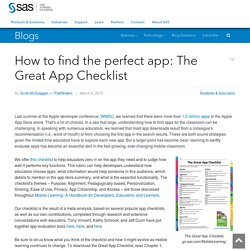
That's a lot of choices. In a sea that large, understanding how to find apps for the classroom can be challenging. In speaking with numerous educators, we learned that most app downloads result from a colleague's recommendation (i.e., word of mouth) or from choosing the first app in the search results. These are both sound strategies given the limited time educators have to explore each new app. But a larger point has become clear: learning to swiftly evaluate apps has become an essential skill in the fast-growing, ever-changing mobile classroom.
The Great App Checklist, go.sas.com/MobileLearning. 11 Useful Tips for Managing iPads in the Classroom. I am starting to see the light… and somewhat emerging from the fog of iPad enrollment and technical logistics.

After a full weekend of ACL (yes, the TechChef does find time to enjoy in the Austin music scene), I spent half a day with Randolph ISD sharing some timely tips for managing iPads in the classroom. As I am never one to hoard resources and I imagine that there our other teachers and districts that might benefit from some tried and true management techniques, I thought I would crank out a blog to share these with the greater edusphere. “Before teachers can redefine their classroom with these devices, they have to consider transforming their classroom management practices to effectively meld instruction and pedagogy to align with a 1:1 environment.” While many of these tips and best practices have been gleaned from my classroom observations over the past few years, a couple have been snatched up from various websites and internet searches as well.
IPAD lessons on Pinterest. Thinking of Creating an App for your School? Are you thinking of creating a mobile phone app for your school?
Having an online web presence is what most schools nowadays would see as an essential resource. And nowadays, with more and more mobile phone owners in a school community, a natural extension might seem to be having a mobile phone app for the school too. Why would a school wish to have a mobile phone app? It can be simply an extension of the online web presence – but websites sometimes don’t display properly in mobile phone screens and so it may be that all that is required is to ensure your existing website can be viewed on mobile devices.
Creating Student Blogs and Wikis on an iPad. Education and Technology Archives. Pin by Piktochart on Education. Curate! Create! Collaborate! How to Pick iPad Apps for your Classroom. You’ve heard the chatter.
IPads have become the go-to literacy tool for authentic learning in the K-8 classroom, the one that says ‘Our program is cutting edge, up-to-date, inquiry-driven‘. Students want to use them, want to share and collaborate on them, and will follow almost any rules if it means they get that tablet in their hands. The problem with the iPad as with the internet is: TMI–too much information.
Problems with mobile phones in lessons? Try these classroom management strategies… Policies regarding mobile phones vary from setting to setting so the way you address this problem will depend on the school/college’s overall viewpoint.
If the establishment you’re working in has a definite rule and consequences in place regarding use of phones you can treat this as any other behaviour problem and consistently stick to the policy. This can be such a huge problem however, with students being so passionate about their phones, that enforcing the rules can be difficult. Mirror iPad, iPhone, iPod to Your Screen for Free. iClassroom iManagement – tips for managing an iPad classroom.
So, every school now is rolling out their own BYOD and 1-to-1 programs.
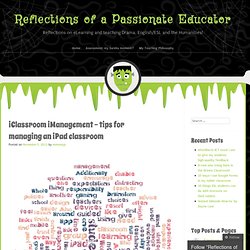
Mobile learning (mLearning) is the new black! Whether it is just a fad or not, mobile devices change the way the class runs, and they change the way students learn. Many teachers, from my experience, cite too many problems with using iPads in their classroom, most of them related to classroom management. iPad Poster for Primary School. The Paperless iPad Classroom with the Google Drive App. How to get online for less on your iPad or Android tablet. Yahoo is part of Verizon Media.
By clicking "Accept all", you agree that Verizon Media and our partners will store and/or access information on your device through the use of cookies and similar technologies and process your personal data to display personalised ads and content, for ad and content measurement, audience insights and product development. New iPAD Apps. iPAD Apps How do I get Apps to this device?
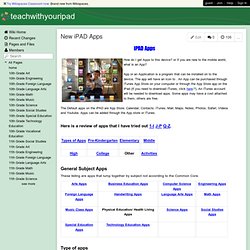
Or If you are new to the mobile world, what is an App? Bloomsapps. Using Blooms Taxonomy in education is a highly effective way to scaffold learning for the students.
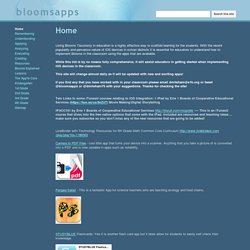
With the recent popularity and pervasive nature of iOS devices in school districts it is essential for educators to understand how to implement Blooms in the classroom using the apps that are available. While this list is by no means fully comprehensive, it will assist educators in getting started when implementing iOS devices in the classroom. This site will change almost daily as it will be updated with new and exciting apps! If you find any that you have worked with in your classroom please email dmileham@e1b.org or tweet @bloomsapps or @dmileham75 with your suggestions. Thanks for checking the site!
10 Steps to a Successful School iPad Program. The following is a guest post by Sam Gliksman, one of SimpleK12's presenters.
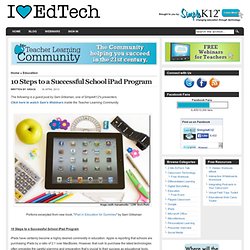
Click here to watch Sam's Webinars inside the Teacher Learning Community. iPads for education. The Department of Education does not endorse or recommend any particular application. Schools are encouraged to test applications and research for those that best meet identified learning needs. The Application Evaluation Rubric provided below will assist schools to select applications appropriate to their context. 40 Simple Ways To Use A Smartphone In The Classroom. So many ruminations on what smartphone technologies offer the wired classroom begin with some permutation of how, at first, smartphones are often the bane of teachers’ existence because they cause disruptions.
This isn’t one of those ruminations. Let’s just go straight to the suggestions, shall we? Use educational apps:One of the simplest strategies for engaging students using smartphones involves taking advantage of the thousands of educational apps as supplements.Create educational apps:After familiarizing kiddos with properly navigating smartphone apps, challenge some of the more tech-oriented ones to design and develop their own; Stanford already offers an open-source class on the subject!
17 Real-World Ways iPads Are Being Used In Schools. Last year, iPads in education took the world by storm, finding their ways into initiatives at both the K-12 and university levels. Edudemic’s friends over at Education Dive have talked to some of the people responsible for those roll-outs and watched schools decided how to use tablets, whether they were Apple’s or not . A list of All The Best iPad Apps Teachers Need.
Coming to you from the Canadian Maritimes ( Halifax), Educational Technology and Mobile Learning is an educational blog dedicated to curating, reviewing and sharing EdTech tools and mobile apps. The purpose is to help teachers and educators effectively integrate digital technologies into their day-to-day teaching, learning and professional development.
For any questions regarding our website or the content we publish, please contact EdTech admin, editor and blog owner, Med Kharbach at: info@educatorstechnology.com. Med Kharbach is a doctoral researcher and a former teacher with 10 years of classroom teaching experience. Med's research interests include: language learning, linguistics, Internet linguistics, critical linguistics, discourse analysis, new (emerging) literacies, and educational technology. 18 Enlightening iPad Experiments in Education. You know from experience that when you enjoy a subject, learning about that subject is easier, more fun, and you retain the information longer. Getting kids to enjoy learning is more productive to education efforts than spending more money, lengthening school days, you name it.
This is the reason many educators are excited about the possibilities inherent to the iPad. Mobile Learning Reflections. I Education Apps Review - I Education Apps Review. iOS 6 Tip: Lock children out of exiting an app on iPad / iPhone – SpeechBox™ Speech Therapy App for iOS (iPhone, iPad, iPod Touch) Assessment and Rubrics. Using the ShowMe app on the iPad's with my class. Using iPads to Enhance Teaching and Learning. 10 Great Apps for a Teacher’s New iPad. Did you receive a gift of a new iPad this year? If so, you’re probably spending this holiday vacation week trying out all kinds of new apps. Here are ten that I recommend getting started with.
Evernote is the Swiss Army knife of iPad apps. - 29 Ways to Use the Only iPad in the Classroom. A Journey into iPadagogy. Ways to Evaluate Educational Apps. Tinytap-eval.png (477×623) iPads in the Classroom. 5 Must-Know Tips For Deploying iPads In Your Classroom. If you’re looking to deploy iPads in education, you may think that it’s just a matter of expense and storage.
Those things are big, but they’re not the biggest problems you’ll face. In fact, this is one of those situations where money is the least of your troubles. The Unsexy But Important Thing To Consider With iPads In The Classroom. It’s no secret. A Quick Guide To Managing A Classroom Full Of iPads. The following is a sponsored post by Datamation Systems, Inc. . They’ve worked with more than 10,000 schools to help deploy and secure classrooms full of technology.
Celly Friendly and Safe for Educators. How To Choose The Very Best Device For Your Classroom. The following is an excerpt from our upcoming issue of the Edudemic Magazine. We’ll be featuring just a few of the many articles over the coming days. Look for this article and the full issue in the Edudemic iPad app very soon ! Chances are pretty good you’re reading this on an Apple iPad. It’s all the rage in education these days but it may not be exactly what you need. Sure, it may be what you want… but not what you need. What it Takes to Launch a Mobile Learning Program in Schools. A successful mobile learning initiative requires a thorough analysis of the capacity of the existing technological infrastructure, with careful consideration and planning for the demands of the new program, including broadband access, hardware and software, and technical support. This analysis should include projections of demand and a review of recommendations for broadband requirements based on the number of users and bandwidth needs.
Ideally, wireless connectivity should be available throughout a school campus to maximize the potential of mobile learning. The increase in usage will require additional data storage, possibly off-site. Easily Create Your School's Mobile App. College Kids Aim to Make 52 Apps a Year in South Carolina. mLearning Lesson Plans. Mobile Learning Lesson Plans. Mlearning. M-learning Evaluation Rubrics.
iPad Project.