
9 Valuable CSS Tricks for Responsive Design. CSS also known as Cascading Style Sheets is now an integral part of web development as it allows developers to alter the elements in any web page, which were once impossible.
If you know the correct source codes, you can easily make changes in text spacing, underline links and a lot of other stuff, which was non-changeable earlier. Also, responsive designing is getting popular with every passing day thanks to the ever growing popularity of mobile browsing. Today, in this article we will be discussing some of the most valuable CSS tricks that surely plays a significant part in the development and designing of responsive designs. As a developer, you must know that designing a responsive website is not difficult but maintaining it is definitely not an easy task. Developers must know the art of maintaining a balance in the layout of website and make sure that none of the elements or links are broken.
Pure. CSS3 Generator - By Eric Hoffman & Peter Funk. Layer Styles. Awesome Overlays with CSS3's Border-Image Property - ZURB Playground - ZURB.com. On CSS preprocessors. Lately there has been a rise in the usage of CSS preprocessors such as LESS and SASS, which makes sense given the simultaneous increase of CSS3 usage.
Visualizing WebKit’s hardware acceleration. February 8th, 2011 Want to know which parts of your web page are hardware accelerated on Safari or Mobile Safari?

It’s easy to find out. Just start Safari with… $ CA_COLOR_OPAQUE=1 /Applications/Safari.app/Contents/MacOS/Safari ..and all hardware-accelerated layers will show up in red. Same goes for Mobile Safari, in the iOS Simulator: $ CA_COLOR_OPAQUE=1 /Developer/Platforms/iPhoneSimulator.platform/Developer/Applications/iPhone Simulator.app/Contents/MacOS/iPhone Simulator Try surfing over to HTML5 Mobile Pro, and see the Core Animation layers in all their red-tinted glory. The Font-Face Rule and Useful Web Font Tricks - Smashing Magazine. Advertisement The possibility of embedding any font you like into websites via @font-face is an additional stylistic device which promises to abolish the monotony of the usual system fonts.
It surely would be all too easy if there was only one Web font format out there. Instead, there’s quite a variety, as you will get to know in this article. This quick introduction to @font-face will lead you towards a guide through the @font-face kit generator. If you want to make Web use of your already licensed desktop fonts, read up on how to embed them from your own server. Web Font Formats EOT, TTF, OTF, CFF, AFM, LWFN, FFIL, FON, PFM, PFB, WOFF, SVG, STD, PRO, XSF, and the list goes on. TrueType This format was developed in the late 1980s as a competitor to Adobe’s Type 1 fonts used in PostScript. OpenType Microsoft and Adobe teamed up in developing this font format. OpenType fonts with TrueType Outlines (OpenType TT) and OpenType fonts with PostScript Outlines (OpenType PS) @font-face Revolution.
Sass - Syntactically Awesome Stylesheets. Compass. CompassApp: Compile Sass stylesheets easily without resorting to the command line. One of the biggest adoption hurdles to reaching the designer masses for Sass and Compass has been the intimidation level presented to designers when mentioning “the command line” … ooh, I just scared myself.
But seriously, the command line truly can be intimidating for folks who don’t care to or ever plan to go there. I’m talking about folks like traditional css designers, print designers, graphic designers and folks who just want to use GUI tools to do their day to day design work. No, I am not putting anyone down.
Facts are facts. Well, the good folks over at Handlino recognized these facts and got to work on creating Compass.app (written in Java) to do all the heavy lifting for you – leaving you to enjoy a command line free life, all while embracing the awesomeness that is Sass and Compass. Getting started Out of the box Compass.app is supported on Windows, Linux and Mac OS X. Stylus. Ultimate IE6 Cheatsheet: How To Fix 25+ Internet Explorer 6 Bugs. Practical CSS Layout Tips, Tricks, & Techniques.
The Web Standards Project’s (WaSP) Browser Upgrade Initiative (BUI), has spurred many a designer to move towards more standards compliant web design, using CSS rather than tables for layout to save user bandwidth while enhancing underlying semantics, accessibility, and reach.

“Tables are dead…”#section1 Several designers have taken Jeffrey Zeldman’s lead in posting tutorials that have helped us get over the initial hump of table-less design. The first efforts have focused on creating two or more columns using CSS positioning instead of tables, thus allowing for a (complete) separation of structure from presentation. These broader techniques have been documented and archived at Eric Costello’s glish and Rob Chandanais’ Blue Robot. Spend your time innovating, not replicating. Css-boilerplate - Project Hosting on Google Code. Boilerplate: noun standardized pieces of text for use as clauses in contracts or as part of a computer program.
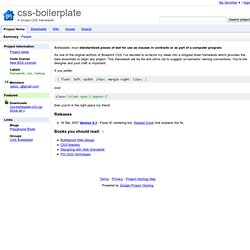
As one of the original authors of Blueprint CSS I've decided to re-factor my ideas into a stripped down framework which provides the bare essentials to begin any project. This framework will be lite and strive not to suggest un-semantic naming conventions. You're the designer and your craft is important. CSS playground.