
HowTo: Use the Gimp to make an Animated Gif. This HowTo shows the user how to use the Gimp to create an animated gif graphic.
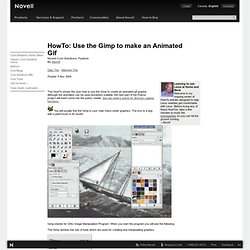
Although the animation can be used anywhere suitable, the next part of the Poems project will insert some into the poetry reader. See last week's article for directory zipping functions. You will usually find the Gimp in your main menu under graphics. The icon is a dog with a paint brush in its mouth. Gimp stands for GNU Image Manipulation Program. The Gimp window has lots of tools which are used for creating and manipulating graphics. Click the File drop down menu and you will see Acquire: In the side menu will be Screen Shot. There are lots of them. You will see the following: Now use the Gimp – Acquire – Screen Shot to grab it. Set the delay to suit. Exit the screen saver window by clicking the right hand x on the top bar. It is much too big for what we want as it is going to used to add some fancy multi media to the Poems project.
Under the top bar you will see a menu. The picture will shrink. UnFREEz 2.1 - WhitSoft Development. UnFREEz 2.1 UnFREEz is a high-speed Windows application that will take any number of images, saved as separate GIF files, and create a single animated GIF from those images.
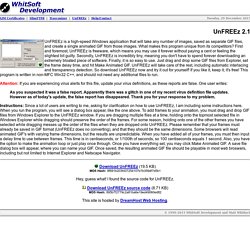
What makes this program unique from its competitors? First and foremost, UnFREEz is freeware, which means you may use it forever without paying a cent or feeling the slightest bit guilty. Secondly, UnFREEz is incredibly tiny, meaning you don't have to spend forever downloading an extremely bloated piece of software. Finally, it is so easy to use. Attention: If you are experiencing virus alerts for this file, update your virus definitions, as these reports are false. As you suspected it was a false report. Instructions: Since a lot of users are writing to me, asking for clarification on how to use UnFREEz, I am including some instructions here.
Download UnFREEz (19.5 KB)MD5 Hash: 9f691b203fd37254107b7b359df7d5b1 Hey, guess what! Download UnFREEz source code (8.71 KB)MD5 Hash: 895b7f2779c2a81ba6e19ed49060ed82. Jans Freeware Graphics. Beneton Software - Beneton Movie GIF. Beneton Movie GIF Beneton Movie GIF is a free animated GIF editor.
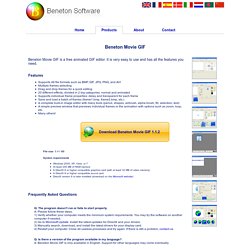
It is very easy to use and has all the features you need. Features Supports 48 file formats such as BMP, GIF, JPG, PNG, and AVIMultiple frames selectingDrag and drop frames for a quick editing20 different effects, divided in 2 big categories: normal and animated Supports individual frame properties: delay and transparent for each frameSave and load a batch of frames (frame1.bmp, frame2.bmp, etc.)A complete built-in image editor with many tools (pencil, shapes, airbrush, alpha brush, fill, selection, text)A simple preview window that previews individual frames or the animation with options such as zoom, loop, etc.Many others!
Download Beneton Movie GIF 1.1.2 File size: 5.41 MB System requirements Frequently Asked Questions Q: The program doesn't run or fails to start properly.A: Please follow these steps. 1) Verify whether your computer meets the minimum system requirements.