
HubiC. Dropbox. Dropbox for Linux. When your download is complete, run the Dropbox installer Install the appropriate package if you want to use Dropbox on your Linux Desktop.If your distribution is not listed then choose “Compile from Source”.
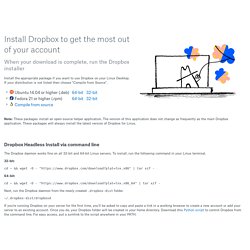
Note: These packages install an open-source helper application. The version of this application does not change as frequently as the main Dropbox application. These packages will always install the latest version of Dropbox for Linux. Dropbox Headless Install via command line. OwnCloud. OwnCloud in a box – SUSE Gallery. Installation. Configure ownCloud. Last week the source code from ownCloud moved from Gitorious to GitHub.
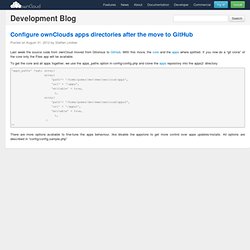
With this move, the core and the apps where splitted. If you now do a “git clone” of the core only the Files app will be available. To get the core and all apps together, we use the apps_paths option in config/config.php and clone the apps repoistory into the apps2/ directory: Ubuntu One.