
RFC 5849 - The OAuth 1.0 Protocol. [Docs] [txt|pdf] [draft-hammer-oauth] [Diff1] [Diff2] [Errata] Obsoleted by: 6749 INFORMATIONAL Errata Exist Internet Engineering Task Force (IETF) E.
Hammer-Lahav, Ed. OAuth Playground. Shindig - Welcome To Apache Shindig! Gmail Contextual Gadget SSO - Google Apps gadgets API. David, Gadgelt (dev.gadglet.com) provides that SSO "out-of-the box" for gadgets developers.....you all welcome to try.
The only thing which is different is that Gadgelt token is made with both SIGNED and OAUTH request. OAUTH is done because on Google App Engine you get the userID (not opensocial_owner_id) only with OAUTH and this id is exactly the same userID you get from openid. This process ensure users would not change their account during registration process.... On May 26, 11:09 pm, David Albrecht <da... > carlosricardosan...
> >> reading the Google Document< best practices. sso.js is provided merely as a working sample; > >> you need to customize it to work with your particular application. > > >> DA > > >> On Thu, May 26, 2011 at 7:18 AM, Carlos Ricardo Santos < Gmail Contextual Gadgets Developer's Guide - Gmail APIs and Tools - Google Code. This document describes what Gmail contextual gadgets are, how to write them, how to install them, and how to diagnose and fix some common issues.
Final: OAuth Request Body Hash. Abstract This specification extends the OAuth signature to include integrity checks on HTTP request bodies with content types other than application/x-www-form-urlencoded.
Table of Contents. Authentication Best Practices - Google Apps Marketplace - Google Code. Note: There's a new Google Apps Marketplace experience!
Beginning November 19, 2013, new listings may only be created using the new version: existing developers may need to create a new Chrome Web Store account to publish new listings. OAuth Playground. Important: OAuth 1.0 was officially deprecated on April 20, 2012, and is no longer supported.
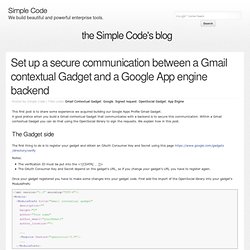
We encourage you to migrate to OAuth 2.0 as soon as possible. S Internet Identity Research. Choosing an Auth Mechanism - Authentication and Authorization for Google APIs - Google Code. Beginner’s Guide to OAuth – Part IV: Signing Requests. Set up a secure communication between a Gmail contextual Gadget and a Google App engine backend - the Simple Code's blog.
Posted by Simple Code | Filed under Gmail Contextual Gadget, Google, Signed request, OpenSocial Gadget, App Engine.
Lesson 10: Interact with your own Backend - VZ Developer Wiki. From VZ Developer Wiki General Guidelines | XML Specification | Features | Views | JavaScript API | REST API | Tutorials | OAuth This tutorial shows how you can call your own backend from a gadget, how you can verify the calls signature and how you can call the opensocial rest API from your backend.
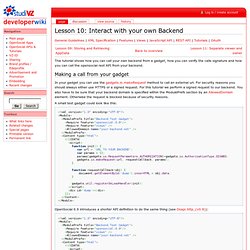
Making a call from your gadget A small test gadget could look like this: Working with Remote Content - Gadgets API - Google Code. This document describes how to fetch and manipulate remote textual (typically HTML), XML, and JSON data using the makeRequest() function. The makeRequest() function is just one technique for fetching remote data. For an overview of the different approaches you can use, see the Remote Data Requests Developers Guide. OAuth 1.0 API Reference - Authentication and Authorization for Google APIs - Google Code. The first section in this document describes how to migrate your code from OAuth 1.0 to OAuth 2.0.
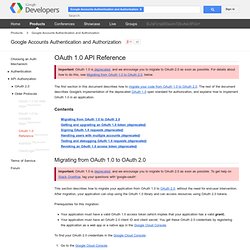
The rest of the document describes Google's implementation of the deprecated OAuth 1.0 open standard for authorization, and explains how to implement OAuth 1.0 in an application. Contents. Authentication and Authorization in the Google Data Protocol - Google Data Protocol - Google Code. Warning: Most newer Google APIs are not Google Data APIs.
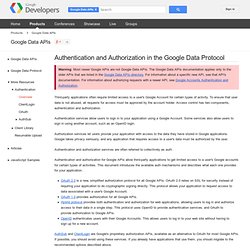
The Google Data APIs documentation applies only to the older APIs that are listed in the Google Data APIs directory. For information about a specific new API, see that API's documentation. DJ’s Weblog » Blog Archive » Getting started with Gmail Contextual Gadgets. Gmail contextual gadgets were announced by Google a few months back and were made available to developers in May this year, just before making a strong appearance at Google IO.
Expanding upon the concept of an earlier contextual project called Dashboard, Gmail contextual gadgets give a clear message that email, as a universal information carrier and workflow pipeline, is not only here to stay, but is being given a new lease of life as it plays a foundational role in Google’s enterprise scale application platform strategy. A Gmail contextual gadget enhances email messages by providing information or functionality that is relevant to the context of that email … right inside the email itself. Context is exposed by content extractors in the form of ‘clues’ in Gmail (akin to Dashboard’s ‘cluepackets‘) and matched content is provided to the gadget at runtime. Twitter User Info Components and hosting What are the components that make up this gadget?
The Manifest. Manifests at master from qmacro/qmacro-contextual - GitHub. Micro Formats Getting Started. Most webmasters are familiar with HTML tags on their pages. Usually, HTML tags tell the browser how to display the information included in the tag. For example, <h1>Avatar</h1> tells the browser to display the text string "Avatar" in a heading 1 format. However, the HTML tag doesn't give any information about what that text string means—"Avatar" could refer to the hugely successful 3D movie, or it could refer to a type of profile picture—and this can make it more difficult for search engines to intelligently display relevant content to a user.
Schema.org provides a collection of shared vocabularies webmasters can use to mark up their pages in ways that can be understood by the major search engines: Google, Microsoft, Yandex and Yahoo! 1. 1a. Your web pages have an underlying meaning that people understand when they read the web pages. 1b. itemscope and itemtype Let's start with a concrete example. To begin, identify the section of the page that is "about" the movie Avatar. DPI Dots Per Inch For Printing - SitePoint Forums. The Megapixel Myth. The Megapixel Myth © 2008 KenRockwell.com. All rights reserved. See me interviewed on KCBS TV2, Los Angeles, about this (click the "video" link to see and hear the segment.) Also in Italian, Russian and Serbian. Resolution Comparisons among 6, 8 and 10 MP DSLRs. Introduction For normal 4x6" (10x15cm) prints, even VGA (640 x 480 or 0.3MP) resolution is just fine. In 1999 when digital cameras were only 1.2 or 2 MP, each megapixel mattered if you were making bigger prints.
Today, even the cheapest cameras have at least 5 or 6 MP, which enough for any size print.