
PiZap - fun photo editor - free photo effects editor - funny graphics for pictures. Photo Editor. Pixisnap - Free Photo Mosaic Maker and Polaroid Picture Editor. Fotomontajes, postales amor, cumpleaños, marcos para fotos - fotoefectos.com. Quick Picture Tools. Photo editor online / free image editing direct in your browser - Pixlr.com. Photoshop Online - Edite suas fotos e imagens online grátis. Photo effects, vintage, retro, online and free - Pixlr-o-matic. Online image editor pixlr free - fix photos direct in your browser.
Photo Effects and Photo Editing with One Click - BeFunky.com. Dumpr - Photo Fun. Photomontage Generator - WriteOnIt. Photo505 - Photo Effects Online, Photo Filters, Photo Fun, Photo Frames, Funny Photos, Photofunia, Picjoke, Imagechef, Befunky. FACEinHOLE.com - Who do you want to be today?
Photovisi - Photo Collage Maker. Fake Magazine Covers - Mag Covers with Your Picture - MagMyPic.com. Fake Magazine Cover Maker, Make Parody Covers With 500 Magazines Templates, Upload Face Photo. Body Switcher, Put Your Face On Another Body In A Funny Scene. Silly Scenes For Your Digital Photos, Online Photo Masher. Scrapbook Generator, The Web 2.0 Scrapbooker For Free Online Digital Scrapbooking. Magic Mirror Tool - Cropping And Mirroring Of Photos Online. World's Greatest Photo Frames With Your Photographs. Speech Bubble Oval3 Cartoon Maker For Your Photos, Upload Photo Image Generator. Ripples Special Effect For Your Photos, Photo Layer Effects. Gift Wrapped Present Photocard Template, Upload Your Own Photo Fun. Food Cheese Burger Props/Addons To Your Photos, Photo Layer Add-Ons. Add Lara Croft Movie And Other People To Your Photos (Celebs, Renders, Humanoids)
Brown Frame On Your Photos, Photo Framer. Bolt Border Effects On Your Photos. Image Mosaic Generator. VintageJS - add some awesome retro and vintage style to your images with the HTML5 canvas element. A Creative Community for Fans, Photos and Fun. Shape Your Photos. Untitled. Pick A FUnny Scene To Use With Your Live Webcam Picture (Interactive Flash) Be The World's Greatest Person With Your Webcam Image (Interactive Flash) Make Webcam Greetings (Interactive Flash) Use Your Web Camera To Add Fake Body Figures Online. Borders Around Your Webcam Image (Interactive Flash) Webcam Framer (Using Flash), Take A Live Photo With A Fancy Art Frame Around You. Womens Short Hairstyles, Virtual Makeover, Use Your Photos! Medium Length Hair Hairstyles, Virtual Makeover, Use Your Photos!
Straight Long Hair Hairstyles, Virtual Makeover, Use Your Photos! Womens Wedding Hairstyles, Virtual Makeover, Use Your Live Web Cam Photos! Creative Hairstyles, Virtual Makeover, Use Your Photos! Womens Up/Beehive Hairstyles, Virtual Makeover, Use Your Photos! Mens Hair Hairstyles, Virtual Makeover, Use Your Photos! Cameroid - Use your webcam to take photos online! Photo Collage Maker. Free Online Image Editor. PiZap - fun photo editor - free photo effects editor - funny graphics for pictures. Parody Motivator Generator - Create your own Motivational Poster. AnyMaking - Photo editing online, Free photo edit and Fun photo effects. Picreflect - Picture reflection.
PunyPNG - PNG Compression and Image Optimization - Gracepoint After Five. CoolArchive - Free clip art, fonts, icons, and much more! Free Flash Animation Tool – Vectorian Giotto. Features We created Giotto for designers, not coders Giotto is the free Flash animation package made for you to design, not to code.
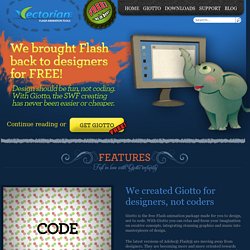
With Giotto you can relax and focus your imagination on creative concepts, integrating stunning graphics and music into masterpieces of design. The latest versions of Adobe® Flash® are moving away from designers. They are becoming more and more oriented towards coders. Giotto has full support for ActionScript 2, but we made built-in effect generators that will help you create outstanding effects without any scripting at all. Vector drawing, animations, sounds, filters… Create complex vector illustrations in Giotto, anything from simple shapes to custom ones like polygon, star, or rounded rectangle. Organize all objects in the Library, create symbols like Movie Clips and Buttons for multiple use. Animate objects with motion tweens and shape tweens. Powerful animated effects without any scripting at all Color palette editor that you can actually use Screenshots.
Webcam effects, Online Photobooth, Free photo sharing.