
Welcome to Facebook - Log In, Sign Up or Learn More. Dicas, tutoriais, como fazer, como não fazer e novidades sobre o Facebook, a rede social mais famosa do mundo. SEO para Facebook. OSEOSocial Capacitarasmídiassociaisparabusca–paracontrolarquaispáginastemomelhorposiçãonorankingnosresultados–éumagrandeoportunidadeparaempresas.

Primeiro,isso ajudaacontrolarareputaçãodaempresa . Quandoumconsumidorempotencialdigitarumtermodebuscacomonomedasuaempresa,oquevocêpreferevernos20primeirosresultados:produtosconcorrentesesitesquemencionamonomedasuaempresaparaasuavisibilidade? Ajudavocêaaumentaravisibilidadedamarcaedeseusprodutos.
SeasuapáginanoFacebook,queéaportadeentradadosseusprodutoseserviçosquevocêvendeparaseusconsumidores,temumaposiçãotãobaixanorankingdebuscasquenemaparecenaprimeirapágina,vocêestáperdendodinheiro. levaaomaiorengajamentodopúblicocomsuamarcanasmídiassociais . curtiremsuapágina ecompartilharseusprodutosàvenda. melhorserásuaposiçãonorankingdebuscas. What Google's +1 Means for Facebook. At Wednesday's announcement of Google's +1, the company was coy about comparing its experimental product to the longstanding Facebook Like button.

But in the two companies' ongoing battle for ad dollars, +1 is a clear shot across Facebook's bow. Let's follow the money for a moment. Both companies get most of their revenue from advertising. They pitch their ad services based on their ability to serve highly targeted ads that get good results for brands and businesses. They are able to target ads based on the data they gather about users. But here's the main difference: Facebook gathers data based on user-submitted profile information.
As you can see from the chart below, Google has a lot to worry about when it comes to competing with Facebook for ad dollars. Facebook Timeline Bumps Online Narcissism Up a Notch. Screenshot of Facebook.comFacebook’s Timeline feature creates a visual narrative of each user’s life.
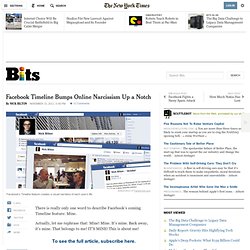
There is really only one word to describe Facebook’s coming Timeline feature: Mine. Actually, let me rephrase that: Mine! Mine. It’s mine. Back away, it’s mine. All Facebook - The Unofficial Facebook Blog - Facebook News, Facebook Marketing, Facebook Business, and More! Como customizar as fotos do topo do seu perfil no Facebook. Já tem um tempo que o Facebook mudou o layout do perfil dos usuários.
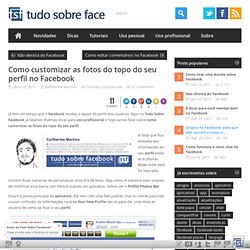
Aqui no Tudo Sobre Facebook já falamos diversas dicas para uso profissional e hoje vamos falar sobre como customizar as fotos do topo do seu perfil. A faixa que fica embaixo das informações do seu perfil exibe as 6 últimas fotos onde você foi marcado. Existem duas maneiras de personalizar essa tira de fotos. Veja como. A maneira mais simples de modificar essa barra com fotos é usando um aplicativo. Essa é a janela principal do aplicativo. HOW TO: Import Your Facebook Contacts on Google+ Facebook Users Beware: Facebook's New Feature Could Embarrass You. If you didn't watch Mark Zuckerberg's Facebook announcements last week — and of course the vast majority of Facebook users did not — you may be in for a surprise.
Aside from the dramatically redesigned Facebook Timeline profile pages, which roll out in the coming weeks (and which I've grown to love), Facebook's new system to auto-share what you do around the web may catch many Facebook addicts off guard. In fact, even those people who know exactly how this new feature works may need to be on guard against sharing some seriously embarrassing updates. For those not in the loop: Facebook is making sharing even easier by automatically sharing what you're doing on Facebook-connected apps. Instead of having to "Like" something to share it, you'll just need to click "Add to Timeline" on any website or app, and that app will have permission to share your activity with your Facebook friends. What activity, you ask? Can you see the possible issue here? 1. Heck, I even find myself doing it.
Facebook Fail: Posting via Other Apps Can Cut Likes & Comments by 88% [STUDY] Does posting to Facebook via third-party apps make any difference to how engaged your fans are?
![Facebook Fail: Posting via Other Apps Can Cut Likes & Comments by 88% [STUDY]](http://cdn.pearltrees.com/s/pic/th/facebook-posting-comments-15690402)
Does Facebook's algorithm discriminate against content management apps? The people at Applum, creators of Edgerank Checker, decided to find out. They analyzed more than a million Facebook updates on more than 50,000 Pages in order to test the theory that posting to Facebook via third-party apps simply doesn't generate as much engagement as posting directly on Facebook.
The results were surprising. Applum found that posting via one of the top ten third-party APIs gave you an average of 88% fewer comments and likes, compared to posting directly to Facebook yourself. Facebook FAIL: Missteps and Shortcomings Revealed [INFOGRAPHIC] Facebook's gone through some profound changes lately, which is exciting to us, but leaves others in a profound state of anger and frustration.
![Facebook FAIL: Missteps and Shortcomings Revealed [INFOGRAPHIC]](http://cdn.pearltrees.com/s/pic/th/shortcomings-infographic-17356109)
Like it or not, all is not perfect with the world's largest social network, and here's an infographic by a company that's more than happy to point out Facebook's shortcomings. This "Facebook Wall of Shame" was created by WordStream, Inc., a provider of search marketing software and services. Apparently Facebook's release of its iPad app left the company cold. For instance, WordStream points out how some critics who reviewed the Facebook iPad app called it "too little, too late. " Facebook To Unveil Skype-Powered Video Chat Next Week [CONFIRMED] Facebook Timeline: 10 Simple Tips and Tricks.