
Three.js fabrication tool. OpenJSCad: like OpenSCAD, but using JavaScript. OpenJsCad. Web based solid modeling in Javascript: user editable parametric models, STL and DXF export.
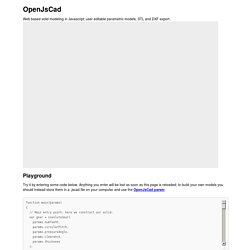
Playground Try it by entering some code below. Anything you enter will be lost as soon as this page is reloaded; to build your own models you should instead store them in a .jscad file on your computer and use the OpenJsCad parser. Examples Choose another example: About OpenJsCad is a 2D and 3D modeling tool similar to OpenSCAD, but web based and using Javascript language. Function main() { var cube = CSG.cube(); return cube; } creates a cube with a radius of 1 and centered at the origin. 3D solids can be exported as STL files, 2D areas can be exported in a DXF file.
To build your own models, create a .jscad file with your javascript code and parse the file using the OpenJsCad parser. Why use OpenJsCad? Viewer navigation Click and drag to rotate the model around the origin. Tools, Libraries License OpenJsCad is developed by Joost Nieuwenhuijse. Contributions are welcome! Primitive solids CSG operations. From cloud computing to personal fabrication.
Surfing on the Internet this week I found Daniel Davis blog Digital Morphogenesis.
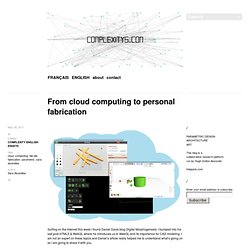
I bumped into his last post HTML5 & WebGL where he introduces us to WebGL and its importance for CAD modeling. I am not an expert on these topics and Daniel’s article really helped me to understand what’s going on so I am going to share it with you. Using a browser that supports WebGL means that “users don’t need to download or install any additional plugins to view 3d content”. 3d models are now viewable on the Internet and we are able to generate a model, modify it and design it on the cloud. Have a look at shapesmith, 3dtin or tinkercad.
Daniel’s article points out some interesting examples of cad applications that we can find on the cloud computing context. CloudSCAD. PhiloGL - Surface Explorer. Shapesmith.net. I'm building a WebGL modelling tool for 3D printing. 2 weeks ago Father Christmas delivered a MakerBot Thing-O-Matic 3D Printer to my office. I think I understand how it must have felt to own an Altair 8800 back in the day when the world was on the brink of the consumer computing revolution. Consumer 3D printing could be another such revolution. But to print something in 3D you have to create a 3D model, and my survey of the software tools available for 3D modelling has been very disappointing. They broadly fall into the following categories: Expensive to very expensive professional products. Expensive to very expensive tools are tools like AutoCAD and Autodesk Inventor. Applications that have modelling capabilities but are aimed at rendering are those such as Blender , Maya and 3D Studio Max.
I would puth Sketchup , OpenSCAD and 3D Tin into the "free but limited/difficult to use" category. I was on a team that developed an advanced 3D modeller as part of an engineering tool suite earlier in my career, so I know what's possible. Shapesmith – An Open Source Web-based 3D Modeler. EmailShare 4EmailShare iPhone dock created in Shapesmith and printed on Thing-O-Matic How can I model the thing I want to print?
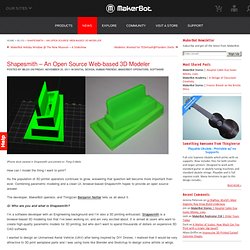
As the population of 3D printer operators continues to grow, answering that question will become more important than ever. Combining parametric modeling and a clean UI, browser-based Shapesmith hopes to provide an open source answer. The developer, MakerBot operator, and Thingizen Benjamin Nortier tells us all about it. Q: Who are you and what is Shapesmith? Shapesmith.net. 3D printing from Tinkercad. We’re delighted to announce that Tinkercad, a very easy-to-use CAD tool that runs in a browser (via WebGL), now offers a one-click support to our i.materialise 3D printing service.
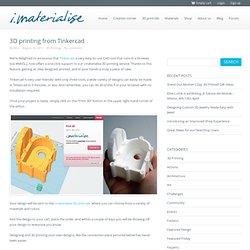
Thanks to this feature, getting an idea designed, printed, and in your hands is truly a piece of cake. Tinkercad is very user-friendly: with only three tools, a wide variety of designs can easily be made in Tinkercad in 5 minutes, or less. And remember, you can do all of this  in your browser with no installation required. Once your project is ready, simply click on the “Print 3D” button in the upper right-hand corner of the editor. Your design will be sent to the i.materialise 3D print lab, where you can choose from a variety of materials and colors. Add the design to your cart, place the order, and within a couple of days you will be showing off your design to everyone you know. Designing and 3D printing your own designs, like the connection piece pictured below has never been easier. Tinkercad. PythonOCC, 3D CAD/CAE/PLM development framework for the Python programming language.
PythonOCC webGL example suite: STEP file visualization using WebGl.