Learn the Basics of Photoshop: The Complete Guide. Tutoriais Photoshop. Create a super glowing and sparkling intense light 3d logo in Photoshop & Illustrator. After my previous tutorial on how to create a frog logo in Photoshop, I'm now going to teach you how to create a glowing and sparkling intense light 3D glow logo.
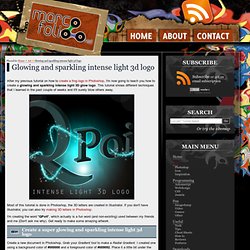
This tutorial shows different techniques that I learned in the past couple of weeks and it'll surely blow others away. Most of this tutorial is done in Photoshop, the 3D letters are created in Illustrator. If you don't have Illustrator, you can also try making 3D letters in Photoshop. Laurie McCanna's complete list of Photoshop tutorials.
25 Tutorials for Using Illustrator and Photoshop Together for Outstanding Results. Photoshop and Illustrator are two of the most indispensable tools for web and graphic designers.
For those of us who are always looking to learn more and improve skills, there are plenty of great tutorials out there for each of these programs. Most designers feel a bit more comfortable in one over the other as a result of more experience or better understanding.