
Photoshop Hair Color - Change Hair Color In Photoshop. Written by Steve Patterson.
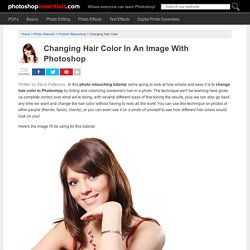
In this photo retouching tutorial, we're going to look at how simple and easy it is to change hair color in Photoshop by tinting and colorizing someone's hair in a photo. The technique we'll be learning here gives us complete control over what we're doing, with several different ways of fine-tuning the results, plus we can also go back any time we want and change the hair color without having to redo all the work! You can use this technique on photos of other people (friends, family, clients), or you can even use it on a photo of yourself to see how different hair colors would look on you! Here's the image I'll be using for this tutorial: The original image. We're going to be giving her hair a brighter, slightly more reddish color to it in this tutorial, but you have complete control over the color you use with your image, as well as the intensity of the color.
The final result. This tutorial is part of our Portrait Retouching collection. The hard part is done! Selecting & Extracting Hair - Masking Tutorial - Extraction Tips. Try before you buy.
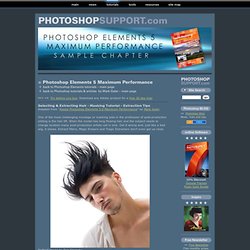
Download any Adobe product for a free 30 day trial. Selecting & Extracting Hair - Masking Tutorial - Extraction Tips Adapted from "Adobe Photoshop Elements 5.0 Maximum Performance" by Mark Galer One of the most challenging montage or masking jobs in the profession of post-production editing is the hair lift. When the model has long flowing hair and the subject needs to change location many post-production artists call in sick. Get it wrong and, just like a bad wig, it shows. Portrait image by Dan Stainsby The first secret step must be completed before you even press the shutter on the camera.
The post-production is the easy bit - simply apply the correct sequence of editing steps and the magic is all yours. Step 1 The initial steps of this tutorial are concerned with creating a mask that can be used in the final montage. Drag this desaturated/monochrome layer to the New Layer icon in the Layers palette to duplicate it. Visit our Photoshop Elements 10 Resource Center. Professional Photo-Retouching Video Tutorial: Hair. By Youssef Sarhan Sat, 03/14/2009 - 00:35 (via: www.whiteinkblog.com) I am back with a brand new exciting photo-retouching tutorial.

In this tutorial I will focus on the hair. Before watching please note that there is a lot of information in this video to absorb, so watch and re-watch areas. I’d recommend pausing it at regular intervals before continuing so that you fully understand all the processes. Some of the areas covered in this video are: – Colour Correction – Removing Unwanted Straps and Hair – Adjusting tonal values – Grading the image – Boosting image vividness – Removing blemishes – Working with blending modes There are a lot of techniques and processes that go into each of the above, so if you’ve got a question leave a comment or contact me over at www.whiteinkblog.com and i'll do my best to help.