
InfoWorker Solutions. Step 5: Create a .webpart File for your Web Part. The topic you requested is included in another documentation set.
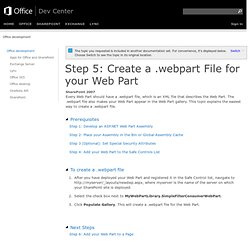
For convenience, it's displayed below. Choose Switch to see the topic in its original location. Using Custom ASP.NET Controls in SharePoint 2007 - Vedant Kulshreshtha. Like ASP.NET Web Parts you can also use ASP.NET Controls in SharePoint 2007.
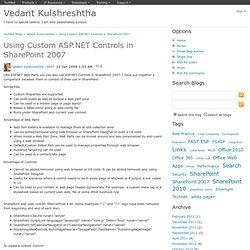
I have put together a comparison between them in context of their use in SharePoint: Similarities Custom Properties are supported Can exist inside as well as outside a web part zone Can be used in a master page or page layout Needs a SafeControl entry in web.config file Runs under SharePoint and current user context Advantage of Web Parts Web Part Gallery is available to manage them at site collection level Can be added/removed using web browser or SharePoint Designer or even a C# code When inside a Web Part Zone, Web Parts can be moved around and also personalized by end-users using a web browser Default/Custom Editor Part can be used to manage properties through web browser Audience targeting can be used Can be used in a content/site page Advantage of Controls Cannot be added/removed using web browser or C# code. SharePoint: How to display blog feed using XML Web Part? - Gunnar Peipman's ASP.NET blog.
Installing MOSS 2007 on Windows Server 2008 and SQL Server 2008 - Part 7: Configuring MOSS 2007. This article is a part of a series describing the installation of Microsoft Office SharePoint Server 2007 (MOSS) on a Windows Server 2008 with the newly released SQL Server 2008.

The successful creation of a Shared Service Provider wasn't an easy task for me and included a lot of trial and error until I figured out how to do it right and what I have to think about during the configuration process. After that the creation is an easy task. If you remember the domain accounts from the previous posts there are a lot of them which haven't been used right now. And here it's important that these account are domain accounts. Sometimes I experienced a problem or I have seen an error message and didn't know what to do until I found out that you need to use domain accounts and that you need to provide the domain in form of domain\account if you are asked for credentials. Don't forget to read the comments below since they might include information which apply to your scenario. Application pool crash on win2008. Walkthrough: Creating a Basic SharePoint Web Part.
MSDN Library Design Tools Development Tools and Languages Mobile and Embedded Development Online Services patterns & practices Servers and Enterprise Development.
SharePoint as a WCF Host. Winsmarts SharePoint WCF Support. Hosting a WCF service in Windows Sharepoint Services v3.0 - Gilles' WebLog. With ASP.NET AJAX Extensions being baked into the .NET Framework 3.5 and the improvements to WCF to support JSON, it seems tempting to write WCF services and host the in Windows Sharepoint Services 3.0 Unfortunately, if you create a WCF service and drop it under a WSS controlled vroot like _layouts or _vti_bin, your service will fail to activate with the following message in the event log: WebHost failed to process a request.
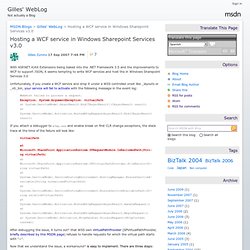
Exception: System.ArgumentException: virtualPath at System.ServiceModel.AsyncResult.End[TAsyncResult](IAsyncResult result)at System.ServiceModel.Activation.HostedHttpRequestAsyncResult.End(IAsyncResult result) If you attach a debugger to w3wp.exe and enable break on first CLR change exceptions, the stack trace at the time of the failure will look like: After debugging the issue, it turns out¹ that WSS own VirtualPathProvider (SPVirtualPathProvider, briefly described by this MSDN page) refuses to handle requests for which the virtual path starts with "~". Custom Site Theme for SharePoint 2007 (MOSS 2007) and WSS 3.0 « SharePoint Solutions….by HG. Kurt Shintaku's Blog.
Customizing Your SharePoint Site? Read These 10 Concepts/Gotchas First. Preface: I wrote this post after spending a month digging deeply into SharePoint, attempting to customize and brand the site as well as migrate all my help content to it.
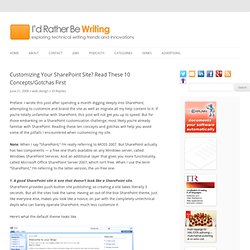
If you’re totally unfamiliar with SharePoint, this post will not get you up to speed. But for those embarking on a SharePoint customization challenge, most likely you’re already familiar with SharePoint. Reading these ten concepts and gotchas will help you avoid some of the pitfalls I encountered when customizing my site. Free SharePoint Themes and Templates. Adding Icons For Unknown File Types in WSS3.0. SharePoint 2007 CSS Reference Chart by Heather Solomon and the sharepoint experience. Move WSS 3.0 content to MOSS 2007. I have a WSS 3.0 server that needs to be moved into ourMOSS 2007 Farm.
The WSS server will not be able to be added to the farm since it is off-site and we also don't have anotherMOSS 2007 License available (nor will our budget allow us to purchase one). This WSS 3.0 server has only 3 sites but over 200 users are accessing the data on the server. Also the server is not a member of a Domain (contained within a DMZ) , so all users have been given local user accounts. One reason I'm asking what sound like I should be able to answer myself is that I do not have access to the WSS 3.0 server at this time. Talk to SharePoint Through its Web Services [Archive] Introduction.
![Talk to SharePoint Through its Web Services [Archive]](http://cdn.pearltrees.com/s/pic/th/sharepoint-through-services-15039389)
Microsoft® SharePoint® Designer 2010 Step by Step - O'Reilly Media. SharePoint 2010 Security. Creating a Page Layout in SharePoint 2010 using Visual Studio 2010 - Becky Bertram's Blog. Creating a custom Page Layout in SharePoint 2010 is not too different than creating a custom Page Layout in SharePoint 2007.
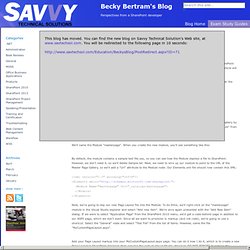
However, the process of creating a SharePoint Solution Package has changed in Visual Studio 2010. This article will walk you through the steps. First, open Visual Studio and create a new C# project, using the "Empty SharePoint Project" template, listed under the SharePoint 2010 project templates. For this example, we'll name our project "MyCustomPageLayout". For this example, we'll be deploying our solution as a "Sandboxed solution". A SharePoint server is not installed on this computer. Just confirmed .. was able to attach to the remote debugger on the SP2010 virtual machine from a host running VS2010.
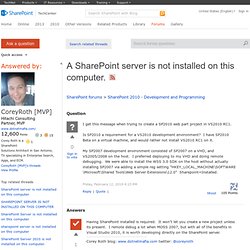
If your interested in developing locally and remote debugging read on, otherwise follow Corey's advice :) Once the plumbing is set up, it's pretty easy to remote debug. I'm using VS2010 RC1 and SP2010 Beta. Here are the steps to remotely build sharepoint components and remotely debug: Create, build, and deploy your code. Managing SharePoint Designer 2010. Whats New in SharePoint 2010. MSDN Library Design Tools Development Tools and Languages Mobile and Embedded Development Online Services patterns & practices Servers and Enterprise Development.