
Book Palette. Www.redlers.com/download/tips/setofstyles.pdf. Outlook Rules Add In. TaskWorks Outlook 2007 Add-in License: Freeware Price: 0.00 Outlook 2007 add-in to synchronise your Calendar and Tasks with a TaskWorks Project Management and Collaboration Workspace.

See all your Project start and end dates and To-Do items in your Calendar and Tasks list in Outlook. FREEWARE. Publisher: Evaware Ltd Date: 02-04-2007 Size: 6313 KB Platform: Win98, WinME, Windows2000, WinXP, Windows2003, Windows Vista. Kaleidoscope — File comparison for Mac. Roundup: 7 Delicious Mac Apps to Manage Your Bookmarks. I’m a heavy user of Delicious.com: I think it’s the best way to store online all my bookmarks.

Also, the tagging system works good (except for some problems we should see fixed very soon: yes batch removing, I’m looking at you) and provides an excellent to sort out hundreds of saved web pages. Then, the interface is cute and so web 2.0. But, as MacStories readers, you know that I love to find applications which allow me to use my favourite online services from the desktop. Here, I’ve collected 7 Delicious desktop clients / utilities for Mac.
Enjoy! Pukka Pukka is very popular among Mac / Delicious users. Cocoalicious An open source application under BSD license, Cocoalicious is a dekstop interface for your Delicious bookmarks. I wish it will be rewritten soon, but I doubt it. Delibar A menubar app with a stunning UI, that’s what Delibar is. iWeb '09 Essential Training. Character Entity Reference Chart. 38 Attractive & Versatile Templates for Pages. I’ve long been a fan of iWork and Pages, and enjoy the design aesthetics of the templates included with the app.
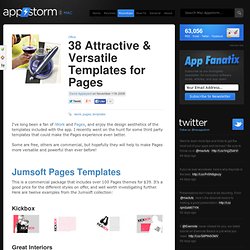
I recently went on the hunt for some third party templates that could make the Pages experience even better. Some are free, others are commercial, but hopefully they will help to make Pages more versatile and powerful than ever before! Jumsoft Pages Templates This is a commercial package that includes over 100 Pages themes for $39. It’s a good price for the different styles on offer, and well worth investigating further. Kickbox Great Interiors Brochure Photo Album. Custom templates in Pages. Pages 2, the page-layout and word processing program included with Apple’s $79 iWork ‘06 suite, comes with more than 60 beautiful and versatile templates.
So I was surprised when a friend complained that it didn’t have a template for a 5.5-by-8.5-inch auction brochure. What she didn’t know was that Pages’ templates are customizable. In no time, we were able to create one that perfectly suited her needs. If you create the same type of document over and over in Pages 2 ( ), you can save considerable time and ensure consistency from one project to the next by using templates. Once you create a template, anyone can use it to add pretyped text and custom graphics. Start with a clean slate To create a custom template, you need to start with a blank page. Set Page details Next, set up the basic structure of your document, including the document size, margins, and any other settings for the whole page. Add text and graphics. Download URL Manager Pro X for Mac - Bookmark manager. MacUpdate.com. Five Essential Smart Mailboxes For Apple Mail [Mac] Next to haggling with dozens of web browsing pages scattered all over my desktops, managing several dozen emails per day used to be the bane of my computer-using life.
![Five Essential Smart Mailboxes For Apple Mail [Mac]](http://cdn.pearltrees.com/s/pic/th/essential-smart-mailboxes-54329353)
But not much anymore after I started using Smart Mailboxes in Apple’s Mail. Smart Mailboxes work like smart albums in iTunes. They manage files according to specified rules you set for them. These boxes or folders save you both time and frustration when dealing with the constant flow of email messages. They work even better than filters in Google Mail. To create a Smart Mailbox, open Mail and go to Mailbox>New Smart Mailbox in Mail’s menu bar.
The following are a handful of Smart Mailboxes I use regularly. Unread Messages For me, the most essential Smart Mailbox is what I call Unread Messages. The rules for this Smart Mailbox are: Select “Message is Unread”.Click the + button and add a second rule, “Date Received”> “is today.”Make sure the top parameter says “Contains messages that match ALL the follow conditions.” The only notebook you need on your iPhone, iPad, Mac and PC. Securely erase hard drives on your Mac OS X Tutorial. Have you ever wondered how technology pros can recover deleted files from a hard drive?

It’s because whenever the Trash is emptied on your Mac, OS X deletes the info used to access the file data, but doesn’t actually erase the file itself. To put it simply, OS X puts the data to one side and allows it to be overwritten by other programs and data. That means the data may be overwritten within seconds by the system, or sit on the drive for weeks, months or even permanently if the drive isn’t used again.
Often, for security reasons, it’s necessary to delete this data. Perhaps you’re selling your Mac, or lending it to friends and family for short-term use. Step 1: Get started Open Disk Utility by searching for it in Spotlight or clicking on the Go choosing Utilities, then double-clicking on the Disk Utility application. Step 2: Choose a drive Click on the main hard drive of your Mac (typically the top drive in the list), then click on the Erase tab in the centre of the screen. Official download of VLC media player for Mac OS X.