
Visual FX. Building a Galaxy Nebula. How to Stylize and Model 'Toon Humans - Chapter 1: Concept and Modeling by Jose Alves da Silva. Introduction Welcome to the second part of the stylized character series, this time dedicated to the creation of a human character.

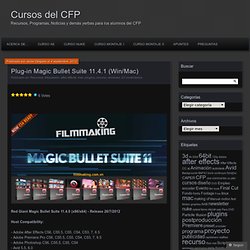
As in the previous tutorial (The Boxing Kangaroo), we will develop the character concept during the modeling process. There are many ways to skin a cat. The same is true about character creation. In the previous tutorial we used the method of sketching an idea in 2D, creating a low polygon topological base in 3ds Max, and then exporting it to ZBrush to establish proportions and detail. During this chapter you will notice that the character will be changing. In the first tutorial we followed a very detailed step-by-step approach. ZSpheres 1 Let's start by building the structure of our character. Download Red Giant Magic Bullet Suite 11.4.0 x32-x64 + KEYS.rar Torrent. Plug-in Magic Bullet Suite 11.4.1 (Win/Mac) « Curso de After Effects y Montaje del CFP. Red Giant Magic Bullet Suite 11.4.0 (x86/x64) - Release 26/7/2012 Host Compatibility: - Adobe After Effects CS6, CS5.5, CS5, CS4, CS3, 7, 6.5 - Adobe Premiere Pro CS6, CS5.5, CS5, CS4, CS3, 7, 6.5 - Adobe Photoshop CS6, CS5.5, CS5, CS4 - Avid 5.5, 6.0 - Sony Vegas Pro 10, 11 New in Magic Bullet Suite v11.4.1 Denoiser II v1.3 supported in Premiere Pro CS5-CS6 and Final Cut 7.Default settings were carefully chosen by professional editors, so you get immediate clean-up results when the plug-in is appliedExtensive redevelopment and improved stability give you a more reliable denoising tool Includes Magic Bullet Colorista II Magic Bullet Cosmo 1.0 Magic Bullet Denoiser II 1.3 Magic Bullet Frames 1.1 Magic Bullet Grinder 1.5 Magic Bullet Instant HD 1.2 Magic Bullet Looks 2.0 Magic Bullet Mojo 1.2 Magic Bullet PhotoLooks 2.0 Download: Win: Mac: Serials:
Magic Bullet Looks: Cómo instalar para Adobe CS5.5 y CS6 en Mac OS X. Red Giant products that are included in Trapcode Suite 11, Magic Bullet Suite 11, Keying Suite 11 and Effects Suite 10 as well as Magic Bullet Quick Looks are able to be installed for Adobe CS5.5 and Adobe CS6 by downloading the most recent installer and selecting the Adobe CS5.5 or Adobe CS6 check box during installation.

Red Giant products that do not have a Adobe CS5.5 or Adobe CS6 install option (i.e. Red Giant's Free Products) will require the product to be installed for Adobe CS5 and manually move the folders/files to the proper Adobe CS5.5 or CS6 directories. Magic bullet looks para Adobe After Efects cs4 o cs5. After Effects CS5 Nuevas Técnicas Creativas. 26 Seguimiento y Tutoriales matchmoving. Man, its been over a year since the last tracking tutorial roundup.

This time around were gonna check out all kinds of different tutorials for all tracking apps, whether or not they utilize After Effects or not. You might not have the apps, but a lot you can get Personal Learning Editions and trials from so make sure you check it out! Video Copilot - 3D LedgeThis tutorial uses some basic AE tracking from markers on a green screen to create the illusion that Sam Loya is sitting on the edge of a building contemplating a jump. View TutorialVideo Copilot - 3D Light CastingAndrew uses some reverse motion tracking in this tutorial to stabilize and then set the footage back to normal to make this lightball look properly composited in the scene.
If you enjoyed this post, please give it a vote on Digg or a stumble to say thanks! Ver para vivir. Vlogespanol.pbworks.com/f/TutorialFCPHD.pdf. Final Cut Pro X - A revolution in creative editing. Titles final cut - How-To Videos & Articles. Www.rigging3d.com/professional/tutorials/FacialBoneRigging3dsMax.pdf. After Effects Tutorials, Plug-ins and Stock Footage for Post Production Professionals. After Effects Tutorials, Plug-ins and Stock Footage for Post Production Professionals. Video Tutorial: tracking with mocha and After Effects.
Cristalab. Ajustando las preferencias en Final Cut Pro X.

Las preferencias las tenemos en el Menú Final Cut Pro X – Preferences. Tenemos tres opciones de preferencias. Editing, Playback e Import. Es decir, preferencias de edición, de reprodución y de importación. Comenzamos con las preferencias de Edición: En la primera opción le indicamos a Final Cut Pro como queremos mostrar el tiempo: Horas, minutos, segundos y frames o Horas, minutos, segundos, frames y subframes, solo frames o solo segundos. En las opciones de Timeline tenemos Show detailed trimming feedback: Cuando unimos mediante trimming dos clips podemos ver en el visor dos imagenes. Audio: Show references waveforms: Para ver la altura de la onda de audio originalcuando ajustamos el volumen en la linea de tiempo. Dialog Warnigs: podemos resetear todas las advertencias que nos han aparecido en el cuadro de dialogo. Pasamos a las preferencias de Playbvack, es decir, de reproducción La otra opción es usar los archivos originales optimizados. Maya - Rigging Tutorials - Maya Rigging - Rigging a biped character for animation - Swinburne Faculty of Design Tutorials - free video tutorials.
Tutorials. The blog is alive again!

I've been enjoying my Summer and really just not thinking a great deal about University and such. I know, quite bad of me, but i t was well deserved. But now, I'm getting back into the flow of it, and what better way then to resurrect my Blogspot page, and to talk a short while about some research I have been doing. I have become quite fascinated by clean edge loops and flows, and professional topology. I started this by opening up some of my models from the second year. I want to talk mainly about controlling edge flows, and what I have found out. ^three edge pole ^five edge pole Okay, so this may not make much sense to you right now, but bare with me - I hope that I can explain what the importance of this is shortly.
So previously I was convinced that these were errors in my mesh, and I was always getting down on myself about them, forever trying to remove or hide them in places you won't see. So here, goes, I'll try and explain!