
Danielstocks/jQuery-Collapse · GitHub. Jquery.autoheight.js - p2pdesi - auto height script - jMyCarousel. jScrollPane - cross browser styleable scrollbars with jQuery and CSS. jQuery Collapsible Demo. You have to create your own html for the collapsible.
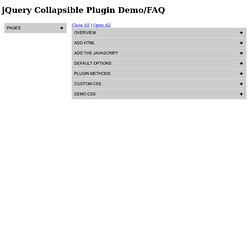
You need a header element (here as div, can be div or etc) that gets the "collapsible" class assigned and a body element. However, the slide effect will be choppy if you have margins and padding for the container, so here we just use a div. Here I've used "collapsible" but you can choose any other selector, also i have added classes to aid with styling the collapsible, the containers do not have to have these class names. Here is an example: <div class="collapsible" id="section1">Heading<span></span><div><div class="container"><div class="content"><div>Sample Content</div><p>Content here....
jQery Slide Drawer Plugin Demo. jQuery Collapse. Jquery左右滑动tab标签选项卡代码_懒人之家. E-calendar – jQuery Plugin for Creating Event Calendar. FullCalendar jQuery Plugin. Features – SlideTabs. Otyn - Sliding Tabs for jQuery. Itslenny/jquery-quiccordion · GitHub. Magnific Popup: Responsive jQuery Lightbox Plugin. Magnific Popup is a responsive lightbox & dialog script with focus on performance and providing best experience for user with any device(for jQuery or Zepto.js).

Examples Single image lightbox Three simple popups with different scaling settings. 1 — fits horizontally and vertically, 2 — only horizontally, 3 — no gaps, zoom animation, close icon in top-right corner. Lightbox gallery You may put any HTML content in each gallery item and mix content types. Zoom-gallery If you wish to open the popup only after image is fully loaded, you may preload image via JS. Popup with video or map In this example lightboxes are automatically disabled on small screen size and default behavior of link is triggered. Dialog with CSS animation Animations are added with simple CSS transitions, you can make them look however you wish.More animation effects on CodePen.
Popup with form Entered data is not lost if you open and close the popup or if you go to another page and then press back browser button. Ajax popup Fast. Fancy checkboxes and radio buttons with CSS. After all these years, people still ask how to style custom checkboxes and radio buttons in forms while keeping everything accessible.
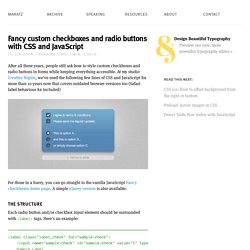
At my studio Creative Nights, we’ve used the following few lines of CSS and JavaScript for more than 10 years now that covers outdated browser versions too (Safari label behaviour fix included) For those in a hurry, you can go straight to the vanilla JavaScript Fancy checkboxes demo page. A simple jQuery version is also available. The structure Each radio button and/or checkbox input element should be surrounded with <label> tags. Customize Checkboxes and Radio Buttons with CSS3. With CSS3 we can customize web presentations to be almost anything we want it to be.
In this post, as the title says, we are going to customize the look of checkbox and radio input. These two types of input are a few form elements that are a bit tricky to style (to achieve the same appearance across different platforms) – Windows, OS X and Linux have their own design to display these form elements. If you want to customize these two form elements, then this tutorial is for you. So, let’s get started. HTML Markup. Responsive Multi-Level Menu. A responsive multi-level menu that shows its submenus in their own context, allowing for a space-saving presentation and usage.
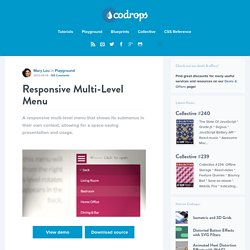
View demo Download source Today we want to share an experimental drop-down menu with you. The main idea is to save space for menus that have a lot of content and sub-levels. Each sub-level in this menu will be shown in its own context, making the “parent” level disappear. This is done with subtle animations that are defined in separate animation classes. Please note: this only works as intended in browsers that support the respective CSS properties. The structure of the menu contains an unordered list that can have an arbitrary number of sub-lists: Animations are defined in animation classes: And the plugin is called as following: Modernizr: the feature detection library for HTML5/CSS3. Custom Drop-Down List Styling.