
Stop the cascade · @mdo. Cascading styles is at the core of CSS—hell, it’s in the name—but experience has shown that building systems with too many cascading styles can be detrimental.
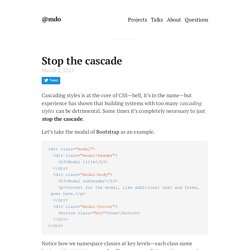
Some times it’s completely necessary to just stop the cascade. Let’s take the modal of Bootstrap as an example. Scope CSS classes with prefixes · @mdo. 16 Feb 2012 When building a CSS design system like Bootstrap, it's important to keep things simple, durable, and flexible.
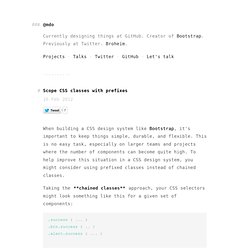
This is no easy task, especially on larger teams and projects where the number of components can become quite high. To help improve this situation in a CSS design system, you might consider using prefixed classes instead of chained classes. Operasoftware/ucss. Absolute Horizontal And Vertical Centering In CSS. Rethinking Mobile Tutorials: Which Patterns Really Work?
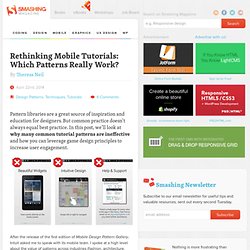
Pattern libraries are a great source of inspiration and education for designers. But common practice doesn’t always equal best practice. In this post, we’ll look at why many common tutorial patterns are ineffective and how you can leverage game design principles to increase user engagement. After the release of the first edition of Mobile Design Pattern Gallery, Intuit asked me to speak with its mobile team. I spoke at a high level about the value of patterns across industries (fashion, architecture, software and others) and how they are a useful teaching tool. CSS: Emulate borders with inset box shadows. Posted over 1 year ago.
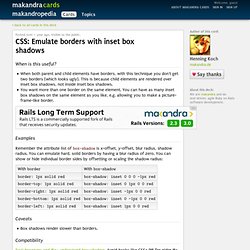
Visible to the public. When is this useful? When both parent and child elements have borders, with this technique you don't get two borders (which looks ugly). This is because child elements are rendered over inset box shadows, not inside inset box shadows. You want more than one border on the same element.
CSS3 Support in Internet Explorer 9. If you’re like me, you’re probably wondering, amidst all the hype surrounding the release of IE9 Beta, whether or not Microsoft has finally begun to keep up with the other browser makers.

Has IE9 changed Microsoft’s reputation of always lagging behind? Does the Beta release of IE9 indicate that Microsoft is finally keeping up with the Joneses? You be the judge. CSS3 Property Support in IE9 UPDATE (Oct. 30/2010) The latest release of the IE9 Platform Preview has added support for 2D transforms using the -ms- prefix. UPDATE (Jan. 25/11) For some reason I had neglected to include CSS3 keyframe animations in this list, so that’s also listed, although it didn’t really matter since IE9 doesn’t support those kinds of animations. Transform: All the CSS3 properties explained. Is used to rotate elements.
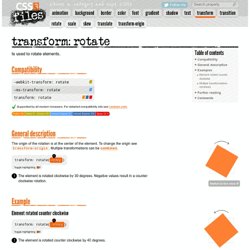
Compatibility.
Browser Detection. CSS Transitions on pseudo elements. Transition Error in Webkit (middle) CSS generated content is not only the best way for clearfixes, it is also especially helpful if you want to create visually impressive objects with a minimal amount of markup.
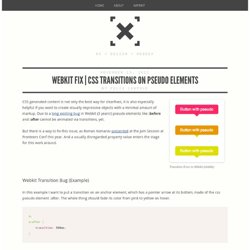
Due to a long existing bug in Webkit (3 years!) Pseudo elements like :before and :after cannot be animated via transitions, yet. But there is a way to fix this issue, as Roman Komarov presented at the Jam Session at Fronteers Conf this year. And a usually disregarded property value enters the stage for this work around. Webkit Transition Bug (Example)
Hover styles + animations. CSS generated content on replaced elements. Using pseudo-elements like :before and :after helps you specifying which content should be inserted before (or after) the content of an element.
Replaced elements like input or img have no content, therefore, you shouldn't be able to use generated content for them. But, there's almost always a but, it seems that you can use generated content on a number of replaced elements that varies from browser to browser. An introduction to CSS pseudo-element hacks. CSS is a versatile style language that is most frequently used to control the look and formatting of an HTML document based on information in the document tree.
But there are some common publishing effects – such as formatting the first line of a paragraph – that would not be possible if you were only able to style elements based on this information. Fortunately, CSS has pseudo-elements and pseudo-classes. As their names imply, they are not part of the DOM in the way that ‘real’ HTML elements and classes are. Instead, they are CSS abstractions that provide additional, and otherwise inaccessible, information about the document. Perfect Full Page Background Image. Learn Development at Frontend Masters This post was originally published on August 21, 2009 and is now updated as it has been entirely revised.

Both original methods are removed and now replaced by four new methods. The goal here is a background image on a website that covers the entire browser window at all times.
Transforms. Adventures In The Third Dimension: CSS 3D Transforms. Advertisement Back in 2009, the WebKit development team proposed a new extension to CSS that would allow Web page elements to be displayed and transformed on a three-dimensional plane. This proposal was called 3D Transforms, and it was soon implemented in Safari for Mac and iOS. About a year later, support followed for Chrome, and early in 2011, for Android.
Outside of WebKit, however, none of the other browser makers seemed to show much enthusiasm for it, so it’s remained a fairly niche and underused feature. That’s set to change, though, as the Firefox and Internet Explorer teams have decided to join the party by implementing 3D Transforms in pre-release versions of their browsers. That being the case, this is an ideal time to get ahead of the curve and start learning about the possibilities and potential of adding an extra dimension to your Web pages. The Third Dimension To use 3D Transforms in CSS, you’ll need to know about axes (that’s the plural of axis, not the plural of axe).
How To Create Different Shapes In CSS.
The Lowdown on :Before and :After in CSS. We recently took a look at :active, an extremely handy pseudo-class selector that can be used to create some awesome mouse-down effects. Today we’re going to take a step back and explore some other “pseudo” items, this time we’ll be looking at the pseudo-elements :before and :after. You’re probably beginning to see these used all over the web in advanced CSS examples so you might as well jump in and learn to use them yourself. What is a pseudo-element and how does it differ from a pseud-class? Why do pseudo-elements sometimes have one colon and sometimes have two? How are :before and :after implemented in CSS? Pseudo-Classes vs. This is a super confusing little piece of semantics that lots of people seem to be mixed up about (myself included before diving into the research).
Ceaser - CSS Easing Animation Tool - Matthew Lein. CSS3 transitions, transforms and animations. Browser Support for CSS transitions How to use transitions If you haven't used transitions before, here's a brief introduction. On the element you want to have animate, add the following CSS: There is a lot of duplication due to vendor prefixes - until the specification if finalised, this will persist.
Slide In (as you scroll down) Boxes. I was playing with my new Nexus 7 (I really wanted to own a real Android device) and I noticed a neat little effect in the Google+ app that comes with it. As you swipe down, new modules of content slide up into place. Video is best here: We can do that! It's a pretty easy two-step process: When the window scrolls, check if module is visible jQuery has a :visible selector, but that isn't what we need here. Helium-css/README.md at master · geuis/helium-css. Csscss by zmoazeni. What is it? Csscss will parse any CSS files you give it and let you know which rulesets have duplicated declarations. Pulse Effect Using CSS 3. Css-only Alternative to the Select Element. In this tutorial, I will present you my alternative solution to the select form tag. Pure CSS GUI icons (experimental) Geometric Shapes – Test for Unicode support in Web browsers.
CSSPiffle Pitch Deck in HTML5 and CSS3. Simple yet amazing CSS3 border transition effects. Entity Conversion Calculator. Appfolio Engineering. ByPeople: A huge free bundle for web professionals, 500mb of free files in one single download. Animate.css - a bunch of plug-and-play CSS animations. Responsive background images with fixed or fluid aspect ratios – Voormedia. What's the easiest way to scale background images in responsive layouts? We use an old technique and enhance it to fluidly change the aspect ratio of background images. Responsive layouts make it possible to dynamically scale the width of a website to fit on small mobile devices as well as larger desktop computers. An <img> element with a percentual width will have its height automatically adjusted.
Its aspect ratio remains the same when it is resized. If we want to accomplish the same with background images we must figure out how to maintain the aspect ratio of any HTML element. Fixed aspect ratio The trick we will use to maintain the aspect ratio is to apply vertical padding. Andyedinborough/stress-css. CSS Extensions - CSS. Targeting only Firefox with CSS. Elegant Dark CSS3 Menu Template. Elegant Dark CSS3 Menu Template. Knyle Style Sheets — Warpspire.
December 5, 2011 So I’ve been writing CSS for somewhere around 13 years now. My Coding Style and Guidelines. Necolas/idiomatic-css. Www.standardista.com/wp-content/uploads/2012/01/specifishity1.pdf. 50+ Useful CSS Tools And Generators for Developers. Jul 11 2011 CSS tools are essential for web developers because they act like a sort of magic lamp that can simplify the job at hand. Most development tools are time savers that are there to help developers create stylish, functional and optimized websites with a few shortcuts. CSS tools and generators are available in such large numbers that a developer can choose from a range of them to make their projects go smoother. Here is the collection of around 50 useful and handy CSS tools and generators that every developer should know about. 6 Methods For Vertical Centering With CSS. Centering elements vertically with css is something that often gives designers trouble.
There are however a variety of methods for vertical centering and each is fairly easy to use. Today I want to present 6 of those methods. Pagination Gallery: Examples And Good Practices. Gridset.
GradientFinder - Convert your Images into CSS Gradients. 5 Tips for Organizing Your CSS. CSS3 Generator. CSS Stress Testing and Performance Profiling.