
The Fields of Gold Desktop. Cryptocat Creates an Encrypted, Disposable Chatroom on Any Computer with a Web Browser. nSpaces: Virtual Desktops are always at your hand! Pack for Linux: Our List of the Best Linux Downloads. GNOME Do - uses mono, a .NET clone.
No chance. I could be wrong. LibreOffice - You Bet! Gedit - meh. Geany or vim. AutoKey - meh. The Information Node Desktop. Rip, Watch And Organise Everything: The Ultimate Media Guide. Yes, the times are changing.
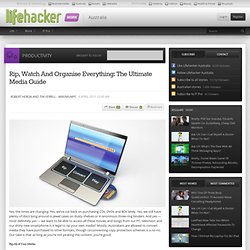
Yes, we’ve cut back on purchasing CDs, DVDs and BDs lately. Yes, we still have plenty of discs lying around in jewel cases on dusty shelves or in enormous three-ring binders. And yes — most definitely yes — we want to be able to access all these movies and songs from our PC, television and our shiny new smartphone.Is it legal to rip your own media? Mostly. How to Migrate Your Facebook Account and Data to Google+ How To Turn Your Computer Into The Ultimate Remote Access Media Server. If you’re out of the house a lot but still want access to files on your home computer, one of the best ways to solve that problem involves setting up your computer as a remotely accessible home media server.
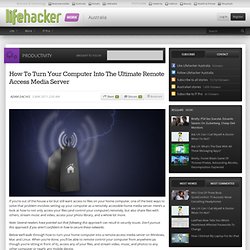
Here’s a look at how to not only access your files (and control your computer) remotely, but also share files with others, stream music and video, access your photo library, and a whole lot more. Note: Several readers have pointed out that following this approach can result in security issues. Top 10 Ways To Speed Up Windows’ Boot Time. If there’s one thing everyone dreads, it’s rebooting their computer.
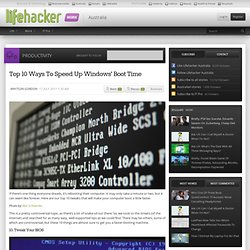
It may only take a minute or two, but it can seem like forever. Here are our top 10 tweaks that will make your computer boot a little faster. Photo by Alex Schwenke. This is a pretty controversial topic, as there’s a lot of snake oil out there. So, we took to the streets (of the internet) and searched for as many easy, well-supported tips as we could find. 10. Make A 3D Scanner Out Of A Webcam And Laser Pointer. Show Your Windows, Linux And Android Pride With These Apple-Free Wallpapers. With the release of Mac OS X Lion, it’s a big day for Apple and that’s probably all you’re hearing about.
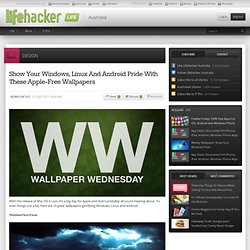
To even things out a bit, here are 10 great wallpapers glorifying Windows, Linux and Android. Windows Farm Focus Download this wallpaper [HD Wallpapers 1600x1200] Tux Eating Apple. Easily Install a Pair of Earbud Headphones in Your Hoodie. Public Records stories - Lifehacker. This Is Lifehacker's Summer Series: Stream Music from Your Phone to Home Theater, Cut Your Power Bill, and Migrate from Facebook to Google+ Use a Tennis Ball to Keep a Swimming Pool Cleaner. JPC-2 Runs Windows XP and Ubuntu in Your Web Browser. Boxify.me Offers Free, No Sign-Up File Sharing for Groups.
Pixable Filters Photos and Videos Shared by Facebook Friends. How to Get Started with Gmail. Diglo is an Anonymous and Free File-Sharing Social Network. How to Quickly Rename Multiple Files in Windows. How to Build a Computer from Scratch, Lesson 1: Hardware Basics. DIY Magnetic Key Holder Keeps Your Keys By the Front Door, No Hooks Required. Crack a Padlock with Nothing But a Paperclip. MuteTab Lets You Know Which Chrome Tab Is Making That Racket. MuteTab Quickly Finds and Silences That Noisy, Buried Browser Tab.
The Best Video Player for Windows. This Week's Top Downloads. Use "The Third Word Rule" to Skim Text at Warp Speed. Overcome Bias By Outsourcing Your Decisions. Moo0 WindowMenuPlus Adds Transparency and Process Controls to Every Window. Wireless Network Watcher Displays the Computers and Devices on Your Network. Zenmap does network scanning and LOTS more.
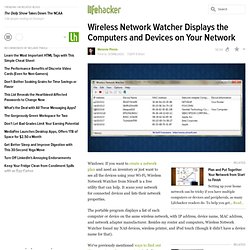
It is a GUI for nmap, the defacto standard for network scanning and OS identification needs. It doesn't scan for different wifi networks, however. For WiFi scanning, lots of wifi routers have a "site survey" mode where they scan the local wifi radios and report all the found devices, MACs and channels used.
I know tomato (firmware) does this - used it yesterday. Not all wireless chips in computers support scanning modes. Someone else said to check the "DHCP Clients Table" - that will only show DHCP clients, not static IPs configured outside the DHCP program. 80% of my network is static IPs that the DHCP server knows nothing about. `arp` can also help find network devices on a LAN. Basically, there's a lot of different ways to accomplish the same thing, as usual. How to Automatically Mute Ads on Spotify.
"Inspiration exists, but it has to find you working." Remains of the Day: Mozilla's "Boot to Gecko" Will Be Like Chrome OS for Firefox. Challenge Your Assumptions to Avoid Common, Frequent Mistakes. Some people (including myself) wrap the 30+40+20+10 to 1,000 because (I would guess) of rounding.
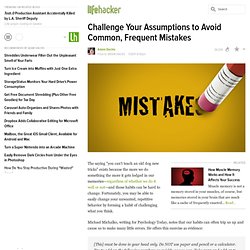
Hearing the problem verbally over reading it as written may also have an impact. Sadly we're all reading it and already know how it's structured, thus none of us [that have read the article] could really have any feedback to account for that. 1000+1000+1000+1000+(40+30+20+10=100->misinterpreted as 1000) = 5000. Some people never pick up the habits and tricks that make it easier to do arithmetic. For example, when you're buying a bunch of things that generically have $x.99 or $x.95 prices, adding up the total is much easier if you round up everything to the nearest dollar, and add whole dollar amounts while keeping a second running total of the cents you need to subtract at the end, which reduces the number of fractional-dollar 'carry' steps to the final subtraction.
Reverse Your Grocery List to Stay On Budget. Natural Light and a Wall of Storage: A Window-Lit Workspace. Set Aside Time to Worry to Reduce Stress and Anxiety. Add Lifehacker's Writers to Your Circles on Google+ For Extra Conversation. Stimulate Creativity with the SCAMPER Mnemonic. iTunes Keyboard Shortcuts, Losing Keys, and Dual Monitors in Lion. I hate to nitpick, but I can't help it because I work in a print shop, and I teach interns color management.
Actually, in an ideal situation they should have the same calibration, but the specific settings to achieve the desired calibration would vary from device to device due to not only age but tolerances in manufacturing. Calibration is also only the first part of making custom profiles, and with dual monitors, each monitor would need its own profile. I don't get the feeling that Peter has made custom profiles, in which case I would still say don't mirror the settings but rather adjust them individually by eye as best he can. However, I think the problem might be that Lion is resetting everything to the defaults for a second screen, which would be a big issue that Apple would need to fix, especially for those using custom profiles. I do use custom profiles. I have identical monitors, but I am very aware that they're not identical in terms of performance. The All-In Desktop.
Do It (Tomorrow) Brings Focused To-Do Management to the Web. Hellofax Sends the Occasional Fax For Free. Working Without a Printer. Prepare for a Weekend of Outdoor Fun in This Week's Open Thread. Hey guys.
Surprisingly, I pretty much never hang out in the open thread because I always forget whatever it was I wanted to talk about. BUT NOT THIS TIME! I was on vacation last week and my brother started getting me into Dubstep. It's pretty awesome, but it can be hit or miss—and I'm not liking a ton of the stuff I'm hearing in the Turntable.fm Dubstep room. "Add Facebook Events to Google Calendar" Is a Chrome Extension That Does What It Sounds Like.