
DVCS-Autosync: A personal Dropbox replacement based on Git. Executive summary dvcs-autosync is a project to create an open source replacement for Dropbox/Wuala/Box.net/etc. based on distributed version control systems (DVCS).
It offers nearly instantaneous mutual updates when a file is added or changed on one side but with the added benefit of (local, distributed) versioning and that it does not rely on a centralized service provider, but can be used with any DVCS hosting option including a completely separate server - your data remains your own. Synchronization of directories is based on DVCS repositories. Git is used for main development and is being tested most thoroughly as the backend storage, but other DVCS such as Mercurial are also supported. dvcs-autosync is comparable to SparkleShare in terms of overall aim, but takes a more minimalistic approach. Chmduquesne/sharebox-fs - GitHub. Syncany - Open-source file synchronization and filesharing application.
BBOX - The cloud under your (version) control, as easy and drag 'n drop. Unison File Synchronizer. Unison is a file-synchronization tool for OSX, Unix, and Windows.

It allows two replicas of a collection of files and directories to be stored on different hosts (or different disks on the same host), modified separately, and then brought up to date by propagating the changes in each replica to the other. Unison shares a number of features with tools such as configuration management packages (CVS, PRCS, Subversion, BitKeeper, etc.), distributed filesystems (Coda, etc.), uni-directional mirroring utilities (rsync, etc.), and other synchronizers (Intellisync, Reconcile, etc). However, there are several points where it differs: Unison runs on both Windows and many flavors of Unix (Solaris, Linux, OS X, etc.) systems. Moreover, Unison works across platforms, allowing you to synchronize a Windows laptop with a Unix server, for example.
Storage and online Backup Pricing Plans. Backup Never lose a file, folder or version again.
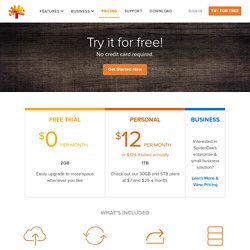
Automatically back up the things you need, on your schedule. Sync SpiderOak creates an easy way to sync data between your various devices. SparkleShare - Sharing work made easy.