
Product Downloads - Product Downloads - Resources. Case Study Zimbra Community Titleist Download TI InfoLink Download Zimbra Collaboration Sheela Foam.

Builds titanium sdk. Eclipse downloads - mirror selection. SDK. Before installing Android Studio or the standalone SDK tools, you must agree to the following terms and conditions.
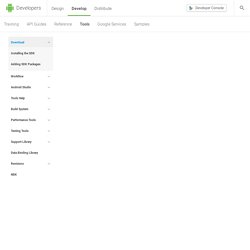
This is the Android Software Development Kit License Agreement 1. Introduction 1.1 The Android Software Development Kit (referred to in this License Agreement as the "SDK" and specifically including the Android system files, packaged APIs, and Google APIs add-ons) is licensed to you subject to the terms of this License Agreement. 2. 2.1 In order to use the SDK, you must first agree to this License Agreement. 3. 3.1 Subject to the terms of this License Agreement, Google grants you a limited, worldwide, royalty-free, non-assignable, non-exclusive, and non-sublicensable license to use the SDK solely to develop applications for compatible implementations of Android. 3.2 You may not use this SDK to develop applications for other platforms (including non-compatible implementations of Android) or to develop another SDK. Java SE JDK 6u25 Download. Go to the Oracle Java Archive page. Thank you for downloading this release of the JavaTM Platform, Standard Edition Development Kit (JDKTM).
The JDK is a development environment for building applications, applets, and components using the Java programming language. The JDK includes tools useful for developing and testing programs written in the Java programming language and running on the JavaTM platform. WARNING: These older versions of the JRE and JDK are provided to help developers debug issues in older systems.
They are not updated with the latest security patches and are not recommended for use in production. For production use Oracle recommends downloading the latest JRE and JDK versions and allowing auto-update. Only developers and Enterprise administrators should download these releases. Scons Download. The current production release of SCons is 2.3.1 [ChangeLog].
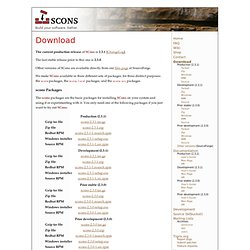
The last stable release prior to this one is 2.3.0. Other versions of SCons are available directly from our files page at SourceForge. We make SCons available in three different sets of packages, for three distinct purposes: the scons packages, the scons-local packages, and the scons-src packages. scons Packages The scons packages are the basic packages for installing SCons on your system and using it or experimenting with it. The Gzip tar file and Zip file are installable using the Python setup.py script in the package. Scons-local Packages The scons-local packages contain versions of SCons that you can execute standalone, out of a local directory. Fast Version Control System. Python 3.2 Release. Installing on Windows 7 - Documentation Guides - Appcelerator Wiki.
Titanium Studio gives you a couple of ways to start a new mobile project.
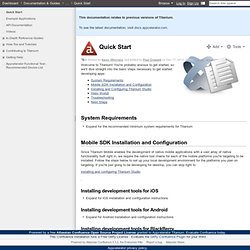
If you're the menu type, choose File, New Project. If toolbars are more your thing, click the New Project button at the left end of the toolbar. Either way, choose Titanium Mobile Project and the following dialog box will be displayed. Of course, yours will be empty to start. Every project requires these details: A project name – this will become your app's name as seen by users, so choose wisely. Once this is complete, Studio creates a starting project file set for you. Resources folder – your project's code files and graphics are stored in this folder app.js – your project's bootstrap file. Getting Started with Titanium - Documentation Guides - Appcelerator Wiki. Titanium Studio gives you a couple of ways to start a new mobile project.
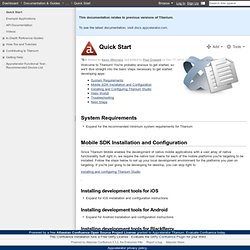
If you're the menu type, choose File, New Project. If toolbars are more your thing, click the New Project button at the left end of the toolbar. Either way, choose Titanium Mobile Project and the following dialog box will be displayed. Of course, yours will be empty to start. Every project requires these details: A project name – this will become your app's name as seen by users, so choose wisely. Once this is complete, Studio creates a starting project file set for you.
Resources folder – your project's code files and graphics are stored in this folder app.js – your project's bootstrap file. Those are basically the only required files. Titanium Desktop "Hello World"