
Roundrect roundup, tips on drawing rounded rectangles in Photoshop. Are standard fare on a web and interface designer’s utility belt.
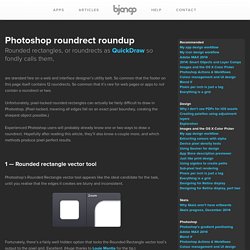
So common that the footer on this page itself contains 12 roundrects. So common that it’s rare for web pages or apps to not contain a roundrect or two. Unfortunately, pixel-locked rounded rectangles can actually be fairly difficult to draw in Photoshop. (Pixel-locked, meaning all edges fall on an exact pixel boundary, creating the sharpest object possible.) Experienced Photoshop users will probably already know one or two ways to draw a roundrect. 1 — Rounded rectangle vector tool Photoshop’s Rounded Rectangle vector tool appears like the ideal candidate for the task, until you realise that the edges it creates are blurry and inconsistent.
Fortunately, there’s a fairly well hidden option that locks the Rounded Rectangle vector tool’s output to the pixel grid. To enable pixel-locked drawing for the Rounded Rectangle vector tool, check the Snap to Pixels option in the Options bar. The result is perfect roundrects, every time. GuideGuide. iOS and Android Photoshop Actions & Workflows. Download: Bjango Actions 3.1 Pixel Snapping On and Pixel Snapping Off These enable and disable Snap Vector Tools and Transforms to Pixel Grid.
Please note that you need Photoshop CS6, CC or CC 2014 for these actions to function. New iPhone and iPad icon Actions These Actions create new documents at the correct size for iPhone and iPad icons, with iOS 7’s icon grid and lots of handy backgrounds. New Apple Watch, iPhone and iPad document Actions These Actions create new documents at Retina device sizes, at 72PPI with some handy elements, and no colour profile attached. New iPhone Portrait (all models) An action that creates a 414×736 document (the size of the iPhone 6 Plus, in iOS points), with guides for all iPhone models, including iPhone 6, iPhone 5 and the original iPhone. New 512×512 and 1024×1024 document Actions As above, but for 512×512 and 1024×1024 pixel documents, mostly for icons. Don’t Colour Manage Set Global Light to 90° View Shadow Detail Add Colour Blindness Testing Show Optimal Size.
Tag "Photoshop" on Smashing Magazine. Posts Tagged ‘Photoshop’.
We are pleased to present below all posts tagged with ‘Photoshop’. Pen Tool Vs. Live Trace: The Big Comparison In this tutorial, I will teach you how to work digitally on an image you draw by hand. You will learn two completely different ways to approach the image: through the Live Trace Tool and the Pen Tool. Along the way, I will give you some Photoshop tips, too. Read more... Creating Advanced Animations In Photoshop While animation in Photoshop is not a new concept, it definitely has come a long way in the last few years: The Timeline panel has been overhauled, video layers have been introduced, as has the ability to create keyframe animation. Even though Photoshop is still a long way off from being able to create the high-end and cinematic animations of such programs as After Effects, it still has enough power to create complex animation — which is especially useful if you don’t want to spend time learning a new application.
Read more... Read more... Read more... Adobe Photoshop Tutorials from Beginner to Advanced. Photoshop Quick Tips: Advanced Techniques for UI Design.