
The difference between git pull, git fetch and git clone (and git rebase) Update: So, over a year later and I’ve had some feedback from a colleague (thanks Ben!).
Nothing here is drastically wrong, but some clarifications should help! When I started out with git … … who am I kidding, I’m still a git n00b. Today, I tweeted about git. I wanted to know what the differene between pull, fetch and clone is. Push - How to undo the last Git commit. How do I fix merge conflicts in Git. SourceTree for Windows beta signup. By Justen Stepka, Product Manager on February 14, 2013 “SourceTree makes Git a pleasure to use and we need it on Windows.”
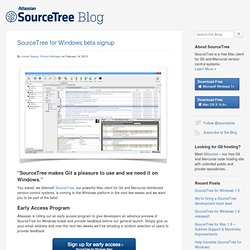
You asked, we listened! SourceTree, our powerful Mac client for Git and Mercurial distributed version control systems, is coming to the Windows platform in the next few weeks and we want you to be part of the beta! Early Access Program Atlassian is rolling out an early access program to give developers an advance preview of SourceTree for Windows builds and provide feedback before our general launch.
New to SourceTree? SourceTree makes it easy for anyone to interact with and manage repositories, automate complex command line operations, and visualize changesets across multiple branches and forks. SourceTree 1.5: Going With The FlowBitbucket. By Jeff Park on July 17, 2012 Steve Streeting has made it his mission to reach out to SourceTree users and listen to what they have to say.
In the last couple months, he’s even traveled to San Francisco from his hometown in the UK, hosting a drinkup to meet SourceTree customers face to face. He’s taken your feedback and pushed out some of the features you’ve asked for in the latest release – SourceTree 1.5! Git with Eclipse (EGit) Git version control with Eclipse (EGit) - Tutorial Copyright © 2009, 2010, 2011, 2012, 2013, 2014 Lars Vogel Git with Eclipse (EGit) This tutorial describes the usage of EGit; an Eclipse plug-in to use the distributed version control system Git.
This tutorial is based on Eclipse 4.3 (Kepler). 1. Note This description contains sufficient information about working with Git in Eclipse, but it does not cover all concepts for Git. For a detailed description of the Git concepts and different options please see the following link or the corresponding Git book from Lars Vogel: Mastering the Git command line from Lars Vogel EGit is an Eclipse plug-in (software component) which allows you to use the distributed version control system Git directly within the Eclipse IDE.
EGit is based on the JGit library. This tutorial describes the usage of EGit. This tutorial also explains the basic Git terminology, e.g., what is a commit, branch, etc. 4. EGit can be installed from the following URL: 5. 5.1. 5.2. 5.3. Scott Chacon on the Interwebs. August 31, 2011 Issues with git-flow I travel all over the place teaching Git to people and nearly every class and workshop I’ve done recently has asked me what I think about git-flow.
I always answer that I think that it’s great - it has taken a system (Git) that has a million possible workflows and documented a well tested, flexible workflow that works for lots of developers in a fairly straightforward manner. It has become something of a standard so that developers can move between projects or companies and be familiar with this standardized workflow. However, it does have its issues. One of the bigger issues for me is that it’s more complicated than I think most developers and development teams actually require.
Both of these issues can be solved easily just by having a much more simplified process. Its simplicity gives it a number of advantages. Using Pull Requests. Pull requests let you tell others about changes you've pushed to a GitHub repository.
Once a pull request is sent, interested parties can review the set of changes, discuss potential modifications, and even push follow-up commits if necessary. This guide walks through the process of sending a hypothetical pull request and using the various code review and management tools to take the change to completion. Git. Merge.conflictstyle Specify the style in which conflicted hunks are written out to working tree files upon merge.
The default is "merge", which shows a <<<<<<< conflict marker, changes made by one side, a ======= marker, changes made by the other side, and then a >>>>>>> marker. An alternate style, "diff3", adds a ||||||| marker and the original text before the ======= marker. merge.defaultToUpstream If merge is called without any commit argument, merge the upstream branches configured for the current branch by using their last observed values stored in their remote-tracking branches. Merge.ff. Book. Online Git Courses. GitHub & Git Foundations Course Our Foundations class helps you, as a newcomer to GitHub and Git, fully grasp the concepts and application of distributed version control so that you can effectively begin using this productivity-enhancing suite of tools.
During this live training course, we’ll explore the foundations of GitHub and Git through practical every-day commands and processes. We’ll conclude with workflow ideas and practical tips that will get you on the road to mastery of this revolutionary version control system. Topics. Git Immersion - Brought to you by New Context. Code School - Git Real. A successful Git branching model » nvie.com. Note of reflection (March 5, 2020)This model was conceived in 2010, now more than 10 years ago, and not very long after Git itself came into being.
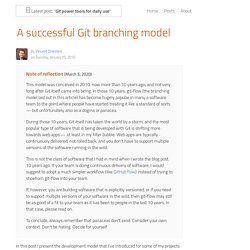
In those 10 years, git-flow (the branching model laid out in this article) has become hugely popular in many a software team to the point where people have started treating it like a standard of sorts — but unfortunately also as a dogma or panacea.During those 10 years, Git itself has taken the world by a storm, and the most popular type of software that is being developed with Git is shifting more towards web apps — at least in my filter bubble. Web apps are typically continuously delivered, not rolled back, and you don't have to support multiple versions of the software running in the wild.This is not the class of software that I had in mind when I wrote the blog post 10 years ago.
Why git? ¶ For a thorough discussion on the pros and cons of Git compared to centralized source code control systems, see the web. The main branches ¶ develop. Code School - Try Git. GitHub Training.