
Concrete5 - a Open Source Content Management System. In the Woods - Five Plugins for Using WordPress as a CMS. Considering WordPress’s popularity and huge user base as a blog platform, it makes perfect sense that people are pushing and testing its limits.

I’ve been seeing creative and new uses for WordPress everywhere. Photo galleries, job posting boards, e-commerce sites. The list goes on and on. Once you learn what WordPress can do, the sky is the limit. One popular implementation is to use WordPress as a Content Management System (or CMS). FlutterFlutter is a plugin that allows you to create and manage custom "Write Panels. " cforms IIOne things blogs do really well is give your users instant access in contacting you.
Really, the first step to using WordPress as a CMS is to understand what WordPress does and what it does not do. 101 Techniques for a Powerful CMS using WordPress. May 05 2009 This is the first article in the three-part series, “The Comprehensive Guide for a Powerful CMS using WordPress”.
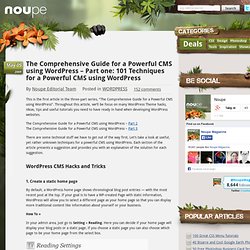
Throughout this article, we’ll be focus on many WordPress Theme hacks, ideas, tips and useful tutorials you need to have ready in hand when developing WordPress websites. The Comprehensive Guide for a Powerful CMS using WordPress – Part 2 The Comprehensive Guide for a Powerful CMS using WordPress – Part 3 There are some technical stuff we have to get out of the way first. Let’s take a look at useful, yet rather unknown techniques for a powerful CMS using WordPress. WordPress CMS Hacks and Tricks 1. By default, a WordPress home page shows chronological blog post entries — with the most recent post at the top. How To » In your admin area, just go to Setting » Reading. Points to take care » First problem you may run into when you make a static page your home page is that the link to that page now appears in the main site navigation. 2. <ul id="pagenav"><li class="<? 3. <? 10 Essential Plugins Every Modern Wordpress Site Should Have.
10 Impressive Techniques to Spice up your WordPress Theme. WordPress awesomeness lies in its fact that it can be customized to power any type of site you like!
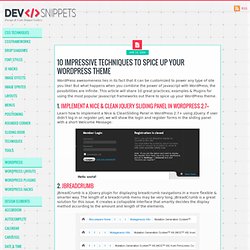
But what happens when you combine the power of javascript with WordPress, the possibilities are infinite. This article will share 10 great practices, examples & Plugins for using the most popular Javascript frameworks out there to spice up your WordPress theme. 1. Implement a Nice & Clean jQuery Sliding Panel in WordPress 2.7+ Learn how to implement a Nice & CleanSliding Panel in WordPress 2.7+ using jQuery. 2. jBreadCrumb jBreadCrumb is a jQuery plugin for displaying breadcrumb navigations in a more flexible & smarter way. Learn how to create this navigation technique, and display it on our posts, pages and categories archives in your WordPress theme. 3. The basic idea of the sliding box animations is very simple. 4. Add a nice style switcher using jQuery and PHP. 5. Creating a basic button is very simple with the jQuery UI CSS framework and styling it is really easy. Return of Design.