
TEL_survey_2012_final_ex_apps (application/pdf Object) Camtasia_Studio_7_Online_Help.pdf (application/pdf Object) 6 useful things Prezi can do (which even experienced users miss) I keep discovering new things about the presentation software Prezi.
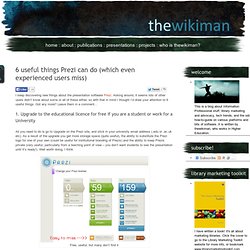
Asking around, it seems lots of other users didn’t know about some or all of these either, so with that in mind I thought I’d draw your attention to 6 useful things. Got any more? Leave them in a comment… 1. Upgrade to the educational licence for free if you are a student or work for a University All you need to do is go to Upgrade on the Prezi site, and stick in your university email address (.edu or .ac.uk etc). Free, useful, but many don’t find it 2. This is completely brilliant. By pressing shift before drawing a frame, it keeps a perfect 4:3 aspect ratio as you draw it – moving the mouse simply increases or decreases the size, but the shape stays the same.
Opening Pandora's box. Is Peer Input as Important as Content for Online Learning? Culture Digital Tools Teaching Strategies Flickr: Incase By Nathan Maton Back in 2001, MIT launched OpenCourseWare, a bold idea to put world-class MIT professors’ lectures, syllabi and resources online to the world for free.
Today, Open Education Resources (OER) industry leaders are arguing that the free content is only the starting point. The next stage of the open education movement has evolved into Massive Online Open Courses (MOOCs) — the key word being “massive,” as in drawing tens or hundreds of thousands of students. Lexdis - Ideas for e-Learning. Open Scholarship and Connected Learning – Alec Couros (@courosa) #pelc12. Alec Couros has been described as a ‘techno communist’, open the learning in his institution to anyone that cares to join by using web tools.
With current technology the documentation of learning is incredibly accessible and, Couros argues, incredibly important. Sharing examples of photographs documenting learning moments of his children, and students documenting their learning via YouTube videos, he argued that putting things out there before they are perfect is an important part of learning. These examples were all open and public on the webt, and openness is the key to much of his work.
Interactivity and British Library Sounds - Sound Recordings. Have you recently visited the new British Library Sounds website and tried out its new features?
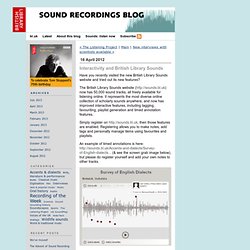
The British Library Sounds website ( now has 50,000 sound tracks, all freely available for listening online. It represents the most diverse online collection of scholarly sounds anywhere, and now has improved interactive features, including tagging, favouriting, playlist generation and timed annotation features. Simply register on then those features are enabled. Registering allows you to make notes, add tags and personally manage items using favourites and playlists. An example of timed annotations is here: (& see the screen grab image below), but please do register yourself and add your own notes to other tracks. Watch this space over the next few weeks as we announce more collections that have recently been digitised and copyright-cleared for public access. JISC infoNet: e-Learning Programme support (786) 20 tips and resources for using learning technology in higher education. Allison Littlejohn, director of the Caledonian Academy, Glasgow Caledonian University Blended learning should transform learning, not just replicate teaching: Companies want graduates who can source, filter and use existing knowledge to create new knowledge, and the university is key to equipping students with these skills.
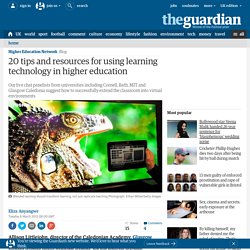
Yet we seldom see technology tools being used in radically new ways in HE. They are usually used to replicate lectures - think of websites or podcasts - rather than enabling students to learn in new ways. Massive Open Online Course is one example of transformational learning. The courses are semi structured, decentralised, and (crucially) open. Learn from industry: There are lots of examples of collaborative and collective learning in industry. Other useful examples: • iSpot, UK Open University - where students, experts and members of the public share ideas on botany. Cloudworks - JISC. Experiments - BBC - Lab UK - Virtual Revolution. Google generation rubuttal JISC. Journal article: critical review of "digital native" concept. Google First, Think Second « Endless Possibilities v3.0. A while ago I wrote a blog post about a molecule I was particularly fond of as part of a chemistry meme (May 2010 I will not name the molecule for reasons that will become clear later.
About 7 months later I noticed that my blog was getting a number of hits from people searching for the formula of the molecule in question, the synthesis and characterisation of which formed part of my laboratory course in spectroscopy. More to the point, those queries, coming from my university for the most part, were framed exactly like the questions that I’d written in the pre-laboratory exercise for the experiment. OK, so what’s the big deal? Student use search engines to look up information for assignments. Well, actually that is a big deal. That sound fair enough though, doesn’t it? Yes generally, but in this case the students had been supplied with a picture of the molecule (coloured ball and stick, with key to decipher the colours). I decided to take some action.