
Pop Art Inspired by Lichtenstein -Photoshop Tutorial. Tutorial Links: Page 1 | Page 2 | Page 3 Pop Art Recommended for Beginner to Intermediate Level Photoshop Users If you are a fan of pop art then you’re probably already well acquainted with the work Roy Lichtenstein.
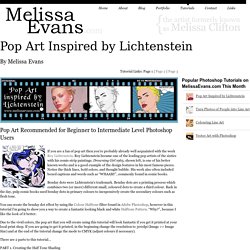
Roy Lichtenstein became one of the leading pop artists of the sixties with his comic-strip paintings. Drowning Girl 1963, shown left, is one of his better known works and is a good example of the design features in his most famous pieces. Notice the thick lines, bold colors, and thought bubble. Benday dots were Lichtenstein’s trademark. You can create the benday dot effect by using the Colour Halftone filter found in Adobe Photoshop, however in this tutorial I’m going to show you a way to create a fantastic looking black and white Halftone Pattern. Due to the vivid colors, the pop art that you will create using this tutorial will look fantastic if you get it printed at your local print shop. There are 2 parts to this tutorial… PART 1.
PART 1. 28 Impressive Pop Art Inspired Photoshop Tutorials. Pop Art is a style of modern art that focuses its attention on well known images of popular culture such as from advertising, film, billboards, comic strips and even supermarket packaging.

With the proper use of color and images, a sprinkle of humor and a bucket load of talent, the pop-art effect can be really impressive. Below you will find a selection of tutorials that will help you create your pop-art vision. Pop Art Inspired Fashion Illustration PS Tutorial Wicked-Worn Vintage Pop Art Design PS Tutorial Andy-Warhol-Up Your Photographs PS Tutorial Pop Art Inspired by Lichtenstein PS Tutorial. Photoshop Tips: Create Pop Art (#1)
Photography. Kuler. PANTONE Color, products and guides for accurate color communication. Brands of the World. Free Logo Vector Graphics download and share. Print Candee Digital Clip Art and Crafts. Pixel Paper Prints by pixelpaperprints. 25 Tutorials for Using Illustrator and Photoshop Together for Outstanding Results. Photoshop and Illustrator are two of the most indispensable tools for web and graphic designers.
For those of us who are always looking to learn more and improve skills, there are plenty of great tutorials out there for each of these programs. Most designers feel a bit more comfortable in one over the other as a result of more experience or better understanding. However, sometimes the two can be used together in a way that emphasizes the strengths of each program. In this post we’ll feature 25 of the best tutorials that utilize both Illustrator and Photoshop to create amazing results. Looking for hosting? Kobi Levi- Footwear Design. Tulip 2003 "man-made" leather & textile Rocking chair 2003 leather & cork Androgyne 2002 leather "Sport elegant" 2001 "man-made" leather Double boots 2000 Corset boots 1999 Textile & wood Alluminum B 1998 denim & casted alluminum Alluminum A 1998textile & casted alluminum Market trolley 1998 textile & rubber Market 1998.
