
Locking the bad guys out with asymmetric encryption. Encryption, the transformation of data into a form that prevents anyone unauthorized from understanding that data, is a fundamental technology that enables online commerce, secure communication, and the protection of confidential information.

Encryption algorithms are the mathematical formulae for performing these transformations. You provide an encryption algorithm with a key and the data you want to protect (the plaintext), and it produces an encrypted output (the ciphertext). To read the output, you need to feed the key and the ciphertext into a decryption algorithm (sometimes these are identical to encryption algorithms; other times they are closely related but different). Encryption algorithms are designed so that performing the decryption process is unfeasibly hard without knowing the key. The algorithms can be categorized in many different ways, but perhaps the most fundamental is the distinction between symmetric and asymmetric encryption. c = me (mod n)
Two new attacks on SSL decrypt authentication cookies. Researchers have devised two new attacks on the Transport Layer Security and Secure Sockets Layer protocols, the widely used encryption schemes used to secure e-commerce transactions and other sensitive traffic on the Internet.
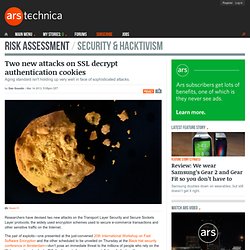
The pair of exploits—one presented at the just-convened 20th International Workshop on Fast Software Encryption and the other scheduled to be unveiled on Thursday at the Black Hat security conference in Amsterdam—don't pose an immediate threat to the millions of people who rely on the Web-encryption standards. Still, they're part of a growing constellation of attacks with names including BEAST, CRIME, and Lucky 13 that allow determined hackers to silently decrypt protected browser cookies used to log in to websites.
Together, they underscore the fragility of the aging standards as they face an arsenal of increasingly sophisticated exploits. It’s about TIME TIME works in a similar fashion. Authentication and Authorization. Authentication is any process by which you verify that someone is who they claim they are.
Authorization is any process by which someone is allowed to be where they want to go, or to have information that they want to have. For general access control, see the Access Control How-To. Introduction If you have information on your web site that is sensitive or intended for only a small group of people, the techniques in this article will help you make sure that the people that see those pages are the people that you wanted to see them. This article covers the "standard" way of protecting parts of your web site that most of you are going to use. Note: Authentication & Authorization. Registration for Web-Based Applications - Google Accounts Authentication and Authorization. Authorization Roles in CRM Web Channel (SAP Library - SAP CRM: Business Scenario and Business Process Configuration) User Authentication in ASP.NET Web API. ASP.NET authentication and authorization. Updated with New video ASP.NET authentication and authorization Introduction This article will discuss how to implement ASP.NET authentication and authorization.
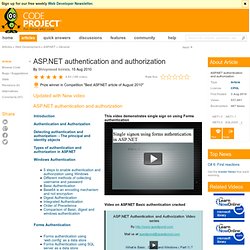
This article initially starts with authentication and authorization concepts and later explains the three important ways of doing authentication and authorization i.e. windows, forms and passport. As the article moves ahead it explains basic, digest and integrated authentication in depth. This is a small Ebook for all my .NET friends which covers topics like WCF,WPF,WWF,Ajax,Core .NET,SQL etc you can download the same from here or else you can catch me on my daily free training @ from here. Bastion » A blog about J2EE Security, WebLogic, authentication, authorization, auditing, and PKI. According to the Java Servlet Specification, there are four standard methods of authentication in web applications: FORM, BASIC, DIGEST, and CLIENT-CERT.
FORM is quite common, but BASIC and DIGEST are not. What are the different ways for performing authorization in a web application other than role-based authorization. Add Honey Pot Instructions. How to Avoid Spambots. (Page 5/6) Passing You Over Your website is your property and, as a result, you are allowed to restrict by contract who is allowed to visit it.
For example, it may be possible to limit access by "non-human visitors," including spambots that harvest your email addresses. If you already have terms of use that apply to your website, consider adding language such as that suggested in our Model Terms of Use. In the alternative, you may link to these terms stored here: You should consider including a no-email-collection metatag at the top of each of the pages of your site.
In addition to installing a no-email-collection metatag and modifying the terms of use that apply to your website, you should consider participating in Project Honey Pot and including honey pot addresses on your site. Finally, the following box appears at the bottom of the pages through which we display honey pot addresses. Choosing an Auth Mechanism - Google Accounts Authentication and Authorization. Basic access authentication. In the context of a HTTP transaction, basic access authentication is a method for an HTTP user agent to provide a user name and password when making a request.
Features[edit] Security[edit] The BA mechanism provides no confidentiality protection for the transmitted credentials. They are merely encoded with Base64 in transit, but not encrypted or hashed in any way. Basic Authentication is, therefore, typically used over HTTPS. Because the BA header has to be sent with each HTTP request, the web browser needs to cache credentials for a reasonable period of time to avoid constantly prompting the user for their username and password. OAuth. For MediaWiki's (the software used by Wikipedia) OAuth support, see mw:Help:OAuth OAuth is an open standard for authorization, commonly used as a way for Internet users to log into third party websites using their Microsoft, Google, Facebook or Twitter accounts without exposing their password.[1] Generally, OAuth provides to clients a 'secure delegated access' to server resources on behalf of a resource owner.
It specifies a process for resource owners to authorize third-party access to their server resources without sharing their credentials. Designed specifically to work with Hypertext Transfer Protocol (HTTP), OAuth essentially allows access tokens to be issued to third-party clients by an authorization server, with the approval of the resource owner. The third party then uses the access token to access the protected resources hosted by the resource server.[2] OAuth Community Site. Using OAuth 2.0 to Access Google APIs - Google Accounts Authentication and Authorization. Basic steps All applications follow a basic pattern when accessing a Google API using OAuth 2.0.
At a high level, you follow four steps: 1. Obtain OAuth 2.0 credentials from the Google Developers Console. Document Authorizations (SAP Library - SAP CRM: Business Scenario and Business Process Configuration)