
Content Glider. External Links. Pathauto. The Pathauto module automatically generates URL/path aliases for various kinds of content (nodes, taxonomy terms, users) without requiring the user to manually specify the path alias. This allows you to have URL aliases like /category/my-node-title instead of /node/123 . The aliases are based upon a "pattern" system that uses tokens which the administrator can change. Requirements Versions The 7.x-1.x and 6.x-2.x branches are currently accepting new feature requests and are kept in sync as much as possible.
Known issues. Download ScrollText - This Drupal module allows you to create t. Webform. Webform is the module for making surveys in Drupal.
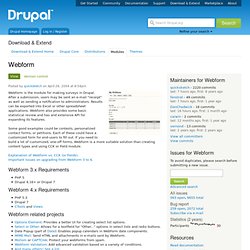
After a submission, users may be sent an e-mail "receipt" as well as sending a notification to administrators. Results can be exported into Excel or other spreadsheet applications. Webform also provides some basic statistical review and has and extensive API for expanding its features. Some good examples could be contests, personalized contact forms, or petitions. Comic View. Making your own customisations to the default theme. Example subtheme released Over the last few weeks, we've received questions from interested users about ProsePoint themes, particularly about how ProsePoint themes differs from Drupal themes, and how to customise the default theme that comes with ProsePoint (tma2).
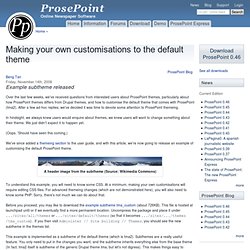
After a few ad-hoc replies, we've decided it was time to devote some attention to ProsePoint themeing. In hindsight, we always knew users would enquire about themes, we knew users will want to change something about their theme. We just didn't expect it to happen yet. (Oops. We've since added a themeing section to the user guide, and with this article, we're now going to release an example of customising the default ProsePoint theme. A header image from the subtheme (Source: Wikimedia Commons) To understand this example, you will need to know some CSS. Before you proceed, you may like to download the example subtheme tma_custom (about 726KB).
Drupal Dojo. Develop a Social Media Website With These 10 Code Techniques. Drupal Web Design Inspiration Gallery. Recent madewithdrupal Bookmarks on Delicious. Drupal's Twitter Module - Integrating Drupal Posts with Twi. Filtering Drupal Views Dynamically (or, "Leverage the big C. First make a dynamically filtered view on the fly like the big boys do!
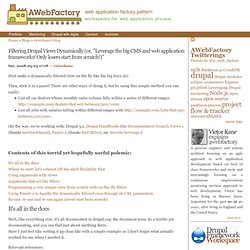
Then, stick it in a panel! There are other ways of doing it, but by using this simple method you can easily: Blog: Drupal and Maps III: Getting Dirty. This is the continuation of my journal on getting mapping to work for Global Youth Service Day in Drupal, which starts with an overview of maps and drupal, and continues with a discussion of modules. So now we have the basic setup and are ready to start on the map - placeholders for content, maps, and actual content, and it's time to forge ahead with improving the user experience and information architecture (at the same time, even!). I also just came across another blog article at around the same level of detail that covers other aspects of Drupal, which I haven't touched on much here for a more articles-rich site.
Check it out: . Along similar lines, I stumbled across a series by IBM that gives a surprisingly clear overview of the next level in to Drupal geekery, without flooding you with information: Create custom content types and taxonomies for the events Then I created a few taxonomies to support further categorization of my events (did they receive grant money to run the event? Drupal Templates from your Photoshop Design in Seconds. Drupal Templates from Your Photoshop Design in Seconds Now you can build a Drupal Theme in Photoshop, name some layers for the content that Drupal will provide, convert the PSD file to a fully functional Drupal (version 6.x) Theme, copy it into your existing Drupal install and it works.
Drupal is an amazing CMS (Content Management System) with tons of features right out of the box and thousands more available as modules you download and install to your Drupal website. Drupal is available for free here: Taxonomy Overview. Database Fun with Schema Module. Drupal Help, Drupal Themes and Drupal Modules. Drupal 6 vs. Drupal 5. A few people have recently asked me: Should I use Drupal 5 or Drupal 6?
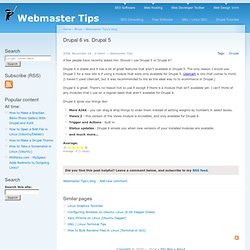
Drupal 6 is stable and it has a lot of great features that aren't available in Drupal 5. The only reason I would use Drupal 5 for a new site is if using a module that were only available for Drupal 5. Ubercart is one that comes to mind. (I haven't used Ubercart, but it was recommended to me as the ideal way to to ecommerce in Drupal.) 7 well designed Drupal Sites - Geshan's Blog.
Drupal theming is not as easy was it look.
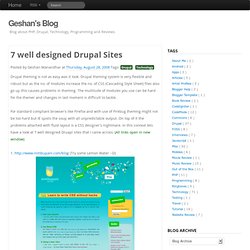
Drupal theming system is very flexible and robust but as the no. of modules increase the no. of CSS (Cascading Style Sheet) files also go up this causes problems in theming. The multitude of modules you use can be hard for the themer and changes in last moment is difficult to tackle. For standard compliant browser's like Firefox and with use of Firebug theming might not be too hard but IE spoils the soup with all unpredictable output.
On top of it the problems attached with fluid layout is a CSS designer's nightmare. Dozen websites a Drupal User should not miss - Geshan's Blo. Its been around 2 years now I've been involved in Drupal.
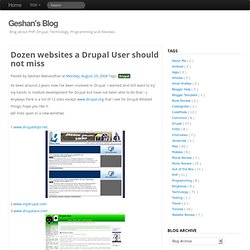
I wanted and still want to try my hands in module development for Drupal but have not been able to do that ;-). Anyways here is a list of 12 sites except www.drupal.org that I see for Drupal Related things, hope you like it. (All links open in a new window) 1.www.drupaldojo.net 2.www.mydrupal.com3.www.drupalace.com. A Recipe for a Rapid Drupal Site. Building a Drupal site can be done very quickly and inexpensively under the right circumstances.
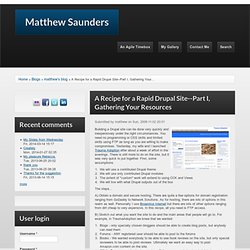
You need no programming or CSS skills and limited skills using FTP as long as you are willing to make compromises. Yesterday, my wife and I launched Trauma Adoption after about a week of effort in the evenings. There is still more to do on the site, but it was very quick to put together. Administration Menu. Provides a theme-independent administration interface (aka. navigation, back-end).
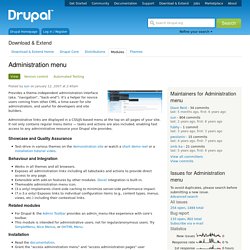
It's a helper for novice users coming from other CMS, a time-saver for site administrators, and useful for developers and site builders. Administrative links are displayed in a CSS/JS-based menu at the top on all pages of your site. It not only contains regular menu items — tasks and actions are also included, enabling fast access to any administrative resource your Drupal site provides. Showcase and Quality Assurance Test-drive in various themes on the demonstration site or watch a short demo reel or a installation tutorial video. Behaviour and Integration Works in all themes and all browsers.Exposes all administration links including all tabs/tasks and actions to provide direct access to any page.Extensible with add-on features by other modules.
Related modules Installation Documentation Credits Current maintainers: This project has been sponsored by: Friendly Expert Drupal Consulting. Most useful Drupal modules. Top Drupal Modules By Rating. 5 Undermined Drupal Modules I have utilized - Geshan's Blog. There are lots of Drupal Modules, some are great, some need improvement, some have a long issue queue but here is a short list of five undermined Drupal Modules.
I suggest these modules will come handy in a relatively big Drupal site with need of multiple content type and frequent updating. The list is given below hope you also benefit from using the modules mentioned below as I have:PathAuto: as the name clarifies itself its a module that gives automatic path to your content type/node submission. If you noticed blogger's blog post paths they are based on the title of the post, similarly Drupal node's path can also be beautified with use of this module rather than /node/x - x the id of the node. It can be like /news/mr-abc-won-gold which looks good and is search engine friendly also helping your SEO. 10 must have Drupal Modules - Geshan's Blog.
Drupal is one of the most flexible, modular and customizable open source Content Management System (CMS) powering thousands of websites (my list here).
It is not only easy to kick start a site using Drupal but advantageous in numerous ways, primary the seamlessly pluggable modules and themes make Drupal an obvious choice. Washington, DC Drupalers. Handbooks. Apture. CDN2 Video. Drupal video: fast, cheap, easy.
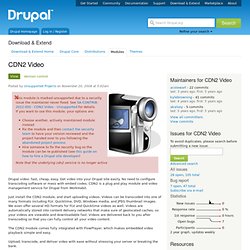
Get video into your Drupal site easily. No need to configure transcoding software or mess with embed codes. CDN2 is a plug and play module and video management service for Drupal from WorkHabit. Just install the CDN2 module, and start uploading videos. Videos can be transcoded into one of many formats including FLV, Quicktime, DVD, Windows media, and JPEG thumbnail images. Image Browser. FCKeditor - WYSIWYG HTML editor. CKEditor module: CKEditor is the successor to FCKeditor and has its own CKEditor module. Panels. An Overview of Panels The Panels module allows a site administrator to create customized layouts for multiple uses.
Active menus. Activemenus makes the standard Drupal navigation menu expandable. Clickable, highlighted regions are added to the menu. When a collapsed menu item is expanded, the child menu items are loaded dynamically through AJAX. Formerly part of the Javascript Tools package, Tabs is now an independent module as of Drupal 6. jQuery UI Tabs.